MT8121IE
MT8121IE
MT8121IE
MT8121IE
MT8121IE
MT8121IE
Ask our team:
  • Phone: +86 181 0690 9650
  • E-Mail info@apterpower.com
  • Lifecycle status

    Active / Available from OEM
    Apter Power supports quotation, documentation, procurement and HMI project matching for MT8121iE.

MT8121iE

/ 4.9
1001 reviews | Need a Specific Revision?
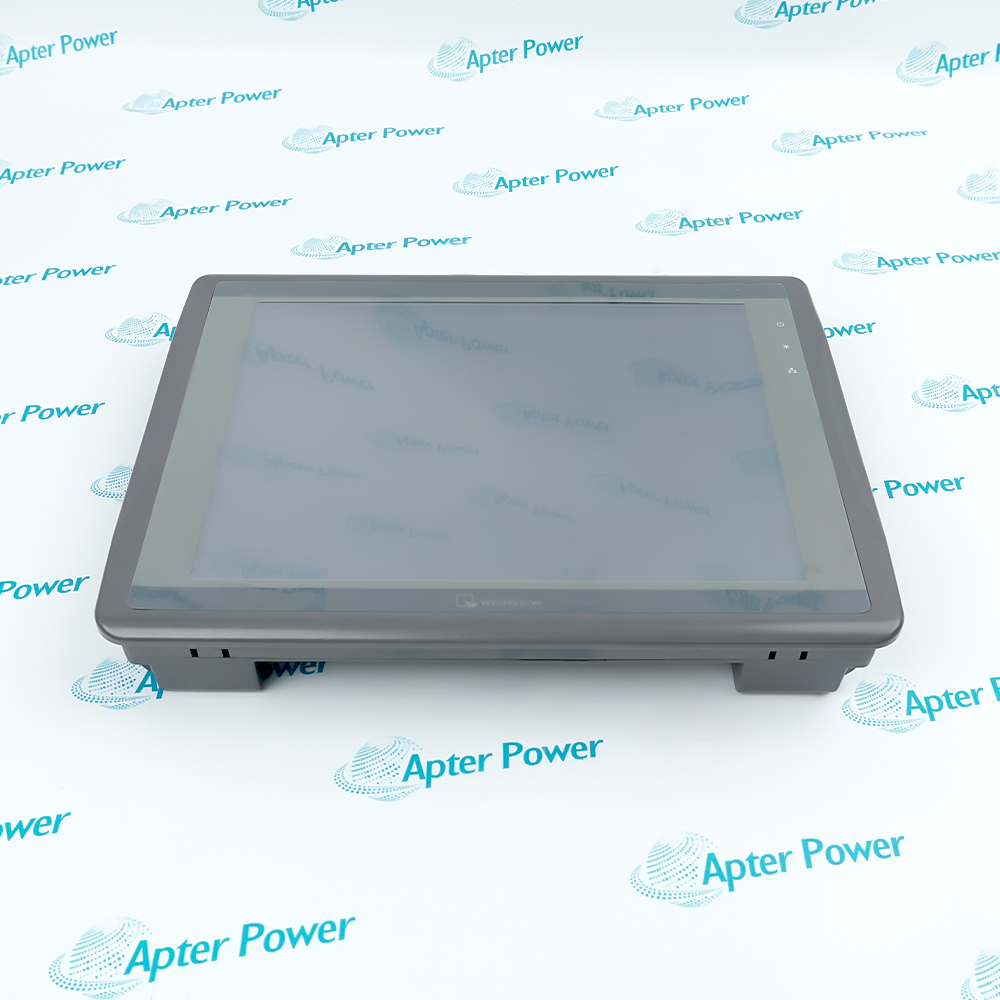
Weintek MT8121iE is a 12.1-inch IPS HMI touch panel with 1024 × 768 display resolution and EasyBuilder Pro engineering support.
In Stock
Ships by Saturday, October 17
Fast Shipping Available
Get a quick price for MT8121iE
Quantity
*E-mail
Company
*Mobile
*Content
Upload (gif, jpg, jpeg, png, bmp, doc, docx, xls, xlsx, ppt, pdf, csv)

Technical specifications for MT8121iE

  • Manufacturer:
    Weintek
  • Part Number:
    MT8121iE
  • Product Family:
    Weintek iE Series
  • Product Type:
    12.1-inch HMI Touch Panel
  • Stock:
    1
  • Ordering Code:
    MT8121iE1
  • Display:
    12.1-inch IPS LCD
  • Resolution:
    1024 × 768
  • Brightness:
    500 cd/m²
  • Contrast Ratio:
    1000:1
  • Processor:
    32-bit RISC, 600 MHz
  • Flash Memory:
    128 MB
  • RAM:
    256 MB
  • Ethernet:
    10/100 Base-T
  • Serial Ports:
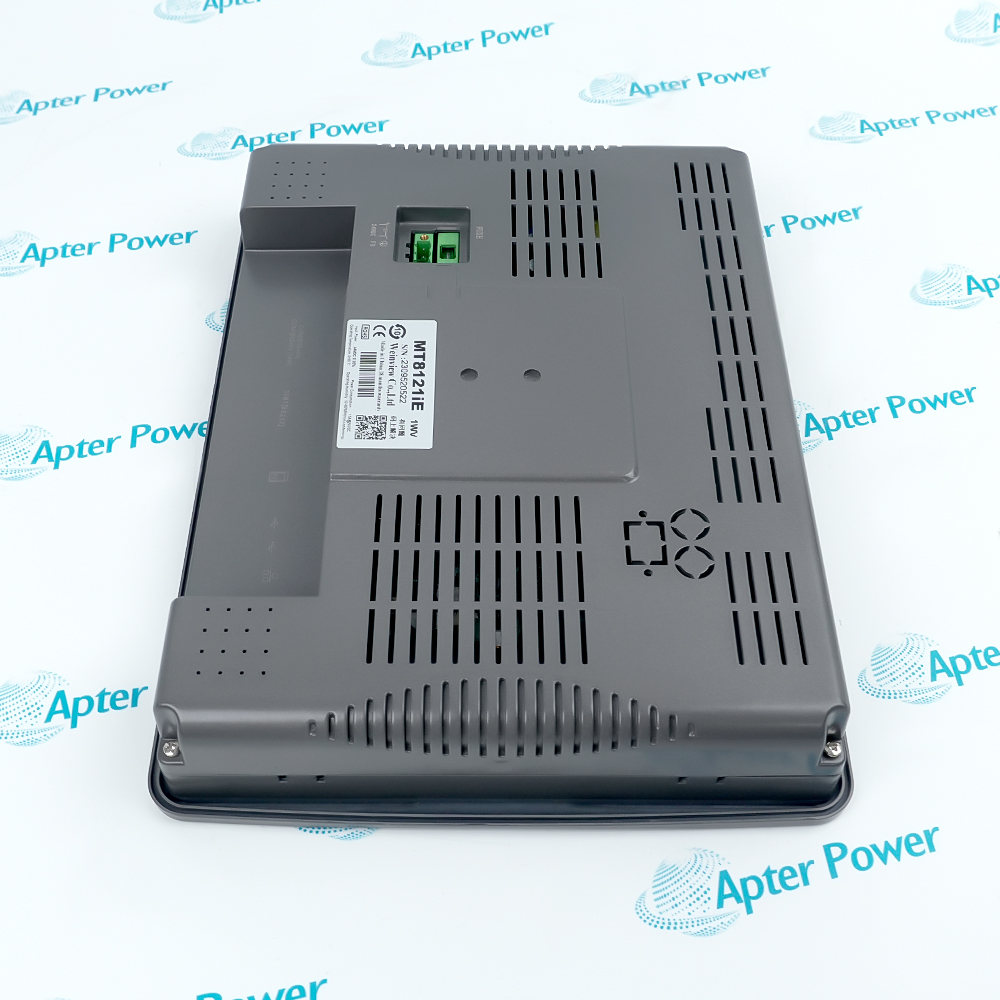
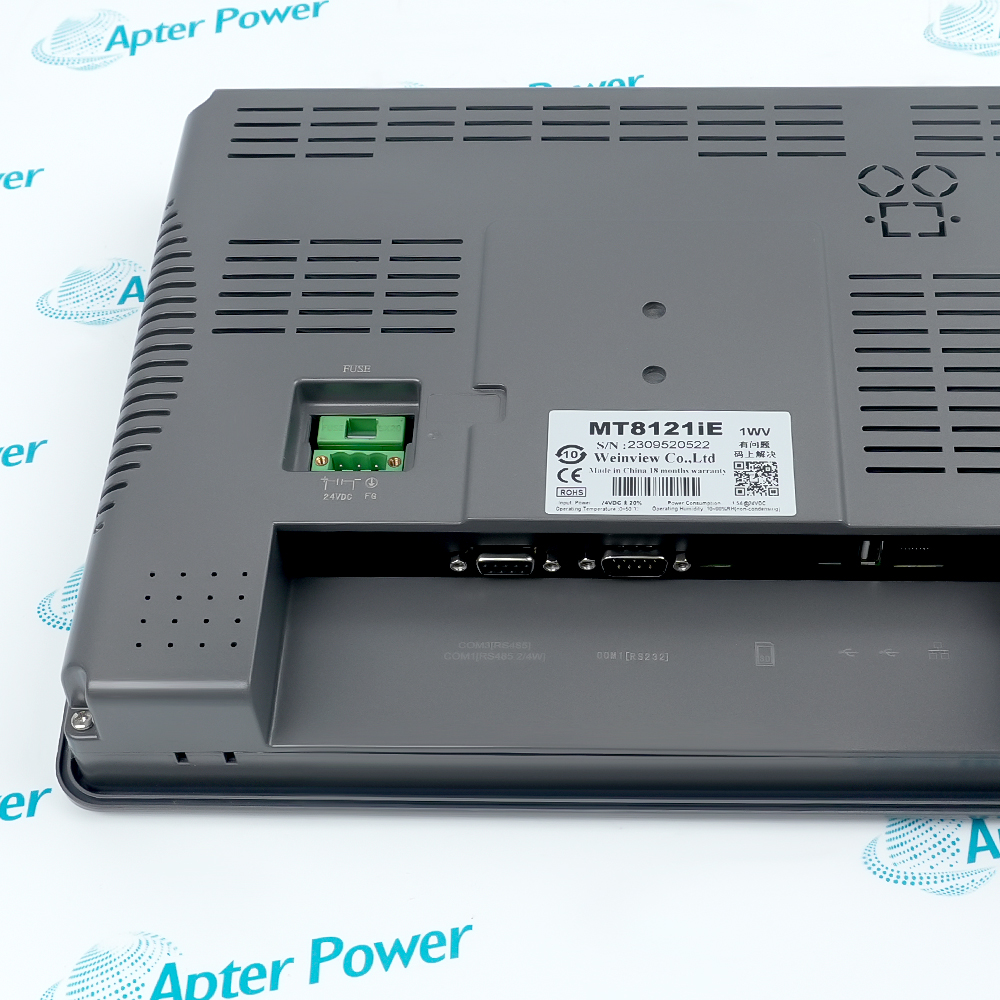
    COM1 RS-232/RS-485; COM3 RS-485
  • USB:
    One host port and one client port
  • Storage Expansion:
    SD / SDHC
  • Input Power:
    24 VDC ±20%
  • Software:
    EasyBuilder Pro 4.00.01 or later
  • Front Protection:
    IP65
  • Operating Temperature:
    0 to 50 °C
  • Panel Cutout:
    305 × 231 mm
  • Weight:
    2 kg
  • Estimated shipping dimensions:
    32.2x24.3x5.1cm
  • Tariff Code:
    Please confirm the destination before shipping
  • Country of origin:
    Taiwan
  • Place of shipment:
    Xiamen, Fujian, China
By purchasing this item, you agree to the Terms & Conditions, ApterPower is not an authorized distributor for listed manufacturers or tradenames and therefore the manufacturer's warranty does not apply. All our products come with ApterPower's 1-year warranty.

More Information

Overview Manuals Display Connectivity Project Fit Product Applications

Features:

  • Operator view: a 12.1-inch IPS display supports information-rich screens
  • Mixed connectivity: Ethernet and serial paths serve different automation devices
  • Project continuity: EasyBuilder Pro files preserve the application context
The display format gives operators room for process graphics, alarms and controls without compressing every screen element.

Ethernet, RS-232 and RS-485 connections let the HMI bridge common device types within one machine interface.

A current project backup turns replacement planning into a controlled migration of screens and communication settings.

Apter Power provides quotation, documentation and sourcing support for the Weintek MT8121iE 12.1-inch HMI Touch Panel.
Weintek MT8121iE 12.1-inch HMI Touch Panel Manuals,Datasheets,Link
Important Notice: Other accessories, manuals, cables, calibration data, software and related items are not included unless identified in the stock item description.
  • Screen area: 12.1-inch IPS technology supports broad viewing and detailed pages
  • Graphic workspace: 1024 × 768 resolution suits information-dense process screens
  • Front protection: the panel front is rated IP65 when installed as specified
  • Network path: 10/100 Base-T Ethernet connects the HMI to supported automation networks
  • Serial paths: RS-232 and RS-485 options serve compatible field devices
  • Removable media: SD/SDHC and USB interfaces support approved project workflows
  • Engineering software: EasyBuilder Pro provides the project environment
  • Mechanical planning: the cutout must match before the old panel is removed
  • Backup value: a current project file preserves tags, screens and communication settings
  • Machine operation: operator visualization and control for supported automation equipment
  • Panel modernization: replacement planning where project and cutout continuity matter
  • Service access: local HMI interaction with networked and serial devices
Description
A wide 12.1-inch IPS display gives MT8121iE operators a clear view of process graphics across a 1024 × 768 workspace. The combination supports information-dense screens without forcing every control element into a compact panel layout.

When machine builders need both Ethernet access and serial device integration, MT8121iE brings those paths into one operator terminal. Its SD/SDHC and USB interfaces also make project handling and service workflows more flexible around the installed HMI.

For replacement planning, MT8121iE should be matched to its panel cutout and the EasyBuilder Pro project before site work begins. Apter Power can help customers review the order code, project environment and required communication ports as part of the quotation process.
Alternative Names
MT8121IE MT8121iE1 MT8121IE1 MT8121-iE MT 8121 iE Weintek MT8121iE MT8121 iE HMI MT8121XE3
Technical notes
For MT8121iE replacement planning, Apter Power recommends confirming the 305 × 231 mm panel cutout and preserving the EasyBuilder Pro project. Our technical team can also help match the required Ethernet, serial and removable-media connections to the host machine.
Exceptional Service

Our Mission

  • 100% Satisfaction

    We believe expertise is priceless. With over 20 years of experience, and top engineers on staff, we can help you solve or avoid problems that threaten your business.
  • Trust Guaranteed

    Not only do we have a vast inventory, our team makes sure every piece of equipment is in working condition. Your purchases are also backed by our Warranty.
  • Expertise

    Time is money, especially when your equipment is down. We work quickly to get your equipment on its way so you can get it back up and running.

FAQS

The following is a list of questions commonly asked by our customers. Please contact us if you have a question about our process that is not answered below.
What should a panel builder confirm before replacing MT8121iE?
Confirm the existing cutout, project backup, supply arrangement and communication ports together; this avoids solving the mechanical fit while overlooking the application environment.
How does MT8121iE support projects that use both Ethernet and serial devices?
The terminal provides Ethernet plus RS-232 and RS-485 communication paths, so the project can retain different device links in one operator interface.
Which project file is most useful when requesting support for MT8121iE?
The latest EasyBuilder Pro project is the best starting point because it preserves screen design, tags and communication settings for technical review.
Can removable media help with an MT8121iE service visit?
Yes. SD/SDHC and USB connectivity can support approved project-handling workflows, while the customer project and site procedure determine the exact method.
Why might an MT8121iE power up while connected equipment remains unavailable?
The HMI and field devices can use separate communication settings. Reviewing the selected port, protocol and project parameters helps isolate the interface rather than assuming a display fault.
What information should accompany an MT8121iE quotation request?
Share the complete model or order code, quantity, destination, project-software version and required ports so Apter Power can coordinate a more precise offer.

Product Browsing History