Built for the Parts Other Supply Chains Miss

Apter Power is an independent supplier focused on new and unused industrial automation components. 

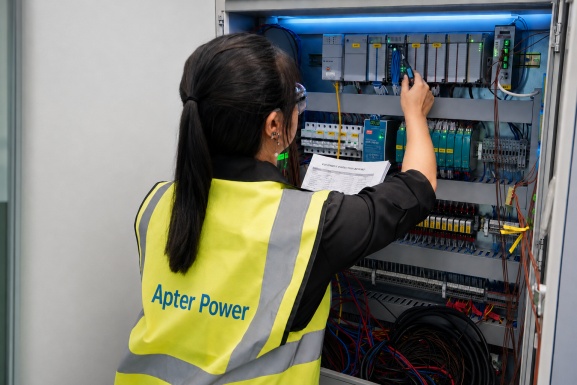
We support customers maintaining current and legacy systems by sourcing PLC, DCS, HMI, drive, turbine control and machinery protection parts.

Discover Apter Power

What you can expect from Apter Power

Safe Packaging

Expert-packed, shock-safe boxes—your parts arrive factory in good condition.

Global Dispatch

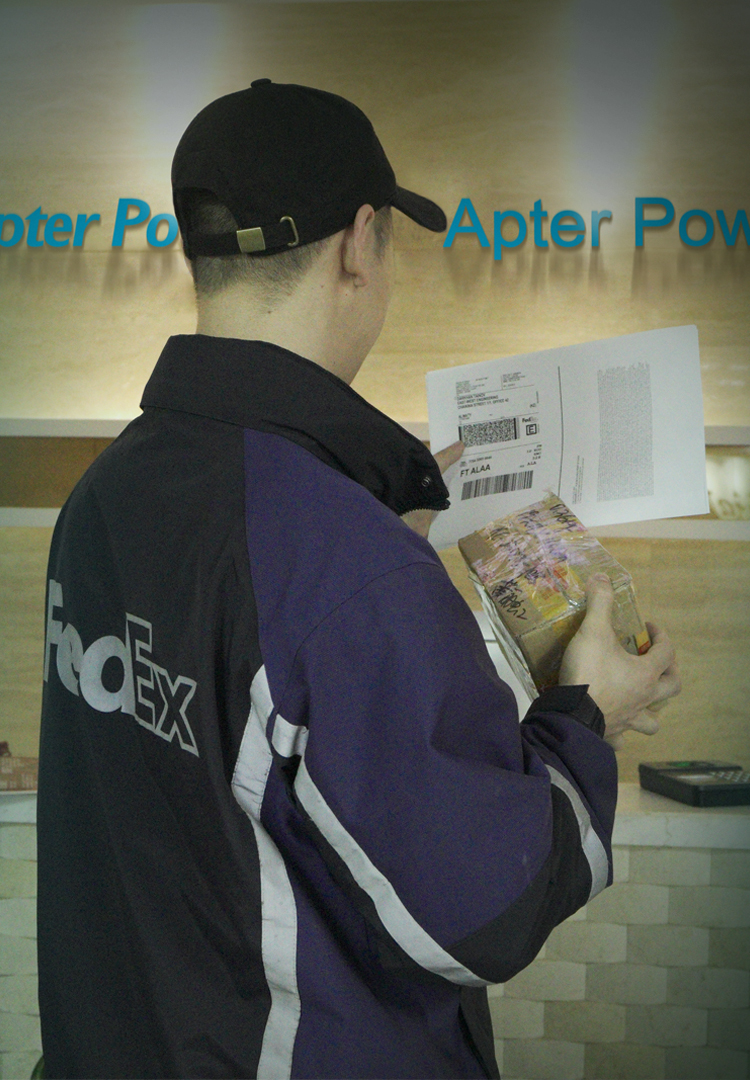
Partnered with DHL, FedEx, UPS for fast safe delivery and smooth customs clearance.

20+ Years Expertise

We've majored in it 20+ years—finding your exact match fast,keep machine running.

Apter Power -Quality Cornerstone

Apter.com was founded in 1998 to fill the gap in the market for high-quality industrial automation equipment that was discontinued or difficult to purchase. Initially a small company providing scarce parts, it rapidly expanded as industries sought sustainable alternatives to costly system upgrades.

Today, Apter.com serves over 177 countries, offering discontinued parts and specialized new parts services to help customers extend the lifespan of their automation systems.

Apter.com is committed to sustainability.
We supply automation parts and know-how that keep your PLCs, HMIs, DCSs, panel controllers, IPCs and VFDs running longer, cutting replacement costs and downtime. Reliable, efficient operations—backed by a 1-year warranty.

We maintain manufacturing operations by extending the lifespan of automated systems through sustainable solutions, high-quality parts, and exceptional customer service. This has been our focus for over twenty years.

Dive deep into 20+ years of company history

March 1998

Apter Power Was Founded

Apter Power began supplying industrial automation components, with an early focus on helping customers source scarce and difficult-to-find parts.
January 2012

Focused on Obsolete Parts

As more industrial systems reached the end of their official support cycles, Apter Power strengthened its sourcing capabilities for obsolete and discontinued automation components.
July 2015

Expanded Product Coverage

Our product portfolio expanded across leading automation manufacturers, covering PLCs, DCS modules, HMIs, drives, control boards and machinery-monitoring components.
August 2020

Strengthened Global Supply

Apter Power expanded its international sourcing and delivery capabilities, supporting customers across manufacturing, energy, oil and gas, water treatment and other industrial sectors.
December 2021

ISO-Certified Quality Management

Apter Power achieved ISO 9001:2015 certification, establishing a more structured quality-management framework for sourcing, inspection, order handling and customer service.
June 2023

Enhanced Technical Verification

We strengthened our documented inspection and technical-verification processes, helping customers review product details, condition, available revisions and supporting information before shipment.
June 2025

A More Transparent Global Service

Apter Power introduced clearer online support for enquiries, inspections, shipping, warranties and returns, giving international customers a more transparent process from part identification through after-sales support.

Backed by multiple certifications

  • Intertek Certificate

    All our products meet high standards with Intertek certification.
  • SGS Certificate

    All stocks tested by SGS for high quality, brand new and original.
  • Certificate of Origin

    All Bently Nevada products are supplied with a certificate of origin.

Our
Promise.

We keep over 45,000 high-quality, discontinued, and original spare parts in stock. This allows us to respond quickly and minimize downtime. Our parts are top-notch, and Apter Power has introduced new hardware to support your existing setups or leverage the latest technology.

BUY

Get millions of automation parts delivered tomorrow.

WARRANTY

All products come with one year warranty.

TEST

Test goods before shipment for Worry-Free shopping.

Inside Apter Power

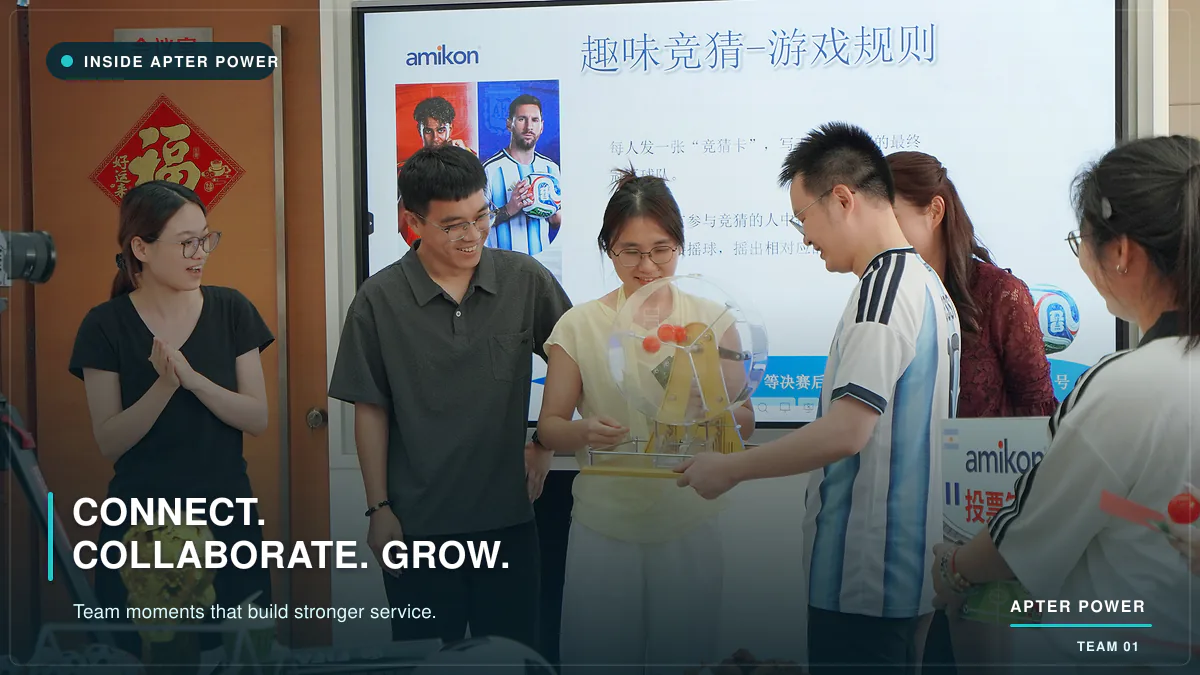
At Apter Power, professional service begins with people. Our sourcing, quality, logistics and customer service teams work closely together, combining industrial automation expertise with genuine care to help customers source critical parts with confidence.

Our location

Address

32D units,GuoMao Building
No 388 Hubin South Road
Siming district
xiamen
China

FAQs

Learn more about Apter Power's history,industrial automation expertise,team approach,quality standards and commitment to extending the service life of control systems.
How long has Apter Power worked in industrial automation sourcing?
Apter Power has supported industrial automation requirements since 1998. Over more than two decades, we have developed experience in sourcing current, scarce, obsolete and discontinued components for installed control systems.
What types of industrial automation systems does Apter Power support?
Apter Power supplies new and unused components for PLC, DCS, HMI, drive, turbine-control and machinery-monitoring systems. Our focus includes both currently available products and difficult-to-find parts needed to maintain existing equipment.
Which industries does Apter Power serve?
Apter Power supports customers across manufacturing, power generation, energy, oil and gas, water treatment and other process industries. Our experience is particularly relevant where equipment availability and system continuity are critical.
How do Apter Power's teams work together on customer requirements?
Our sourcing, quality, logistics and customer service teams coordinate throughout each requirement. This helps connect product sourcing, detail verification, order handling and delivery communication within one structured workflow.
How does Apter Power help extend the service life of industrial automation systems?
Apter Power helps customers source suitable components for maintaining existing automation systems instead of automatically replacing an entire platform. This can reduce unnecessary disruption, preserve serviceable equipment and give customers more control over modernization planning.
What does ISO 9001:2015 certification mean for Apter Power customers?
Apter Power's ISO 9001:2015 quality-management framework supports structured processes for sourcing, inspection, order handling and customer service. It helps the company maintain consistent procedures and continually improve how customer requirements are managed.

Recent News Center

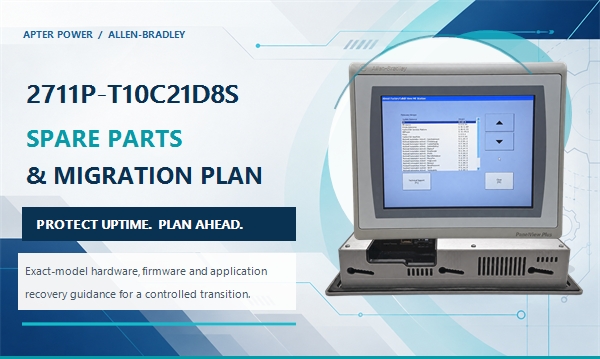
2711P-T10C21D8S Spare Parts and Migration Planning
News
2026-10-24
2711P-T10C21D8S Spare Parts and Migration Planning
APTER POWER Maintenance strategy · PanelView Plus 7 2711P-T10C21D8S Spare Parts and Migration Planning Identify the installed 2711P-T10C21D8S terminal, prepare a usable spare package, control Series and firmware risk, and choose a migration route before an HMI failure becomes an outage. Build the spare plan Compare migration paths Prepare the hardware and recovery package together The exact PanelView Plus terminal is only one part of a usable spare. Record the DC power connection, service ports, mounting hardware, application files, IP settings, controller shortcut, Series, and firmware before the installed unit fails. Review the spare checklist Use the physical label to control compatibility A similar screen is not enough. The complete 2711P-T10C21D8S catalog number, hardware Series, firmware baseline, power data, and project version define what must be checked before a stored terminal can be commissioned. Check Series and firmware Choose among three controlled migration paths Retain an exact verified spare, evaluate another Allen-Bradley terminal as an engineered network change, or move to a Performance or newer software platform through a tested migration project. Compare the paths Open the test checklist Platform PanelView Plus 7 Standard Display 10.4-inch SVGA Network Single Ethernet port Planning 3 migration paths In this guide Product identity Spare package Series and firmware Migration paths Staged cutover Acceptance test FAQ 01 · Product identity Start with the complete 2711P-T10C21D8S identity Allen-Bradley 2711P-T10C21D8S is a PanelView Plus 7 Standard touchscreen terminal with a 10.4-inch 4:3 color display, 800 × 600 SVGA resolution, 24 V DC input, Windows CE 6, and one Ethernet port. It runs FactoryTalk View Machine Edition applications and is intended to operate as a network endpoint rather than an embedded Device Level Ring node. The catalog number defines the replacement boundary for the PanelView Plus family. A terminal with a similar bezel or the same screen size can still differ in Ethernet topology, operating platform, hardware Series, firmware baseline, application limits, panel depth, or mounting hardware. Record the complete label before treating any spare as equivalent. The single Ethernet connector on 2711P-T10C21D8S means the panel terminates one network cable. A replacement with two connectors can participate in a different physical topology, but that extra connector does not by itself prove that the existing switch design, addressing method, or recovery procedure will remain unchanged. Record where the present cable lands and whether loss of the HMI affects any downstream device before selecting a different suffix. Catalog position Meaning for this terminal Replacement consequence T10C Touch input, 10.4-inch color TFT, 4:3 display Preserve the 800 × 600 project canvas and confirm the 224 × 269 mm panel cutout. 21 One 10/100Base-T Ethernet port Document the switch port and cable path; the terminal cannot maintain an in-line or DLR path. D 24 V DC input Verify the cabinet supply, grounding, terminal block, and actual load before installation. 8S Windows CE platform, Standard model Retain the FactoryTalk View ME runtime, Series, firmware, controller shortcut, and Standard-model application limits. 02 · Spare strategy Build a spare package before a failed HMI stops the machine A shelf spare for 2711P-T10C21D8S is useful only when the plant can configure and install it. The procurement line should therefore include the exact terminal and the records needed to restore it. A terminal with no tested application archive, unknown firmware, or missing mounting parts can extend an outage even when the hardware arrives on time. Keep the PanelView Plus hardware and its recovery information under the same controlled spare record. The label photographs identify the physical unit, the approved application files reproduce the operator interface, the network sheet restores communication, and the mounting and power parts allow the terminal to be fitted without scavenging components from the failed panel. Identify the stored unit Attach the full catalog number, hardware Series, firmware, inspection date, and storage location to the spare record. Prove the recovery media Open the archive, verify the deployable runtime, and record the engineering-software version used for the last accepted build. Preserve the cabinet details Keep the IP settings, controller shortcut, power wiring, cable landing, panel cutout, and mounting-hardware count together. Exercise the spare Power the terminal periodically under the site’s maintenance procedure and confirm that the approved files remain readable. Spare or record What to keep Why it matters Exact HMI 2711P-T10C21D8S, with Series and firmware recorded Maintains the intended single-port, 10.4-inch Standard-terminal configuration. Application package Approved FactoryTalk View ME project archive and deployable runtime, plus the last validated backup Separates an application-recovery problem from a hardware-replacement problem. Network record IP address, subnet, gateway, device name, controller shortcut, switch port, and cable path Prevents a correct terminal from appearing faulty because its communication path was not restored. Installation parts 2711P-RMCS mounting levers and 2711P-RTBDSP DC terminal block as required Avoids reusing damaged mounting or power-connection hardware during an outage. Wear items 2711P-RGT10SP protective overlay and 2711P-RY2032/CR2032 battery Supports touchscreen protection and real-time-clock backup without replacing the complete HMI. Storage media Rockwell-listed SD media where the site procedure uses removable storage Provides a controlled transfer and recovery path; validate the stored files before the outage. 03 · Firmware control Series and firmware matter as much as the catalog number Rockwell documents different firmware boundaries for PanelView Plus 7 Standard hardware. Series C hardware is compatible with firmware 8.x or later, while Series D hardware requires firmware 13.x or later. FactoryTalk View ME Station and FactoryTalk View Studio for Machine Edition are documented at version 8.0 or later for the terminal family. Do not assume that an application restored from one installed Allen-Bradley terminal can be loaded unchanged onto every spare. Identify the runtime version, confirm whether the source project can be opened and rebuilt, select firmware supported by the target Series, and validate communication and display behavior on a bench system before the spare enters production inventory. The archive and the runtime serve different recovery needs for 2711P-T10C21D8S . The deployable runtime is needed to return a verified terminal to service, while the editable source project is needed when firmware, communications, security settings, or the target platform requires a rebuild. Store both under revision control and link them to the acceptance record for the exact machine. Important: Do not change firmware during an emergency replacement unless the approved recovery plan already defines the target version and rollback path. A spare should be commissioned and tested before the production terminal fails. 04 · Migration choices Three engineering paths for future migration Migration timing for 2711P-T10C21D8S should be decided by the installed application, cybersecurity requirements, capacity limits, and network architecture. The replacement route must be selected by its effect on the complete machine interface rather than by screen size alone. A controlled migration plan connects the exact spare identity with the network layout, application conversion work, and rollback package. Path 1 · Lowest change Retain the exact 2711P-T10C21D8S spare Use the same single-port 2711P-T10C21D8S , preserve the 800 × 600 ME application, and match Series, firmware, power, cutout, and network settings. This is the first choice when the current design remains acceptable. Path 2 · Network change Evaluate 2711P-T10C22D8S The dual-port 2711P-T10C22D8S keeps the 10.4-inch SVGA format but changes the Ethernet hardware. Treat it as an engineering option, not an automatic substitute; review the switch, linear, or DLR topology and validate the complete ME application. Path 3 · Capability upgrade Evaluate 2711P-T10C22D9P or a newer platform The 2711P-T10C22D9P uses the same 224 × 269 mm cutout and 800 × 600 display but is deeper and uses a different performance platform with dual Ethernet. OptixPanel is a separate modernization route that uses FactoryTalk Optix runtime and should be scoped as application redevelopment. PanelView Plus 7 Performance is the closer software-family route when the plant wants to stay with FactoryTalk View ME while removing Standard-model limits. An OptixPanel Standard 10.4-inch 4:3 terminal can preserve the physical display format, but the runtime, application architecture, licensing, testing method, and long-term engineering workflow all change. A migration project should not be approved from a dimensional comparison alone. Use a short decision record for each Allen-Bradley candidate. Compare physical fit, power, Ethernet arrangement, runtime platform, supported firmware, project-conversion work, licensing, security functions, data retention, operator training, and rollback. A candidate is ready for quotation only after the plant has identified which differences require engineering rather than simple installation labor. 05 · Cutover method Use a staged migration instead of an outage conversion 1 Capture Photograph both labels on the installed 2711P-T10C21D8S and record Series, firmware, IP settings, controller shortcut, panel opening, power, and the actual Ethernet cable path. 2 Archive Secure the source project, runtime, fonts, recipes, alarm history requirements, security settings, and files stored on SD or USB media for the PanelView Plus terminal. 3 Bench test Load the approved application onto the target Allen-Bradley hardware and verify navigation, communications, alarms, trends, recipes, security, and restart behavior. 4 Cut over Install the replacement 2711P-T10C21D8S during a controlled window, prove every operator function, retain the old unit and rollback package, and document the final as-built state. For a move from PanelView Plus 7 Standard to Performance, confirm the imported project size, screen behavior, controller shortcuts, alarms, macros, ActiveX or third-party components, and firmware compatibility. For a move to FactoryTalk Optix, create a function-by-function migration list and rebuild the operator workflow against an approved acceptance test rather than assuming that a FactoryTalk View ME runtime will transfer directly. The bench system for 2711P-T10C21D8S should reproduce the essential production interfaces without changing the live machine. Use the approved controller or a controlled simulation, retain screenshots of expected states, and record every discrepancy. The cutover plan should state who can authorize rollback, how long the decision window remains open, and which files and hardware return the machine to its previous condition. 06 · Acceptance test What must be tested before operators receive the new terminal Acceptance for 2711P-T10C21D8S should follow the machine’s operating sequence rather than a generic screen-by-screen review. Start from a cold power-up, establish communications, move through normal production and alarm states, then confirm recovery after power and network interruptions. Record the result against the terminal Series, firmware, and application revision that were actually tested. Bench acceptance combines 24 V DC power, Ethernet communication, operator actions, alarms, restart tests, and a recorded result for the exact terminal configuration. Power-up, restart, time, date, battery-backed clock, and loss-of-power recovery. Touch calibration, screen navigation, pop-ups, language selection, and protected maintenance screens. Controller communication, tag read/write behavior, command interlocks, and loss-of-communication indication. Alarm generation, acknowledgement, history, priorities, and timestamps. Recipes, data logging, trend retention, USB/SD operations, and any PDF or file-viewing functions used by the machine. Network reconnection after switch restart and confirmation that a single-port terminal has not been placed in a required ring path. Final backup, as-built screenshots, firmware record, and a tested rollback procedure. Need a checked spare or migration review? Send the complete 2711P-T10C21D8S label, Series, firmware, project/runtime version, network sketch, panel-opening dimensions, quantity, destination, and planned outage date. Apter Power can separate a like-for-like spare request from a migration project before quotation. View 2711P-T10C21D8S FAQ What must match when preparing a 2711P-T10C21D8S spare? For 2711P-T10C21D8S , record and verify the complete catalog number, hardware Series, supported firmware, 24 V DC supply, application and runtime versions, IP settings, controller shortcut, panel cutout, and mounting hardware as one tested configuration. Can a dual-port 2711P-T10C22D8S replace 2711P-T10C21D8S? 2711P-T10C22D8S can be evaluated as an engineering alternative, but it is not an automatic substitution. The display format and cutout are aligned, while the Ethernet hardware and possible network role differ. Validate the ME application and the physical network design. Can the existing 2711P-T10C21D8S runtime be restored to a Series D spare? For a Series D 2711P-T10C21D8S , first identify the runtime and source-project versions. Series D hardware requires firmware 13.x or later, so rebuild and bench-test the application at a supported level before using the spare in production. Is 2711P-T10C22D9P a drop-in replacement? 2711P-T10C22D9P shares the 10.4-inch 800 × 600 format and the 224 × 269 mm cutout, but it is deeper, dual-port, and belongs to the Performance platform. Treat the change as an engineered migration with hardware, firmware, application, and network acceptance tests. Can an OptixPanel use the existing FactoryTalk View ME application directly? Do not assume a direct transfer from an Allen-Bradley FactoryTalk View ME application. OptixPanel uses FactoryTalk Optix runtime, so scope the project as a new platform migration with application redevelopment, licensing, communications, security, and operator acceptance testing. What information belongs in a 2711P-T10C21D8S spare request? For 2711P-T10C21D8S , provide both label sides, Series, firmware, application/runtime version, IP plan, controller shortcut, panel opening, power supply, installed accessories, quantity, destination, and outage deadline. Apter-hosted manuals and related resources Rockwell Automation publication 2711P-TD008 — Apter-hosted original technical data for PanelView Plus 7 Standard terminals, including display, memory, power, dimensions, cutout, and accessory data. Rockwell Automation publication 2711P-UM007 — original PanelView Plus 7 Standard user manual covering installation, configuration, firmware, application transfer, operation, and maintenance. Rockwell Automation publication 2711P-TD009 — original technical data used to compare the PanelView Plus 7 Performance migration option. Rockwell Automation publication 2800-TD001 — original OptixPanel technical data used for the newer-platform comparison. Apter Power: 2711P-T10C21D8S product page — exact product identity, specifications, existing manual access, and quotation path. Apter Power: Technical Resources — additional product manuals, technical references, and support materials hosted by Apter.
Bently Nevada 3500/45 PWA 176449-04: How to Identify the Revision and Plan a Replacement
News
2026-10-12
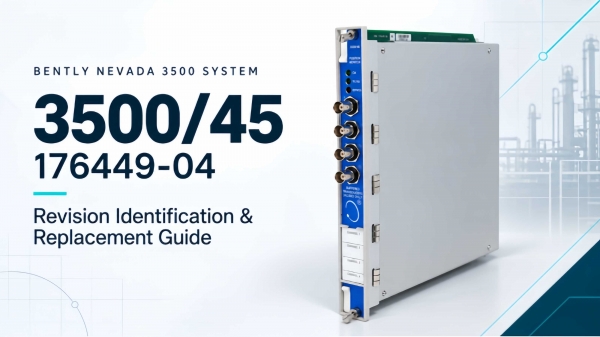
Bently Nevada 3500/45 PWA 176449-04: How to Identify the Revision and Plan a Replacement
Bently Nevada · 3500 Machinery Protection System 3500/45 PWA 176449-04: How to Identify the Revision and Plan a Replacement A reliable replacement check starts with the complete 3500/45 identity—not a partial board number. This guide shows how to read the 176449-04 designation, match the rear I/O, and verify the rack and software before ordering or commissioning. Prepared: October 12, 2026 Proposed publication: On approval Technical review: Pending Reading time: 6 min   Representative product image only; it does not verify the revision or nameplate of a specific unit. The official Baker Hughes spare-parts list identifies 176449-04 as a 3500/45 Position Monitor . “PWA” is often used to describe a printed wiring assembly, but the manufacturer’s datasheet lists the spare as 176449-04; do not treat a PWA prefix alone as a complete rack configuration or proof of interchangeability. Before ordering, photograph the monitor label and board marking, then record the rear I/O module, termination arrangement, rack slot, and installed 3500 software/firmware versions. Quick identification: what each marking tells you Item to record What to verify Why it matters Monitor type 3500/45 Position Monitor Confirms the measurement-monitor family, not the complete I/O configuration. Spare / board number 176449-04, exactly as printed Baker Hughes lists this number as a 3500/45 Position Monitor spare. Hardware revision Capture the actual revision marking and serial/nameplate data The datasheet does not publish a blanket revision-to-revision interchange rule; confirm the exact unit with the installed system records or OEM support. Rear I/O and terminations Record the I/O part number, internal/external termination, terminal block, and cable Required I/O depends on transducer type; external termination blocks and cables are separately ordered. Rack and software Rack slot, RIM/TDI, configuration software and firmware versions System compatibility and configuration requirements can affect commissioning. Illustrative nameplate example: “3500/45 Position Monitor · Spare P/N 176449-04 · Revision [read from actual label] · Serial [read from actual label].” This is a field-recording example, not a photograph or transcription of a particular unit’s serial label. Illustrative replacement-check sequence based on the identification items in this guide; this is not an OEM wiring diagram. 176449-04 is not the whole replacement decision The 3500/45 is a four-channel position monitor. Baker Hughes states that the measurement and transducer input determine the required I/O module. Its datasheet lists these related I/O options: Related I/O part Documented configuration Check before replacement 135137-01 Position I/O with internal terminations for Proximitor, RPT, or DC LVDT inputs Confirm sensor family and internal terminal arrangement. 135145-01 Position I/O with external terminations for Proximitor, RPT, or DC LVDT inputs Confirm the matching external terminal block and cable. 139554-01 AC LVDT Position I/O with internal terminations Confirm AC LVDT application and installed termination. 139567-01 AC LVDT Position I/O with external terminations Confirm the corresponding external block and cable set. The ordering format is 3500/45-AA-BB: the first option identifies the I/O type and the second identifies agency approval. The complete order configuration and the installed rear I/O should be reconciled before treating a monitor as a direct replacement. Need a checked 3500/45 replacement quotation? Send the complete label, rear I/O part number, termination details, and rack/software information. Contact Us · Email Apter Revision and commissioning checks Do not infer that two boards are interchangeable because both are marked 3500/45 or share the 176449 family. Preserve the existing configuration and confirm each dependency before removing hardware. The cited Baker Hughes datasheet (141537 Rev. T) gives the following minimum versions when adding a 3500/45 to an existing system. Treat this as a document-specific baseline; verify the current OEM documentation and the actual installed rack before commissioning. System element Minimum stated in datasheet 141537 Rev. T Field action 3500/20 RIM Firmware revision G Record module type and firmware from rack diagnostics. 3500 Configuration Software Version 2.41 Check the engineering workstation version and saved rack configuration. 3500 Data Acquisition Version 2.20 Verify the installed data acquisition software baseline. 3500 Operator Display Version 1.20 Confirm the operator display version used at the site. 3500/93 Display Interface 135799-01, firmware revision G Confirm only when this display interface is part of the installed system. Valve Position using RPT 3500 Configuration Software 3.00 or later Apply this requirement to the documented RPT valve-position application. Take clear photos of the front label, board/PWA marking, rear I/O label, terminal blocks, connectors, and rack slot. Record the 3500 rack identity, RIM or TDI type, channel functions, transducer models, termination style, and current setpoints. Back up the rack configuration and record the software/firmware versions against the table above and the current applicable OEM documentation. Match the rear I/O and external termination path to the sensor type. Do not move field wiring based on the front monitor number alone. After an approved replacement, verify channel status, measured values, alarms, and configuration through the site’s maintenance procedure before returning the protection function to service. The monitor’s channels are programmed in pairs (1–2 and 3–4). The datasheet also limits Case Expansion to channels 3 and 4. A replacement review should therefore include the channel-pair assignment and the configured measurement, not only the physical fit. Functional arrangement summarized from Baker Hughes datasheet 141537 Rev. T; this is an explanatory diagram, not an electrical wiring drawing. Related listed part and documented customer example Related listed part: Bently Nevada 3500/45 176449-04 Position Monitor . Product imagery is representative; confirm the offered unit’s condition, revision, and quantity in the quotation. Related success case: In Apter Power’s published Bently Nevada audit case, a customer reviewed accelerometers, extension cables, and 3500/22M modules; zero discrepancies supported a follow-up order covering 11 machines. This is a related 3500-system verification example, not a 3500/45 replacement case. Read the documented Bently Nevada audit case . FAQ Does 176449-04 identify a 3500/45 Position Monitor? Yes. Baker Hughes lists spare part 176449-04 as a 3500/45 Position Monitor in datasheet 141537. Confirm the complete label on the unit before ordering. Is “PWA176449-04” enough to select a direct replacement? No. Record the monitor number and actual hardware revision, then verify the rear I/O, termination path, sensor type, rack configuration, and software/firmware requirements. Can any 3500/45 rear I/O module be reused? No. The required I/O depends on the measurement and transducer input. Match the existing internal or external termination configuration and confirm separately ordered blocks and cables where applicable. Does the datasheet confirm that different hardware revisions are interchangeable? It does not provide a general revision interchange table. Check the installed system records and obtain OEM confirmation for the exact revision and application when compatibility is uncertain. What information should be included in a 3500/45 replacement request? Include clear photos of the full nameplate and board marking, the rear I/O number, termination details, transducer type, rack slot, software/firmware versions, quantity, and delivery destination. Where can I request availability and technical-document support? Use the product page or email sales1@apterpower.com . Apter Power can review the supplied identification details and clarify the quotation scope. Verify the complete replacement path before purchase Send your 3500/45 label and rear I/O details for a quotation and configuration review. Contact Us · sales1@apterpower.com Official sources and related records Baker Hughes, 3500/45 Position Monitor Datasheet 141537 — monitor identity, I/O options, channel configuration, rack/software requirements, and listed spares. Baker Hughes, 3500 Machinery Protection Systems — 3500/45 product-family overview. Apter Power product listing for 3500/45 176449-04 — related listed item; confirm current condition, revision, and quantity. Apter Power Bently Nevada audit case — related 3500-system verification case; not a 3500/45 replacement claim. Apter Power team profiles — public author and proposed reviewer role references. Pre-publication checks: The public author/profile details are prepared from the existing Apter author link and team page. Confirm May as author, confirm the Apter Power Team as the reviewer after review, and enter the actual review date before publication. Proposed publication date is set only when the post is approved and saved.
Why Bently Nevada 3300 XL Probe Ordering Codes Matter: A Practical Guide to 330101, 330102, 330103 and 330104
News
2026-09-15
Why Bently Nevada 3300 XL Probe Ordering Codes Matter: A Practical Guide to 330101, 330102, 330103 and 330104
Learn why every Bently Nevada 3300 XL probe suffix matters. This practical guide explains 330101–330104 ordering codes, mounting threads, case dimensions, cable protection, agency approvals, and how to match probe, extension cable and Proximitor system length before purchase or replacement. .ap-code-guide{--ink:#113547;--navy:#002e3e;--cyan:#31cccd;--cyan-soft:#e9fbfb;--line:#d7e7eb;--paper:#fff;--muted:#58727e;max-width:1040px;margin:0 auto;color:var(--ink);font-family:Arial,Helvetica,sans-serif;font-size:16px;line-height:1.72;background:#fff} .ap-code-guide *{box-sizing:border-box}.ap-code-guide a{color:#007e92;text-decoration:none;overflow-wrap:anywhere}.ap-code-guide a:hover{text-decoration:underline} .ap-article-header{margin-bottom:34px}.ap-cover{display:block;width:100%;height:auto;border-radius:20px;box-shadow:0 18px 44px rgba(0,46,62,.17)} .ap-title{margin:30px 0 10px;color:var(--navy);font-size:44px;font-weight:900;line-height:1.14;letter-spacing:-.025em}.ap-byline{margin:0;color:var(--muted);font-size:15px;font-weight:700}.ap-byline:before{content:'';display:inline-block;width:28px;height:4px;margin:0 10px 3px 0;background:var(--cyan);border-radius:2px} .ap-intro{margin:0 0 34px;padding:30px 34px;border:1px solid var(--line);border-left:6px solid var(--cyan);border-radius:0 16px 16px 0;background:linear-gradient(135deg,#f7fcfd,#fff)}.ap-code-guide .ap-intro p{margin:0 0 17px!important;color:#163d4e!important;font-family:Arial,Helvetica,sans-serif!important;font-size:17px!important;line-height:1.78!important}.ap-code-guide .ap-intro p:first-child{color:#00394d!important;font-size:18px!important;font-weight:600!important;line-height:1.72!important}.ap-code-guide .ap-intro p:last-child{margin-bottom:0!important} .ap-section{margin:0 0 48px;scroll-margin-top:20px}.ap-section h2{position:relative;margin:0 0 20px;padding:0 0 12px;color:var(--navy);font-size:27px;line-height:1.25}.ap-section h2:after{content:'';position:absolute;left:0;bottom:0;width:72px;height:4px;background:linear-gradient(90deg,var(--cyan),#0c7da0);border-radius:2px} .ap-section p{margin:0 0 18px}.ap-section ol,.ap-section ul{margin:14px 0 22px;padding-left:24px}.ap-section li{margin:7px 0;padding-left:4px} .ap-priority,.ap-compatibility{padding:28px 32px;border-radius:16px;background:var(--cyan-soft);border:1px solid #c2eeee}.ap-code-guide .ap-priority ol{display:grid;grid-template-columns:repeat(6,minmax(0,1fr));gap:12px;margin:18px 0 22px!important;padding:0!important;list-style:none!important;counter-reset:ap-priority}.ap-code-guide .ap-priority li{grid-column:span 2;position:relative;min-height:118px;margin:0!important;padding:48px 16px 16px!important;color:#183f50!important;font-size:15px!important;line-height:1.55!important;background:#fff;border:1px solid #c9e8eb;border-radius:12px;box-shadow:0 6px 16px rgba(0,46,62,.05);counter-increment:ap-priority}.ap-code-guide .ap-priority li:nth-child(4){grid-column:2/span 2}.ap-code-guide .ap-priority li:nth-child(5){grid-column:4/span 2}.ap-code-guide .ap-priority li:before{content:counter(ap-priority);position:absolute;left:16px;top:14px;width:25px;height:25px;color:#00394d;font-size:13px;font-weight:900;line-height:25px;text-align:center;background:#31cccd;border-radius:50%} .ap-scenario{padding-top:4px}.ap-scenario h2{padding-left:54px}.ap-scenario h2:before{content:'FIELD';position:absolute;left:0;top:2px;padding:4px 7px;color:var(--navy);font-size:10px;line-height:1;letter-spacing:.12em;background:var(--cyan);border-radius:4px}.ap-scenario h2:after{left:54px} .ap-figure{margin:24px 0 30px}.ap-figure img{display:block;width:100%;height:auto;border-radius:14px;border:1px solid var(--line);box-shadow:0 14px 34px rgba(0,46,62,.12)}.ap-figure figcaption{margin:10px 8px 0;color:var(--muted);font-size:14px;line-height:1.55} .ap-table-wrap{width:100%;margin:20px 0 28px;overflow-x:auto;border:1px solid var(--line);border-radius:12px;box-shadow:0 8px 24px rgba(0,46,62,.06)}.ap-code-guide table{width:100%;min-width:680px;border-collapse:collapse;background:#fff;font-family:Arial,Helvetica,sans-serif;font-size:16px;line-height:1.6}.ap-code-guide .ap-table-wrap table thead tr th{padding:14px 15px!important;text-align:left!important;color:#fff!important;background:#00394d!important;background-color:#00394d!important;border-color:#00394d!important;font-family:Arial,Helvetica,sans-serif!important;font-size:16px!important;font-weight:800!important;line-height:1.45!important;letter-spacing:.01em!important;white-space:normal!important}.ap-code-guide .ap-table-wrap table tbody td{padding:13px 15px!important;vertical-align:top!important;color:#183f50!important;font-family:Arial,Helvetica,sans-serif!important;font-size:16px!important;line-height:1.6!important;border-top:1px solid #d7e7eb!important}.ap-code-guide tbody tr:nth-child(even){background:#f4fafb}.ap-code-guide td:first-child{font-weight:800;color:#075d70;letter-spacing:.01em} .ap-table-compact{max-width:760px}.ap-code-guide .ap-table-compact table{min-width:520px}.ap-code-guide .ap-table-compact table thead tr th{padding:11px 14px!important}.ap-code-guide .ap-table-compact table tbody td{padding:9px 14px!important;line-height:1.48!important}.ap-code-guide .ap-table-length th:first-child,.ap-code-guide .ap-table-length td:first-child{width:150px} .ap-scenario3-layout{display:grid;gap:18px;margin:22px 0 28px}.ap-system-length-card,.ap-parts-panel{min-width:0;padding:22px;border:1px solid #cfe4e8;border-radius:14px;background:#fff;box-shadow:0 9px 24px rgba(0,46,62,.07)}.ap-match-heading{display:flex;align-items:center;gap:11px;margin-bottom:10px}.ap-match-heading>span{display:inline-flex;flex:0 0 31px;width:31px;height:31px;align-items:center;justify-content:center;color:#00394d;font-size:12px;font-weight:900;background:#31cccd;border-radius:9px}.ap-match-heading h3{margin:0!important;color:#00394d!important;font-size:22px!important;font-weight:850!important;line-height:1.28!important}.ap-code-guide .ap-panel-lede{margin:0 0 16px!important;color:#4b6975!important;font-size:15px!important;line-height:1.6!important}.ap-system-length-grid{display:grid;grid-template-columns:minmax(0,1.18fr) minmax(340px,.82fr);align-items:stretch;gap:18px}.ap-system-length-card .ap-table-compact{max-width:none;height:100%;margin:0}.ap-system-length-card .ap-table-compact table{height:100%}.ap-build-panel{display:grid;grid-template-rows:auto 1fr;gap:10px;min-width:0}.ap-formula{display:grid;gap:4px;padding:14px 16px;color:#fff;background:linear-gradient(135deg,#00394d,#006c80);border-radius:10px}.ap-formula span{color:#7de7e6;font-size:12px;font-weight:800;letter-spacing:.08em;text-transform:uppercase}.ap-formula strong{font-size:15px;line-height:1.45}.ap-formula em{font-size:14px;font-style:normal;line-height:1.45}.ap-length-list{display:grid;grid-template-rows:repeat(3,minmax(0,1fr));gap:10px}.ap-part-list{display:grid;grid-template-columns:repeat(2,minmax(0,1fr));gap:10px}.ap-length-item,.ap-part-item{display:grid;align-content:center;gap:3px;padding:12px 14px;border-left:4px solid #31cccd;border-radius:8px;background:#f3f9fa}.ap-length-item strong,.ap-part-item strong{color:#00566b;font-size:16px;line-height:1.4}.ap-length-item span,.ap-part-item span,.ap-part-item em{color:#183f50;font-size:15px;line-height:1.55}.ap-part-item em{color:#526f7b;font-style:normal}.ap-match-conclusion{margin:20px 0 18px;padding:18px 20px;border-left:5px solid #31cccd;border-radius:0 12px 12px 0;background:#e9f7f8}.ap-match-conclusion>span{display:block;margin-bottom:5px;color:#00677a;font-size:12px;font-weight:900;letter-spacing:.1em;text-transform:uppercase}.ap-code-guide .ap-match-conclusion p{margin:0!important;color:#00394d!important;font-size:16px!important;font-weight:700!important;line-height:1.6!important} .ap-cta{position:relative;margin:34px 0;padding:28px 30px;color:#fff;border-radius:16px;background:linear-gradient(135deg,#00394d,#006c80);overflow:hidden}.ap-cta:after{content:'';position:absolute;right:-45px;top:-45px;width:160px;height:160px;border:28px solid rgba(49,204,205,.18);border-radius:50%}.ap-cta p{position:relative;z-index:1;margin:6px 0 20px}.ap-cta a{color:#fff;text-decoration:underline}.ap-cta-kicker{position:relative;z-index:1;color:var(--cyan);font-size:12px;font-weight:700;letter-spacing:.14em;text-transform:uppercase}.ap-button-row{display:flex;flex-wrap:wrap;gap:10px}.ap-button{position:relative;z-index:1;display:inline-block;padding:11px 18px!important;color:var(--navy)!important;font-weight:700;text-decoration:none!important;background:var(--cyan);border:1px solid var(--cyan);border-radius:8px}.ap-button-ghost{color:#fff!important;background:transparent;border-color:rgba(255,255,255,.65)} .ap-rfq{padding:30px 32px;border:2px solid var(--navy);border-radius:16px}.ap-sources{padding:28px 32px;background:#f5f8f9;border-radius:16px}.ap-sources ul{font-size:15px}.ap-note{margin-top:30px;padding:18px 22px;color:#4c626c;font-size:14px;line-height:1.6;background:#eef4f5;border-radius:10px} @media(max-width:860px){.ap-code-guide .ap-priority ol{grid-template-columns:repeat(2,minmax(0,1fr))}.ap-code-guide .ap-priority li,.ap-code-guide .ap-priority li:nth-child(4),.ap-code-guide .ap-priority li:nth-child(5){grid-column:auto}.ap-system-length-grid{grid-template-columns:1fr}.ap-system-length-card .ap-table-compact table{height:auto}} @media(max-width:720px){.ap-code-guide{font-size:15px;line-height:1.66}.ap-title{font-size:29px}.ap-article-header{margin-bottom:25px}.ap-cover{border-radius:12px}.ap-intro,.ap-priority,.ap-compatibility,.ap-rfq,.ap-sources{padding:22px 20px}.ap-code-guide .ap-intro p{font-size:16px!important;line-height:1.72!important}.ap-code-guide .ap-intro p:first-child{font-size:17px!important}.ap-section{margin-bottom:38px}.ap-section h2{font-size:23px}.ap-code-guide .ap-priority ol{grid-template-columns:1fr}.ap-code-guide .ap-priority li{min-height:0}.ap-table-wrap{margin-left:-4px;width:calc(100% + 8px)}.ap-code-guide .ap-table-compact{max-width:none}.ap-code-guide table{font-size:15px;line-height:1.55}.ap-code-guide .ap-table-wrap table thead tr th,.ap-code-guide .ap-table-wrap table tbody td{padding:11px 12px!important;font-size:15px!important;line-height:1.55!important}.ap-system-length-card,.ap-parts-panel{padding:18px}.ap-match-heading h3{font-size:18px!important}.ap-part-list{grid-template-columns:1fr}.ap-code-guide .ap-panel-lede,.ap-length-item span,.ap-part-item span,.ap-part-item em{font-size:15px!important}.ap-cta{padding:24px 20px}.ap-figure{margin:20px 0 26px}} During a turbine or compressor outage, a maintenance team may need one replacement proximity probe before the machine can return to service. The request often begins with a short description: “Bently Nevada 3300 XL, 8 mm probe, one-metre cable.” That sounds specific, but it is not enough to identify the correct product. A visually similar probe may have the wrong mounting thread. A cable may be mechanically connectable but produce the wrong total electrical length. An armored probe may be supplied where the installation requires an unarmored lead, or an approval suffix may not match the site documentation. Each of these differences is contained in the ordering code. This is why understanding the full code matters. It is not only a task for instrumentation engineers. Maintenance planners need it to avoid extending an outage, buyers need it to compare quotations correctly, and suppliers need it to identify the exact configuration rather than quote a similar-looking product. Is the Ordering Code Really Important? Yes. For a Bently Nevada 3300 XL 8 mm probe, the ordering code answers five practical questions: Will the probe fit the existing threaded hole or mounting bracket? Is the probe body long enough to reach the target at the correct installation depth? Will the probe and extension cable match the electrical length of the Proximitor Sensor? Does the cable have the required mechanical and environmental protection? Does the ordered configuration carry the approval option required by the project? The probe tip diameter alone cannot answer any of these questions. Even when two products are both described as “3300 XL 8 mm probes,” their complete codes may describe different mounting, cable and approval configurations. Start with the Measurement Chain, Not the Probe Alone A standard 3300 XL 8 mm proximity transducer system contains: A proximity probe. An extension cable, except in a one-metre probe-only system. A Proximitor Sensor. The probe observes a conductive target without contact. The Proximitor Sensor converts the change in probe-to-target distance into a proportional voltage used for static position and dynamic vibration measurement. Common duties include radial shaft vibration, axial position, Keyphasor phase reference and speed measurement on fluid-film bearing machines. The three components form one calibrated measurement chain. Selecting the probe correctly is essential, but it is only the first part of the job. The 3300 XL Probe Code in One View Read the model as a structured specification: base number, body dimensions, total probe length, cable option and approval option. The standard forward-mount threaded probe uses this format: Part Number – AA – BB – CC – DD – EE Consider the photographed model 330101-00-20-10-02-00: Code position Value What the value tells the buyer Part number 330101 3/8-24 UNF forward-mount probe without armor AA 00 0.0 in unthreaded length BB 20 2.0 in overall case length CC 10 1.0 m total probe length DD 02 Standard cable with ClickLoc connector; factory-installed connector protector not selected EE 00 Agency approval not required Instead of treating the number as one long string, read it as a short technical specification. The following application scenarios show why each section matters. Scenario 1: Replacing a Probe in an Existing Bearing Housing The base number is the first compatibility gate: it determines the mounting thread, armor and dimensional unit system. Suppose a maintenance engineer removes a damaged probe from a compressor bearing housing. The replacement has the correct 8 mm tip, but its thread is M10 × 1 while the installed bracket is 3/8-24 UNF. The probe cannot be treated as equivalent simply because the outside diameters appear close. The six-digit base number identifies the thread system and whether the standard probe lead has armor: Base number Mounting thread Cable armor AA and BB unit system 330101 3/8-24 UNF Without armor Inches 330102 3/8-24 UNF With armor Inches 330103 M10 × 1 Without armor Millimetres 330104 M10 × 1 With armor Millimetres This table gives the first selection decision: Choose 330101 or 330102 for a 3/8-24 UNF installation. Choose 330103 or 330104 for an M10 × 1 installation. Choose the armored version when the lead requires additional mechanical protection. Armor protects the cable against physical damage. It is not the same as a connector protector, FluidLoc cable or an underwater probe construction. Those features solve different problems and should not be used as interchangeable descriptions. Scenario 2: The Thread Is Correct, but the Probe Cannot Reach the Target A probe may have the correct thread and still be unsuitable for the machine. The unthreaded length and overall case length determine how the probe passes through a housing, bracket or standoff and whether sufficient thread remains for secure adjustment. For 330101 and 330102 imperial probes: Code Meaning Ordering range Example AA Unthreaded length 0.0 to 8.8 in, in 0.1 in increments 30 = 3.0 in BB Overall case length 0.8 to 9.6 in, in 0.1 in increments 60 = 6.0 in The unthreaded length must be at least 0.8 in shorter than the overall case length. For 330103 and 330104 metric probes: Code Meaning Ordering range Example AA Unthreaded length 0 to 230 mm, in 10 mm increments 06 = 60 mm BB Overall case length 20 to 250 mm, in 10 mm increments 13 = 130 mm The unthreaded length must be at least 20 mm shorter than the overall case length. The unit change is easy to miss. In 330104-00-06-05-01-05, BB = 06 means a 60 mm case. It does not mean 0.6 in or 6 mm. Reading the base number before AA and BB prevents this common mistake. Scenario 3: The Probe Fits, but the Measurement Chain Is the Wrong Length A 1.0 m probe plus an 8.0 m extension cable makes a 9.0 m chain—not a 5.0 m system. This is one of the most important compatibility checks in the entire 3300 XL system. 01 Decode the CC Code and Build the System Length The CC group identifies the total probe length, including its integral lead. Use it with the extension-cable length to build the Proximitor Sensor system length. CC code Total probe length 05 0.5 m 10 1.0 m 15 1.5 m 20 2.0 m 30 3.0 m; available only on 330101 and intended for a 9 m system 50 5.0 m; intended for a 5 m Proximitor Sensor 90 9.0 m Matching rule Probe total length + extension-cable length = Proximitor Sensor system length 1.0 m system 1.0 m probe + no extension cable 5.0 m system 0.5 m + 4.5 m, or 1.0 m + 4.0 m 9.0 m system 0.5 m + 8.5 m, or 1.0 m + 8.0 m 02 Check the Photographed Parts The four real products illustrate why matching the family and total electrical length matters. 330101-00-20-10-02-00 1.0 m unarmored UNF probe With an 8.0 m cable, it forms a 9.0 m system. 330104-00-06-05-01-05 0.5 m armored M10 × 1 probe Requires a 4.5 m cable for 5 m, or an 8.5 m cable for 9 m. 330130-080-02-00 8.0 m standard extension cable with connector protector Use with a 1.0 m probe and a 9 m Proximitor option. 330180-50-00 5.0 m panel-mount Proximitor Sensor; approval not required Probe and extension cable must total 5.0 m. Key compatibility result The key conclusion is that the four photographed products do not form one complete matched chain. The 1.0 m 330101-00-20-10-02-00 plus the 8.0 m 330130-080-02-00 totals 9.0 m. The photographed 330180-50-00 is a 5.0 m sensor, so it is not the correct Proximitor Sensor for that combination. Likewise, the 0.5 m 330104-00-06-05-01-05 plus the 8.0 m cable totals 8.5 m, which does not match a standard 1 m, 5 m or 9 m Proximitor system. A compatible 9 m chain would require an 8.5 m extension cable with this probe. This is exactly why three products that share the same platform and connectors should not automatically be photographed, quoted or installed as one compatible set. Configuration check Need Apter Power to check an installed measurement chain? Send the complete probe, extension-cable and Proximitor Sensor part numbers, together with clear label photographs and the target material. Request a configuration review and quotation at https://www.apter.com/contact . Request a configuration review Scenario 4: Selecting Cable Protection for the Machine Environment After the mechanical and electrical-length decisions are correct, the DD group defines connector protection and cable construction for standard probes: DD code Factory-installed connector protector Cable construction 01 Included Standard cable 02 Not selected Standard cable 11 Included FluidLoc cable 12 Not selected FluidLoc cable These options address different installation risks: Armor, selected through the probe base number, protects the lead against mechanical damage. A connector protector improves environmental protection around the ClickLoc connection. FluidLoc is intended to reduce oil or other liquid migration through the cable interior. Underwater service requires a separate underwater probe design. For connections exposed to turbine oil, the Bently Nevada datasheet advises against using silicone tape as a substitute for the connector-protection arrangement. The cable option should therefore be selected from the actual installation environment, not simply from price or appearance. Scenario 5: The Plant Requires Hazardous-Area Documentation The EE group identifies the agency approval option in the standard ordering table: EE code Meaning 00 Agency approval not required 05 CSA, ATEX and IECEx approvals Code 05 does not by itself approve every installation. The final design still depends on the exact system components, barriers, wiring, installation drawing and site area classification. When an existing label carries a regional or document-controlled suffix such as CN, BR or RU, do not automatically replace that suffix with 05. The exact certificate and current ordering documentation should be reviewed before quotation or installation. What About Reverse-Mount, Smooth-Case and High-Temperature Probes? The five-suffix format described above applies to the common forward-mount 330101, 330102, 330103 and 330104 probes. Other constructions use different base numbers: Construction Standard-temperature base numbers Extended-temperature base numbers When it is considered Forward mount, 3/8-24 UNF 330101 / 330102 330191 / 330192 Common imperial threaded mounting Forward mount, M10 × 1 330103 / 330104 330193 / 330194 Common metric threaded mounting Reverse mount 330105 / 330106 330195 / 330196 Rear-access or sleeve-based mounting Smooth case 330140 / 330141 330197 / 330198 Clamp-bracket installation rather than a threaded case The extended-temperature-range probe is rated up to 218 °C, and the ETR extension cable is rated up to 260 °C. ETR components can be used with the standard 3300 XL Proximitor Sensor, but when an ETR component is included, the system is subject to the ETR accuracy limits. This is a permitted system configuration, not a reason to assume that the standard-temperature accuracy specification remains unchanged. Compatibility: What Can Be Mixed and What Must Stay Matched? Within the 3300 XL 8 mm family, probes, extension cables and Proximitor Sensors are designed to be interchangeable when the correct family, calibration and total electrical length are maintained. Individual standard components do not require bench matching for the standard AISI 4140 steel calibration. The 3300 XL 8 mm family is also electrically and physically interchangeable with earlier non-XL 3300-series 5 mm and 8 mm components, subject to the published installation conditions. When XL and non-XL components are mixed, system performance is limited to the older non-XL specification. Mechanical connection therefore does not mean that every XL performance claim is retained. Standard systems are calibrated to an AISI 4140 steel target. Other target-material calibrations are available, but the published standard accuracy and interchangeability specifications do not apply in the same way to those systems. If the shaft, collar or observed target is not AISI 4140 steel, include the target material and existing calibration information in the RFQ. Different proximity-probe families must remain correctly matched. An 8 mm probe should not be connected to an NSv, 11 mm, 25 mm or 50 mm Proximitor Sensor merely because a connector appears similar. Bently Nevada also advises against combining probes, extension cables and drivers from different manufacturers. A mixed system may change scale factor or linearity and can affect the effective alarm or trip response. Which Bently Nevada Probe Family Should Be Considered? Probe family Nominal linear range Nominal scale factor Typical selection reason 3300 5 mm 2.0 mm 7.87 V/mm The 8 mm body is physically too large for the available mounting space 3300 XL 8 mm 2.0 mm 7.87 V/mm Normal starting point for shaft vibration, position, Keyphasor and speed measurement where the probe fits 3300 XL NSv 1.5 mm 7.87 V/mm Side-view, rear-view, counterbore or small-target clearance restricts a standard 5/8 mm system 3300 XL 11 mm 4.0 mm 3.94 V/mm A longer measurement range is required 3300 XL 25 mm 12.7 mm 0.787 V/mm Differential-expansion measurement on medium to large steam turbine generators The 8 mm probe is recommended where its dimensions fit because its larger probe body and thicker tip encapsulation provide greater resistance to physical abuse than the smaller 5 mm construction. That does not make the 8 mm family a universal substitute: mounting space, measurement range, side-view clearance and the matching Proximitor family still govern the decision. How to Read an Actual Nameplate Real label example supplied by Apter Power: confirm the full P/N together with the serial number and visible construction. The photographed label for 330101-00-20-10-02-00 provides a complete example: 330101: forward-mount 8 mm probe, 3/8-24 UNF, without armor. 00: 0.0 in unthreaded length. 20: 2.0 in overall case length. 10: 1.0 m total probe length. 02: standard cable and ClickLoc connector, without the selected factory-installed connector protector. 00: agency approval not required. A useful acceptance photograph should show more than the code alone. Include the complete part number, manufacturer marking, serial number or date code where present, probe tip, thread, armor or unarmored lead and ClickLoc connector. A close-up label confirms identity, while an overall photograph confirms the visible mechanical configuration and product condition. Six Ordering Mistakes That Cause Avoidable Delays Ordering by “8 mm probe” without checking the complete part number. Reading AA and BB as inches on a metric base number, or as millimetres on an imperial base number. Treating CC as a convenient routing length rather than part of the calibrated system length. Confusing armor, connector protection, FluidLoc and underwater construction. Treating an approval suffix as approval of the entire hazardous-area installation. Combining different electrical lengths, probe families or manufacturers because the connectors fit. Related Bently Nevada 3300 XL Models Listed by Apter Power The following related models were listed on Apter Power when this article was prepared. Availability, exact label, approval documents, condition and delivery time should be reconfirmed when the quotation is issued. Model Ordering-code snapshot Apter Power page 330101-00-16-05-02-00 UNF, no armor, 1.6 in case, 0.5 m lead, standard cable, approval not required https://www.apter.com/Bently-Nevada/3300-XL-8mm-Proximity-Transducer-System/3300-XL-8-mm-Probe/330101-00-16-05-02-00 330101-00-20-10-02-00 UNF, no armor, 2.0 in case, 1.0 m lead, standard cable, approval not required https://www.apter.com/Bently-Nevada/3300-XL-8mm-Proximity-Transducer-System/3300-XL-8-mm-Probe/330101-00-20-10-02-00 330102-00-40-05-01-00 UNF, armored, 4.0 in case, 0.5 m lead, standard cable with connector protector https://www.apter.com/Bently-Nevada/3300-XL-8mm-Proximity-Transducer-System/3300-XL-8-mm-Probe/330102-00-40-05-01-00 330104-00-06-05-01-05 M10 × 1, armored, 60 mm case, 0.5 m lead, connector protector, approval option 05 https://www.apter.com/Bently-Nevada/3300-XL-8mm-Proximity-Transducer-System/3300-XL-8-mm-Probe/330104-00-06-05-01-05 330194-05-13-10-05 Metric armored ETR probe, 50 mm unthreaded length, 130 mm case, 1.0 m lead, approval option 05 https://www.apter.com/Bently-Nevada/3300-XL-8mm-Proximity-Transducer-System/3300-XL-8-mm-Probe/330194-05-13-10-05 330130-080-02-00 8.0 m standard extension cable with connector protector, approval not required https://www.apter.com/Bently-Nevada/3300-XL-8mm-Proximity-Transducer-System/3300-XL-Extension-Cable/330130-080-02-00 330180-50-00 5.0 m panel-mount Proximitor Sensor, approval not required https://www.apter.com/Bently-Nevada/3300-XL-8mm-Proximity-Transducer-System/3300-XL-Proximitor-Sensor/330180-50-00 What to Send with a Bently Nevada 3300 XL RFQ An accurate quotation should begin with: The complete probe part number from the label. The extension-cable part number and length. The Proximitor Sensor part number and mounting option. The shaft or target material and any special calibration information. The required hazardous-area or country approval. Quantity, destination and clear photographs of the labels, probe body, cable and connectors. Quote with confidence Apter Power can decode the complete ordering number, compare it with the installed measurement chain, review related stock and prepare a configuration-specific quotation. Contact Apter Power at https://www.apter.com/contact , email sales1@apterpower.com , or use WhatsApp at +86 181 0690 9650 . Send your RFQ Email Apter Power Official Technical Sources Bently Nevada, 3300 XL 8 mm Proximity Transducer System Datasheet, 141194 Rev. AM: https://dam.bakerhughes.com/m/23d2a1de24360b13/original/3300-XL-8mm-Proximity-Transducer-System-Datasheet-141194-pdf.pdf Bently Nevada, Proximity Probes, Sensors & Transducer Systems: https://www.bakerhughes.com/bently-nevada/sensors/proximity-sensors Bently Nevada, Proximity Probe System Interchangeability—Don’t Build a “Frankenstein” System: https://www.bakerhughes.com/bently-nevada/orbit-home/orbit-article/proximity-probe-system-interchangeability-dont-build Bently Nevada, 3300 5 mm Transducer System Datasheet, 172036: https://dam.bakerhughes.com/m/3048672186f80f8/original/3300-5-mm-Transducer-System-Datasheet-172036-pdf.pdf Bently Nevada, 3300 XL NSv Proximity Transducer System Datasheet, 147385 Rev. R: https://dam.bakerhughes.com/m/7a79b853504f738/original/3300-XL-NSv-Proximity-Transducer-System-Datasheet-147385-pdf.pdf Bently Nevada, 3300 XL 11 mm Proximity Transducer System Datasheet, 146256 Rev. T: https://dam.bakerhughes.com/m/27a2d91f28aadd41/original/3300-XL-11mm-Proximity-Transducer-System-Datasheet-146256-pdf.pdf Bently Nevada, 3300 XL 25 mm Proximity Transducer System Datasheet, 163236 Rev. M: https://dam.bakerhughes.com/m/69ee6d965e942dae/original/3300-XL-25mm-Proximity-Transducer-System-Datasheet-163236-pdf.pdf Ordering tables and approvals can change with document revisions. Check the current Baker Hughes/Bently Nevada publication and the exact certificate set before releasing a purchase order.