Ask our team:
  • Phone: +86 181 0690 9650
  • E-Mail sales1@apterpower.com

BKDC16-T

/ 4.9
1001 reviews | Need a Specific Revision?
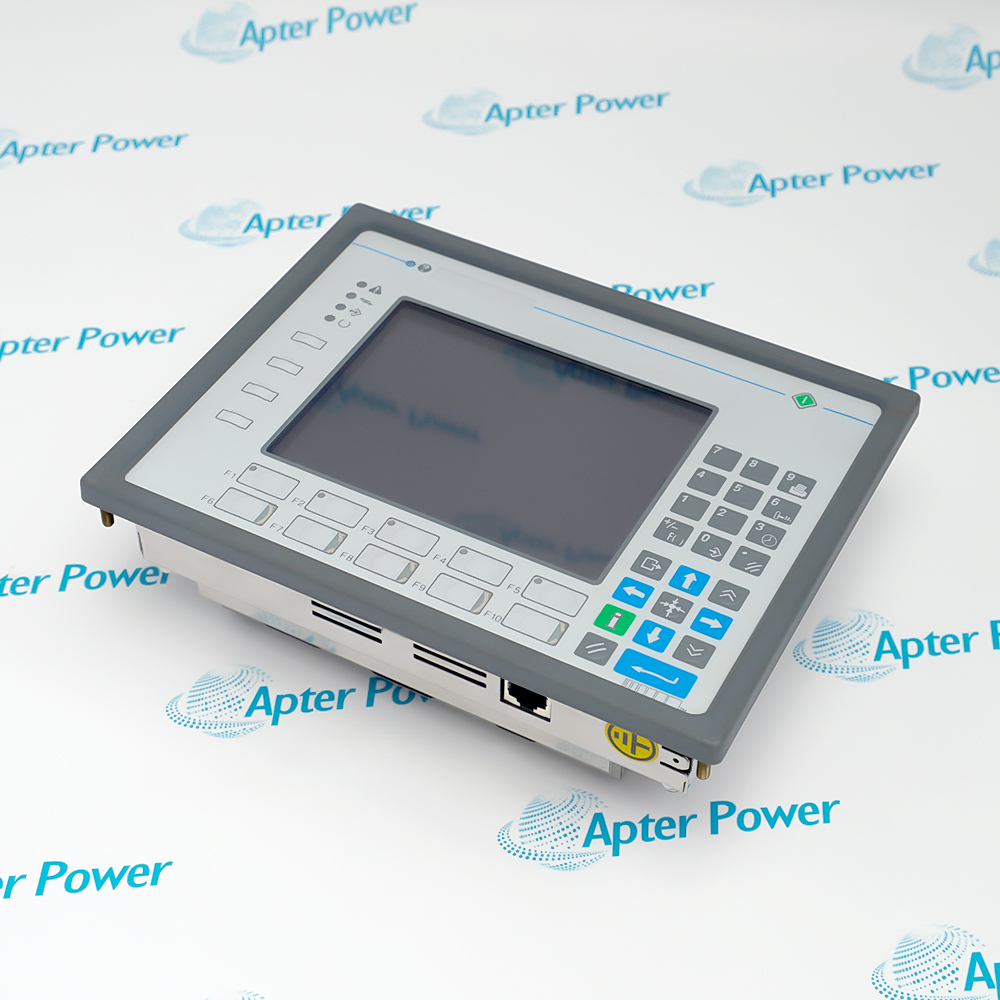
UniOP BKDC16-T is a color touchscreen operator interface for machine visualization, PLC communication, alarm handling, and industrial operator control.
In Stock
Ships by Wednesday, October 28
Fast Shipping Available
Get a quick price for BKDC16-T
Quantity
*E-mail
Company
*Mobile
*Content
Upload (gif, jpg, jpeg, png, bmp, doc, docx, xls, xlsx, ppt, pdf, csv)

Technical specifications for BKDC16-T

  • Manufacturer:
    UniOP
  • Part Number:
    BKDC16-T
  • Product Family:
    UniOP
  • Product Type:
    Touchscreen Operator Interface
  • Stock:
    1
  • Display:
    16 × 40 STN color display
  • Graphics resolution:
    320 × 240 pixels
  • Active display area:
    121 × 91 mm
  • Display diagonal:
    5.6 in
  • User memory:
    512 KB
  • Memory expansion:
    Up to 1 MB
  • Recipe memory:
    32 KB
  • Alarm capacity:
    1024
  • Event-list capacity:
    1024
  • Function keys:
    14
  • System keys:
    23
  • User LEDs:
    11
  • System LEDs:
    4
  • Communication interfaces:
    PLC port, PC/printer port, AUX port, external keyboard port
  • Programming speed:
    9,600–38,400 baud
  • Supply voltage:
    18–30 V DC
  • Maximum current at 24 V DC:
    500 mA
  • Backup battery:
    3 V CR2430 lithium, non-rechargeable, user replaceable
  • Panel cutout:
    20.5 × 15.7 cm (W × H)
  • Dimensions:
    21.6 × 16.8 × 8.2 cm
  • Weight:
    1.4 kg
  • Tariff Code:
    8537109090
  • Country of origin:
    Italy
  • Place of shipment:
    Xiamen,Fujian,China
By purchasing this item, you agree to the Terms & Conditions, ApterPower is not an authorized distributor for listed manufacturers or tradenames and therefore the manufacturer's warranty does not apply. All our products come with ApterPower's 1-year warranty.

More Information

Overview Manuals Touch Control Communications Project & Memory Application
  • 5.6-inch STN color touchscreen for industrial operator control
  • PLC, PC/printer, AUX, and external-keyboard connectivity
  • Alarm, event, recipe, clock, and downloadable-character functions

UniOP BKDC16-T is a color touchscreen operator interface for machine visualization, PLC communication, alarm handling, and industrial operator control.

The OEM installation guide identifies the canonical model as BKDC-16T and separates it from the non-touch BKDC-16.

Before replacement, verify the rear label, optional communication module, project backup, supply, grounding, connector wiring, and touchscreen calibration.

Availability, condition, price, and shipping time for UniOP BKDC16-T are confirmed during quotation.

Verified resources and support links for UniOP BKDC16-T:

Important Notice: Other accessories, manuals, cables, calibration data, software, etc. are not included with this equipment unless listed in the above stock item description. All prices are shown in USD.

  • 5.6-inch STN color display with 320 × 240 graphics resolution
  • Touch input is supported alongside dedicated function and system keys
  • The operating procedure includes touchscreen calibration for accurate point selection
  • The PLC port communicates with a PLC or another supported controller
  • The PC/printer port supports programming and project-defined serial printing
  • The AUX port function depends on the optional communication module installed
  • 512 KB user memory is expandable up to 1 MB
  • 32 KB recipe memory supports application-specific operating data
  • Alarm and event lists each support up to 1,024 entries
  • Touchscreen operator control for PLC- or controller-based machinery
  • Color process visualization, alarm acknowledgement, and event review in industrial panels
  • Recipe selection, parameter entry, and serial printer output for machine operations
Description
UniOP BKDC16-T is a color touchscreen operator interface for industrial machine and process control. The OEM manual identifies the equivalent canonical model as BKDC-16T and distinguishes it from the non-touch BKDC-16.

The panel combines a 5.6-inch STN color display with touch input, dedicated function and system keys, user and system indicators, PLC communication, PC programming or printer connectivity, and an AUX port whose function depends on the installed communication module.

Before replacing UniOP BKDC16-T, preserve the Designer project, communication driver, network settings, recipes, alarm data, passwords, and application-specific port configuration. Confirm the rear nameplate, optional communication module, wiring, supply, grounding, and touchscreen calibration before commissioning.
Alternative Names
BKDC16-T BKDC-16T BKDC16T BKDC 16T UniOP BKDC16-T UniOP BKDC-16T EXOR BKDC16-T EXOR UniOP BKDC-16T
Technical notes
UniOP BKDC16-T corresponds to the OEM-spelled BKDC-16T touchscreen panel. Confirm the communication module, project backup, connector wiring, grounding, and touchscreen calibration before replacement.
Exceptional Service

Our Mission

  • 100% Satisfaction

    We believe expertise is priceless. With over 20 years of experience, and top engineers on staff, we can help you solve or avoid problems that threaten your business.
  • Trust Guaranteed

    Not only do we have a vast inventory, our team makes sure every piece of equipment is in working condition. Your purchases are also backed by our Warranty.
  • Expertise

    Time is money, especially when your equipment is down. We work quickly to get your equipment on its way so you can get it back up and running.

FAQS

The following is a list of questions commonly asked by our customers. Please contact us if you have a question about our process that is not answered below.
How can a buyer distinguish UniOP BKDC16-T from the non-touch BKDC-16?
The OEM guide identifies BKDC-16T as the touchscreen version and BKDC-16 as the color-display version without touch. Check the complete rear label and verify that touch entry and calibration operate before accepting a replacement.
What should be backed up before replacing UniOP BKDC16-T?
Save the complete Designer project, communication driver, PLC protocol and station settings, recipes, passwords, alarm configuration, printer settings, and any site records needed to restore the application. Record the installed AUX communication module separately.
Can UniOP BKDC16-T be replaced by another UniOP panel without project changes?
Do not assume a direct swap. Display format, memory, touchscreen handling, physical cutout, connector pinout, optional communication module, supported driver, and Designer project target must all match or be deliberately migrated and tested.
Why might UniOP BKDC16-T show no image even though the machine still reacts to touch?
The panel may still be running while its CCFL backlight or display circuit has failed. Check supply quality, grounding, display behavior during startup, and the backlight system before treating the entire panel as dead.
When does UniOP BKDC16-T require an optional communication module?
The PLC port provides the primary controller connection, while the AUX port function depends on the communication module installed behind the rear cover. Identify that module and network before ordering or configuring a replacement panel.
How should inaccurate touch response on UniOP BKDC16-T be handled?
Clean and inspect the touch surface, then perform the documented touchscreen calibration procedure. If points remain offset or intermittent, preserve the project and evaluate the touchscreen assembly rather than changing PLC communication settings.
What retained information is at risk when the UniOP BKDC16-T battery is replaced?
Battery-supported data can be lost while the battery is removed. Back up the application and retained operating data first, follow the service procedure, use the specified equivalent battery, and verify the clock and retained records afterward.