Ask our team:
  • Phone: +86 181 0690 9650
  • E-Mail sales1@apterpower.com
  • Lifecycle status

    Discontinued / Obsolete by OEM
    Apter Power can help verify the exact installed variant before sourcing a replacement.

2711-K6C1

/ 4.9
1001 reviews | Need a Specific Revision?
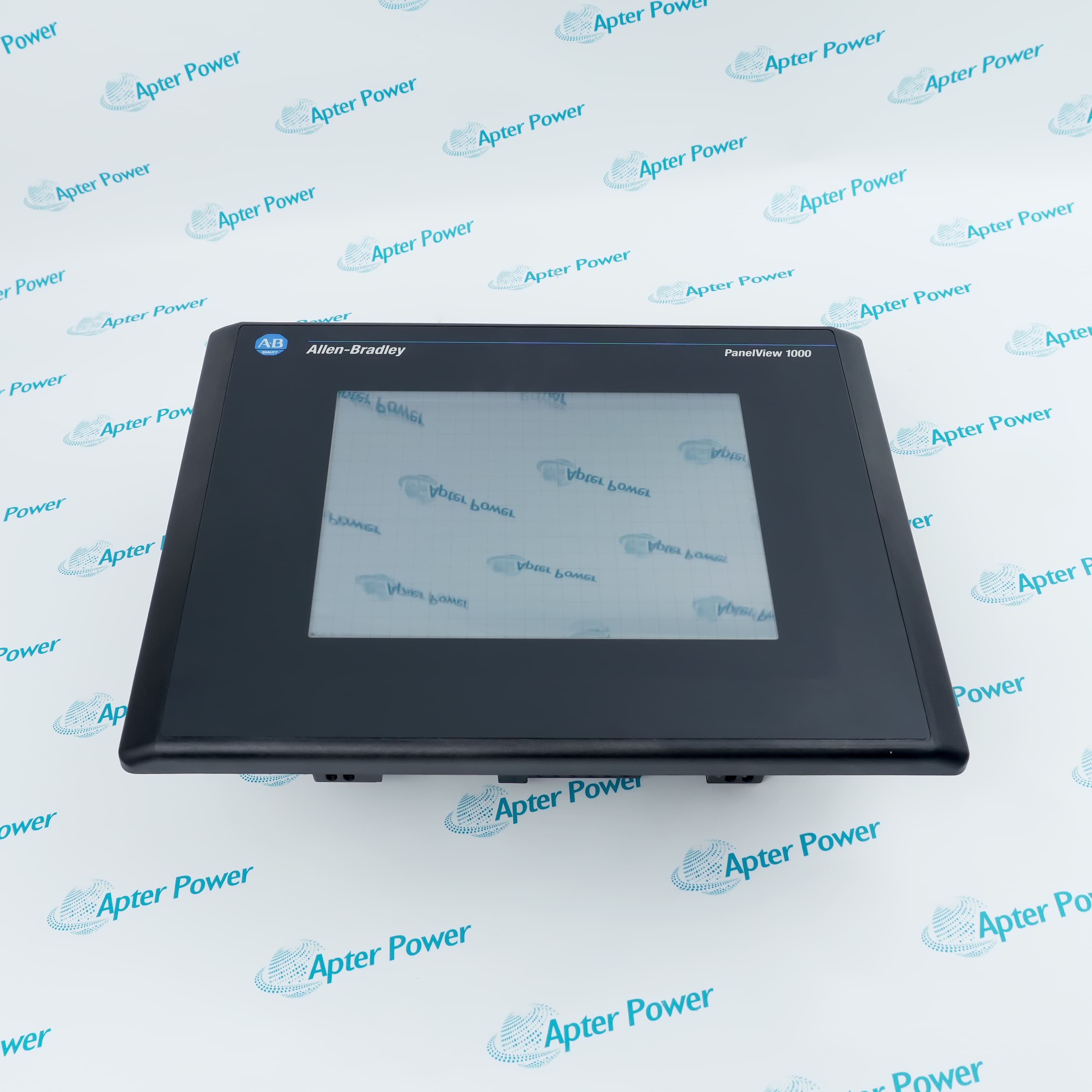
Allen-Bradley 2711-K6C1 is an AC-powered PanelView 600 color keypad terminal with Remote I/O communication for established machine applications that retain rack-based control.
In Stock
Ships by Wednesday, October 28
Fast Shipping Available
Get a quick price for 2711-K6C1
Quantity
*E-mail
Company
*Mobile
*Content
Upload (gif, jpg, jpeg, png, bmp, doc, docx, xls, xlsx, ppt, pdf, csv)

Technical specifications for 2711-K6C1

  • Manufacturer:
    Allen-Bradley
  • Part Number:
    2711-K6C1
  • Product Family:
    PanelView
  • Product Type:
    PanelView 600 Color Keypad Terminal
  • Stock:
    1
  • Product Type:
    PanelView 600 color keypad terminal
  • Display:
    Color
  • Operator Input:
    Keypad
  • Communication:
    Remote I/O
  • Power Supply:
    AC
  • Product Family:
    PanelView Standard 600
  • Lifecycle:
    Discontinued by OEM
  • Application Storage:
    Terminal-resident PanelView application
  • Weight:
    2 kg
  • Estimated shipping dimensions:
    29 x 19.2 x 11.6 cm
  • Tariff Code:
    8537101190
  • Country of origin:
    USA
  • Place of shipment:
    Xiamen, Fujian, China
By purchasing this item, you agree to the Terms & Conditions, ApterPower is not an authorized distributor for listed manufacturers or tradenames and therefore the manufacturer's warranty does not apply. All our products come with ApterPower's 1-year warranty.

More Information

Overview Manuals Operator Interface Remote I/O Installation Product Applications

Features:

  • Terminal family: PanelView Standard 600 color keypad HMI.
  • Network: Allen-Bradley Remote I/O.
  • Power: AC input version.
The stored HMI project defines the screens, alarms and keypad actions presented to the operator.

Remote I/O rack assignment, baud rate and cable termination belong to the installed configuration.

Migration can require a network gateway, panel adapter and converted application instead of a direct hardware swap.

Apter Power supports exact-catalog and migration review for the Allen-Bradley 2711-K6C1 PanelView 600 Terminal.
Allen-Bradley 2711-K6C1 PanelView 600 Terminal Manuals,Datasheets,Link
Important Notice: Other accessories, manuals, cables, calibration data, software, etc. are not included with this equipment unless listed in the above stock item description. All prices are shown in USD.
  • Uses a color display for machine visualization and alarm presentation.
  • Accepts navigation and application-defined commands through the physical keypad.
  • Runs the screen and control objects stored in the PanelBuilder32 application.
  • Connects through Allen-Bradley Remote I/O.
  • Requires rack assignment and baud rate to match the controller or scanner.
  • Depends on the documented cable route and termination arrangement.
  • Uses an AC power source.
  • Requires project backup and network records before removal.
  • Verify the panel cutout, adapter plate and migration hardware before replacement.
  • Operator interface on legacy Remote I/O machine systems.
  • Color presentation of production status, alarms and operating commands.
  • Service replacement where the original project and rack configuration are retained.
Description
For rack-based control systems that retain Allen-Bradley Remote I/O, 2711-K6C1 supplies a PanelView 600 color display and physical keypad. Its loaded HMI application presents production screens, alarm handling and operator commands at the machine.

The catalog identity places 2711-K6C1 on an AC supply with a Remote I/O communication interface. Rack assignment, baud rate and cable termination must match the controller because another PanelView 600 network option is not electrically equivalent.

A replacement plan should preserve the project file and field configuration before 2711-K6C1 is removed. Confirm the panel opening, AC wiring and Remote I/O migration path, including any adapter or gateway required by a newer terminal.
Revisions

Revision Part #

Also known as

2711-K6C1 Ser A
2711-K6C1/A, Series A, Rev A
2711-K6C1 Ser B
2711-K6C1/B, Series B, Rev B
2711-K6C1 Ser C
2711-K6C1/C, Series C, Rev C
2711-K6C1X
2711-K6C1/X, Series X, Rev X
Alternative Names
Allen-Bradley 2711-K6C1 2711 K6C1 2711K6C1 2711-K6CI 2711-KGC1 2711/K6C1 271I-K6C1
Technical notes
Back up the application from 2711-K6C1 and record the Remote I/O rack assignment, baud rate, cable termination and AC supply wiring. Compare the color keypad terminal and panel cutout with the installed hardware. Migration to a current platform may require an adapter, network conversion and application changes rather than a direct swap.
Exceptional Service

Our Mission

  • 100% Satisfaction

    We believe expertise is priceless. With over 20 years of experience, and top engineers on staff, we can help you solve or avoid problems that threaten your business.
  • Trust Guaranteed

    Not only do we have a vast inventory, our team makes sure every piece of equipment is in working condition. Your purchases are also backed by our Warranty.
  • Expertise

    Time is money, especially when your equipment is down. We work quickly to get your equipment on its way so you can get it back up and running.

FAQS

The following is a list of questions commonly asked by our customers. Please contact us if you have a question about our process that is not answered below.
The Remote I/O scanner reports a missing adapter after 2711-K6C1 is installed; what should be checked?
Compare rack or group assignment, communication rate, cable routing, connectors, and network termination with the approved Remote I/O drawing. Confirm the scanner configuration before treating the operator terminal as faulty.
Screens change normally but process values stay frozen on 2711-K6C1; where should troubleshooting begin?
Begin with Remote I/O communication status and the controller data exchange rather than the keypad. A local application can continue navigating even when its network data is no longer updating.
Why would 2711-K6C1 remain dark after replacing a similar DC-powered terminal?
This catalog requires the documented AC supply arrangement. Stop and verify the nameplate, branch voltage, protective device, and wiring; do not adapt a DC feed merely because the panel cutout matches.
How should a machine application be restored to 2711-K6C1 during a planned outage?
Use the approved PanelBuilder32 source and a compatible ATA memory card or documented transfer route. Retain the previous file, then validate startup, navigation, live data, alarms, and controller communication.
A shutdown report does not agree with the alarm chronology on 2711-K6C1; how should the discrepancy be resolved?
Compare the terminal clock with the controller and plant time reference, then correct it and inspect the clock backup source under the service procedure. Generate a controlled test alarm after a power cycle before accepting the local chronology.
What operator checks should be completed before accepting a repaired 2711-K6C1?
Inspect the color display for stable illumination and readable pixels, then exercise every function key and navigation control through the approved application. Record any intermittent key or display behavior before release.

Product Browsing History