Ask our team:
  • Phone: +86 181 0690 9650
  • E-Mail sales1@apterpower.com
  • Lifecycle status

    Active / Available from OEM
    Apter Power supports quotation, key-function review, official documentation, and coordinated procurement.

2711R-T4T

/ 4.9
1001 reviews | Need a Specific Revision?
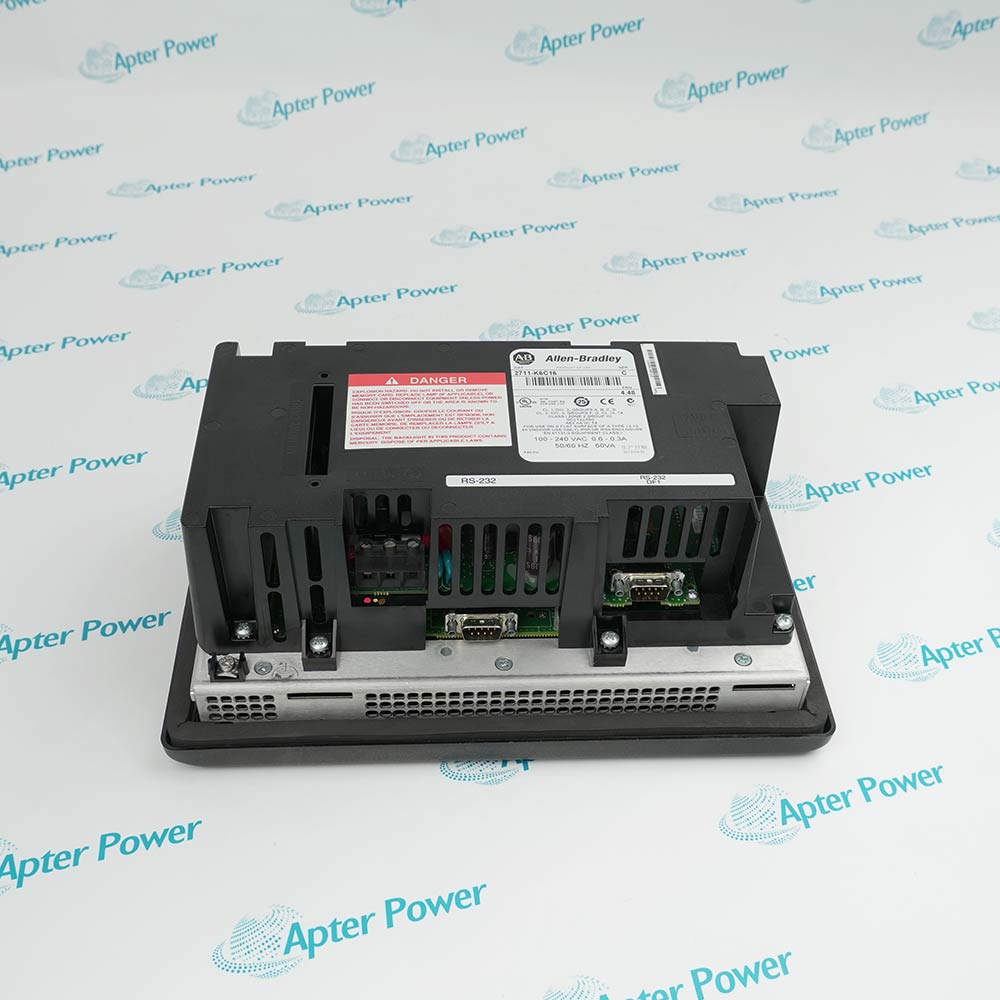
Compact PanelView 800 HMI combining a four-inch touch display with physical function keys for local machine operation.
In Stock
Ships by Wednesday, October 28
Fast Shipping Available
Get a quick price for 2711R-T4T
Quantity
*E-mail
Company
*Mobile
*Content
Upload (gif, jpg, jpeg, png, bmp, doc, docx, xls, xlsx, ppt, pdf, csv)

Technical specifications for 2711R-T4T

  • Manufacturer:
    Allen-Bradley
  • Part Number:
    2711R-T4T
  • Product Family:
    PanelView
  • Product Type:
    PanelView 800 HMI Terminal
  • Stock:
    1
  • Display Size:
    4 in.
  • Operator Input:
    Analog resistive touch and function keys
  • Display Type:
    Color TFT LCD
  • Resolution:
    480 × 272
  • Input Voltage:
    18...32 V DC
  • Maximum Power:
    9 W
  • Communication:
    10/100 Ethernet and isolated serial ports
  • Configuration Software:
    Connected Components Workbench 8.0 or later
  • Weight:
    0.333 kg
  • Estimated shipping dimensions:
    11.6 × 13.8 × 4.3 cm
  • Tariff Code:
    8537101190
  • Country of origin:
    China
  • Place of shipment:
    Xiamen,Fujian,China
By purchasing this item, you agree to the Terms & Conditions, ApterPower is not an authorized distributor for listed manufacturers or tradenames and therefore the manufacturer's warranty does not apply. All our products come with ApterPower's 1-year warranty.

More Information

Overview Manuals Keys FW Serial Product Applications

Features:

  • Hybrid input: touch screen plus physical function keys
  • Compact format: four-inch color display for space-limited operator panels
  • Multi-protocol ports: Ethernet, RS-232, and RS-422/RS-485 interfaces

The T4 configuration is the only current PanelView 800 size in this batch with dedicated function keys.

That input difference affects project navigation, operator habits, and replacement acceptance even when controller communication is unchanged.

Firmware should be recorded before service because configuration and VNC paths are revision-dependent.

For 2711R-T4T, Apter Power supports official-data checks, quotation preparation, and procurement coordination.

Verified resources for 2711R-T4T:

Important Notice: Confirm the required firmware, application files, cables, accessories, and documentation in the quotation before ordering.
  • Function assignment: document every physical key action in the CCW application.
  • Repeat behavior: set key repeat only where repeated commands are intentional and safe.
  • Touch pairing: keep on-screen labels consistent with the neighboring hard-key function.
  • Operator test: prove navigation, permissions, and command release with the production project.
  • Browser cutoff: PanelView Explorer is not supported from firmware 3.011 onward.
  • VNC window: firmware 4.011 through 7.011 supports VNC under the documented conditions.
  • Later VNC: revision 8.012 adds support for terminals that shipped with 8.011.
  • Upgrade record: save the existing project and firmware identity before any update.
  • RS-232 path: match the selected DF1 or other documented driver to controller settings.
  • RS-422/RS-485 path: preserve polarity, addressing, baud rate, parity, and termination.
  • Modbus choice: distinguish RTU, unsolicited RTU, and Ethernet configurations in the CCW project.
  • Commissioning: test a known register or tag before enabling machine commands.
  • Compact adhesive labelers: combine touch objects and mapped function keys in a small operator station.
  • Stretch-wrap controls: present local status and repeatable keyed navigation for supported machines.
  • Micro800 and MicroLogix panels: run CCW applications through a documented Ethernet or serial connection.
Description

Physical function keys distinguish 2711R-T4T from the larger touch-only PanelView 800 terminals and allow a compact application to mix hard-key navigation with on-screen objects.


Configuration of 2711R-T4T is performed through its terminal screens or supported Connected Components Workbench tools; legacy browser access depends on the installed firmware revision.


Ethernet plus isolated RS-232 and RS-422/RS-485 interfaces let 2711R-T4T serve documented CIP, DF1, and Modbus controller paths when addressing, wiring, and protocol settings are matched exactly.

Alternative Names
Allen-Bradley 2711R-T4T AB 2711R-T4T 2711R T4T 2711RT4T 2711R-T4T PanelView 800 PanelView 800 4-inch keyed terminal
Technical notes
Before relying on browser configuration for 2711R-T4T, read the installed firmware revision. PanelView Explorer is supported only through revision 2.020 and is absent from 3.011 onward; preserve a CCW project and on-terminal access plan so maintenance does not depend on a feature removed by firmware.
Exceptional Service

Our Mission

  • 100% Satisfaction

    We believe expertise is priceless. With over 20 years of experience, and top engineers on staff, we can help you solve or avoid problems that threaten your business.
  • Trust Guaranteed

    Not only do we have a vast inventory, our team makes sure every piece of equipment is in working condition. Your purchases are also backed by our Warranty.
  • Expertise

    Time is money, especially when your equipment is down. We work quickly to get your equipment on its way so you can get it back up and running.

FAQS

The following is a list of questions commonly asked by our customers. Please contact us if you have a question about our process that is not answered below.
How should the function keys on 2711R-T4T be validated after an application change?
Exercise each key for press, release, repeat, navigation, and user-right behavior while the machine is in a controlled state. Remove or relabel any mapping that no longer matches the visible screen action.
Why can browser configuration fail on 2711R-T4T even though Ethernet communication is active?
PanelView Explorer is not supported from firmware 3.011 onward. Read the firmware revision and use the on-terminal or CCW configuration route instead of changing the network to recover an intentionally removed feature.
When should VNC setup stop on 2711R-T4T?
Stop when the firmware is outside the documented 4.011 through 7.011 window, unless the terminal shipped with 8.011 and has been updated to 8.012. Record the original revision before enabling remote access.
What must match before 2711R-T4T communicates over RS-485 Modbus RTU?
Match port mode, polarity, node address, baud rate, data bits, parity, stop bits, and termination to the controller. Test a known register and stop commissioning if values remain inconsistent.
How should mixed touch and key faults be separated on 2711R-T4T?
Calibrate the touch screen first, then test the physical keys and key-repeat settings independently. If only one input path fails, inspect its application mapping before replacing the entire terminal.
Which details make a 2711R-T4T RFQ useful for engineering review?
Provide firmware, function-key map, controller and protocol, serial settings when used, application backup, label photos, panel cutout, quantity, destination, and required date.