AT-PWR4
AT-PWR4
AT-PWR4
AT-PWR4
AT-PWR4
AT-PWR4
Ask our team:
  • Phone: +86 181 0690 9650
  • E-Mail sales1@apterpower.com

AT-PWR4

/ 4.9
1001 reviews | Need a Specific Revision?
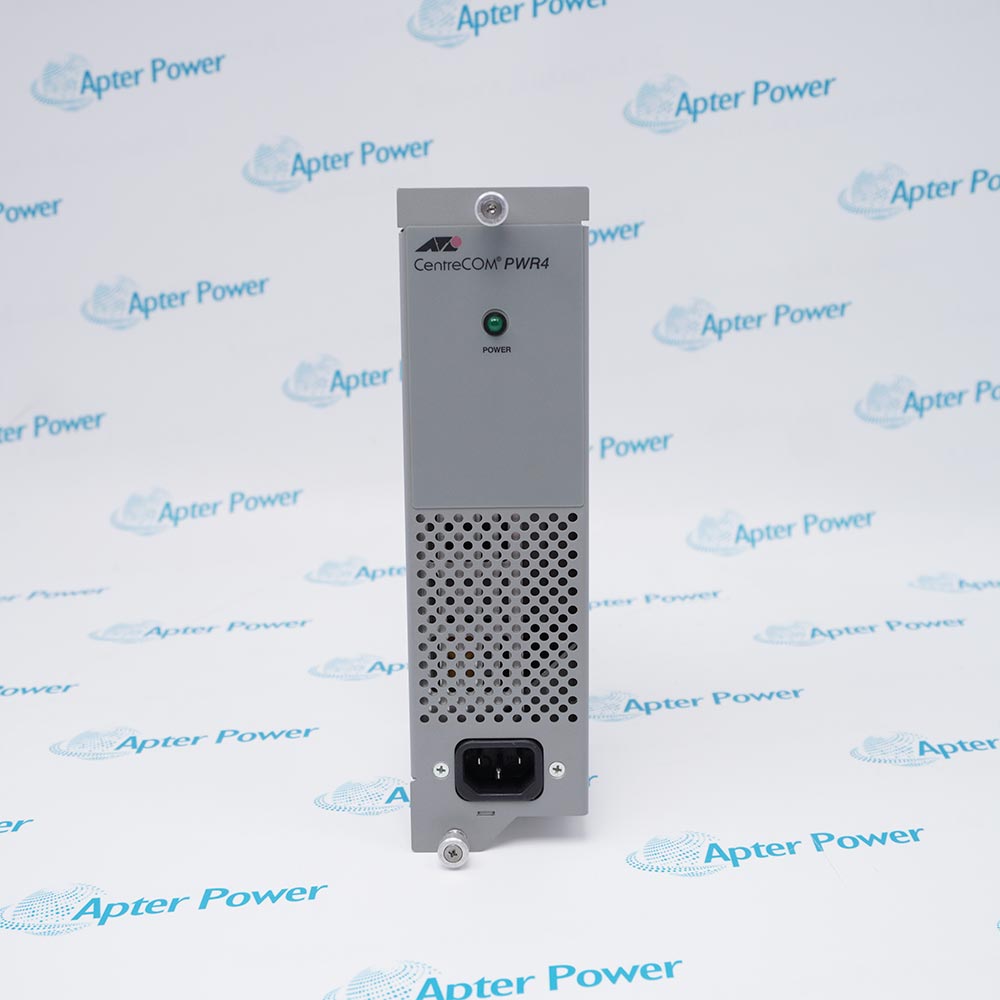
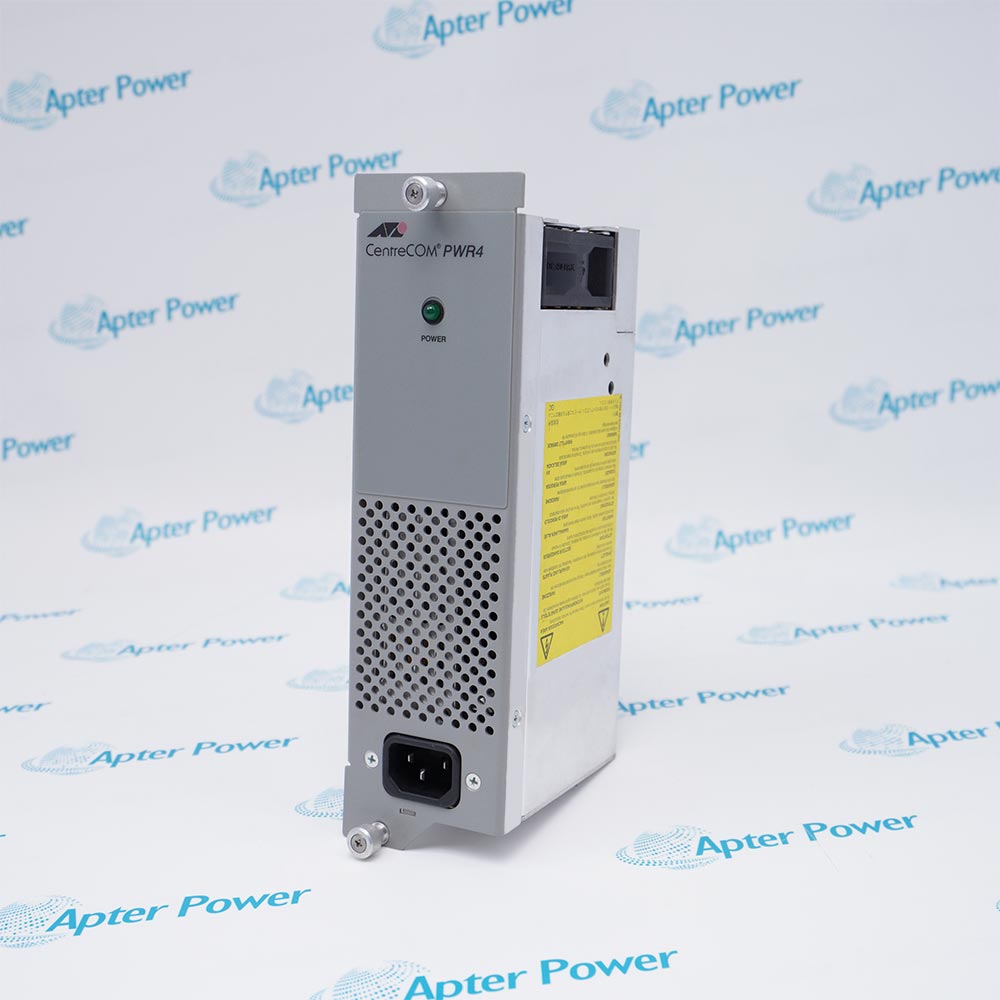
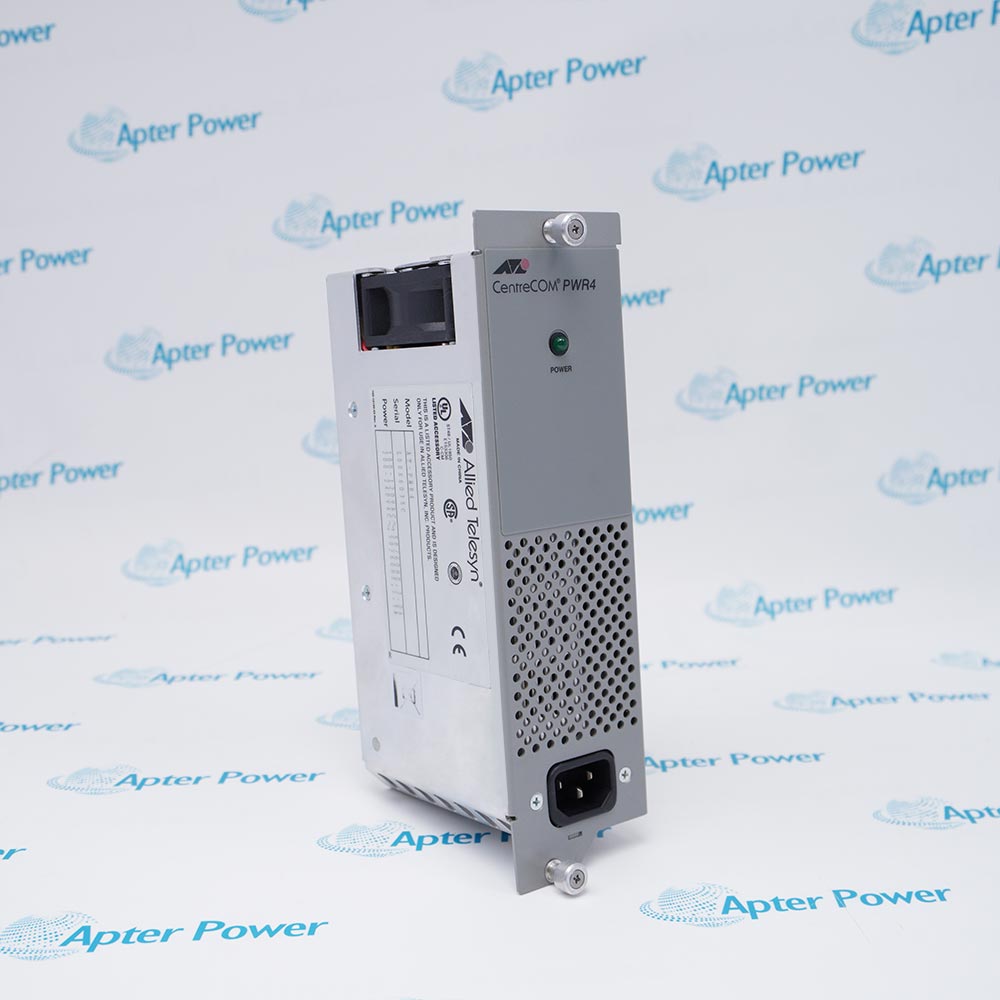
The Allied Telesis AT-PWR4 is an AC power supply for the AT-MCR12 Media Conversion Rack-Mount Chassis, supporting primary, auxiliary and hot-swappable power-supply operation.
In Stock
Ships by Wednesday, October 28
Fast Shipping Available
Get a quick price for AT-PWR4
Quantity
*E-mail
Company
*Mobile
*Content
Upload (gif, jpg, jpeg, png, bmp, doc, docx, xls, xlsx, ppt, pdf, csv)

Technical specifications for AT-PWR4

  • Manufacturer:
    Allied Vision
  • Part Number:
    AT-PWR4
  • Product Family:
    Allied Vision
  • Product Type:
    AC Power Supply
  • Stock:
    1
  • Compatible Chassis:
    Allied Telesis AT-MCR12 Media Conversion Rack-Mount Chassis
  • Power-Supply Role:
    Primary or auxiliary chassis power supply
  • Replacement Capability:
    Hot-swappable while the companion supply remains in operation
  • Power Rating:
    100–120 VAC, 50/60 Hz, 3.0 A; 220–240 VAC, 50/60 Hz, 1.5 A
  • POWER LED:
    Green — operating normally; Off — power supply is off or has failed
  • Operating Temperature:
    0 to 40 °C
  • Storage Temperature:
    -25 to +70 °C
  • Operating Relative Humidity:
    5% to 90% RH, non-condensing
  • Storage Relative Humidity:
    5% to 95% RH, non-condensing
  • Dimensions:
    22.5 × 6.1 × 12.0 cm
  • Weight:
    0.77 kg
  • Tariff Code:
    8504401400
  • Country of origin:
    USA
  • Place of shipment:
    Xiamen, Fujian, China
By purchasing this item, you agree to the Terms & Conditions, ApterPower is not an authorized distributor for listed manufacturers or tradenames and therefore the manufacturer's warranty does not apply. All our products come with ApterPower's 1-year warranty.

More Information

Overview Manuals Power Diagnostics Safety Application
  • Designed as the AC power-supply module for the AT-MCR12 chassis
  • Supports an auxiliary supply position for redundant chassis power
  • Provides a POWER indicator for local operating-state checks

AT-PWR4 is an Allied Telesis AC power supply designed for the AT-MCR12 Media Conversion Rack-Mount Chassis.

It supports primary or auxiliary chassis service and permits a failed unit to be removed while the companion supply continues powering the chassis.

Before installation or replacement, verify the AT-MCR12 chassis version, regional AC input, backplane seating, grounded power cord, ventilation, and both chassis power indicators.

Availability, condition, price, and shipping time for AT-PWR4 are confirmed during quotation.

Allied Telesis AT-PWR4 AC Power Supply Manuals, Datasheets, Links

Important Notice: Other accessories, manuals, cables, calibration data, software, etc. are not included with this equipment unless listed in the above stock item description. All prices are shown in USD.

  • Designed for the AC version of the AT-MCR12 chassis
  • Supports installation in the auxiliary power-supply slot
  • Allows one supply to remain energized while the failed supply is removed
  • Uses a green POWER indicator for normal operation
  • An unlit POWER indicator identifies an off or failed supply
  • Troubleshooting checks the AC source, chassis seating, wiring, and cooling fans
  • Keep ventilation openings clear and remain within the documented ambient limit
  • Connect the chassis through a properly wired protective-earth outlet
  • Disconnect every power source before servicing a chassis with redundant supplies
  • AC power for the AT-MCR12 media-conversion chassis
  • Redundant power for AT-MCR12 installations that use two supplies
  • Continuous chassis operation during removal of a failed supply when the companion supply remains active
Description
AT-PWR4 is an Allied Telesis AC power supply designed for the AT-MCR12 Media Conversion Rack-Mount Chassis.

The unit can serve as the chassis power supply or as an auxiliary supply, supports replacement while the companion supply remains energized, and provides a front POWER indicator for operating-state checks.

Before installation or replacement, verify the AC input range, AT-MCR12 chassis version, backplane seating, power-cord grounding, ventilation clearance, and the status of both chassis power indicators.
Alternative Names
AT-PWR4 Allied Telesis AT-PWR4 CentreCOM PWR4 Allied Telesis CentreCOM PWR4
Technical notes
AT-PWR4 installation requires an AT-MCR12 chassis, correct AC range, secure backplane seating, unobstructed vents and verified grounding; the principal compatibility risk is use outside that chassis.
Exceptional Service

Our Mission

  • 100% Satisfaction

    We believe expertise is priceless. With over 20 years of experience, and top engineers on staff, we can help you solve or avoid problems that threaten your business.
  • Trust Guaranteed

    Not only do we have a vast inventory, our team makes sure every piece of equipment is in working condition. Your purchases are also backed by our Warranty.
  • Expertise

    Time is money, especially when your equipment is down. We work quickly to get your equipment on its way so you can get it back up and running.

FAQS

The following is a list of questions commonly asked by our customers. Please contact us if you have a question about our process that is not answered below.
Which chassis accepts the AT-PWR4?
The AT-PWR4 is designed for the Allied Telesis AT-MCR12 Media Conversion Rack-Mount Chassis.
Can the AT-PWR4 be installed as an auxiliary supply?
Yes. The installation guide documents installation in the AT-MCR12 auxiliary power-supply slot.
Can the AT-PWR4 be hot-swapped?
Yes. A failed supply can be replaced while the other AT-PWR4 continues powering the chassis.
What should be verified before connecting Allied Telesis AT-PWR4 to AC mains?
Confirm that the site supply matches either 100–120 VAC at 3.0 A or 220–240 VAC at 1.5 A, both at 50/60 Hz. Use the correct grounded power cord and connect the AT-MCR12 chassis to a properly wired protective-earth outlet before energizing it.
What does the AT-PWR4 POWER LED indicate?
Green indicates normal operation; an unlit LED indicates that the supply is off or has failed.
What should be checked if Allied Telesis AT-PWR4 overheats or a chassis fan does not run?
Keep all ventilation openings clear, verify that ambient temperature does not exceed 40 °C, and confirm that both supplies are fully seated and powered. If a fan remains stopped after these checks, the installation guide treats power-supply failure as likely.
How should an AT-PWR4 installation be grounded?
The chassis must be connected to a properly wired, earthed socket through the specified grounded power connection.