Ask our team:
  • Phone: +86 181 0690 9650
  • E-Mail sales1@apterpower.com
  • Lifecycle status

    Discontinued / Obsolete by OEM
    Apter Power supports IC697CMM742 availability and quotation enquiries for installed Series 90-70 systems.

IC697CMM742

/ 4.9
1001 reviews | Need a Specific Revision?
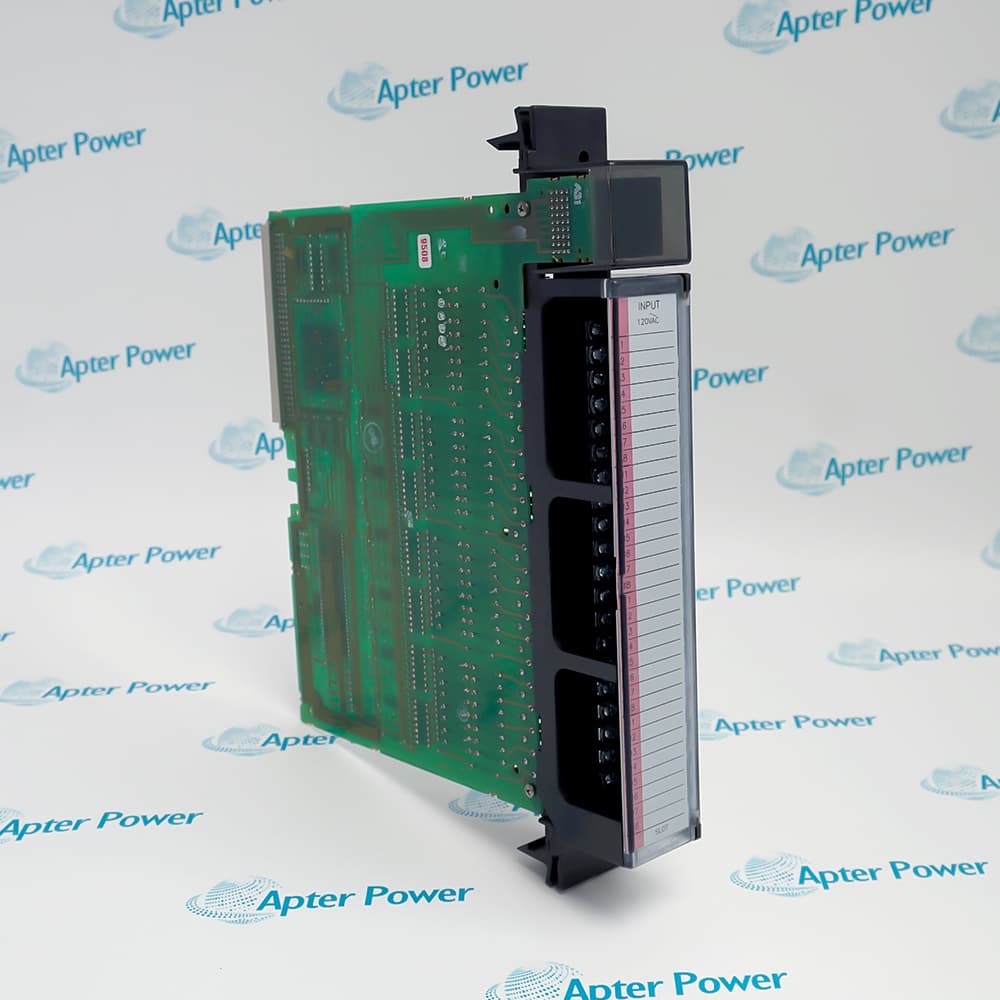
General Electric IC697CMM742 is a Ethernet Interface Type 2 that connects a Series 90-70 CPU to Ethernet TCP/IP networks.
In Stock
Ships by Wednesday, October 28
Fast Shipping Available
Get a quick price for IC697CMM742
Quantity
*E-mail
Company
*Mobile
*Content
Upload (gif, jpg, jpeg, png, bmp, doc, docx, xls, xlsx, ppt, pdf, csv)

Technical specifications for IC697CMM742

  • Manufacturer:
    General Electric
  • Part Number:
    IC697CMM742
  • Product Family:
    GE 90-70 Series PLC
  • Product Type:
    Ethernet Interface Type 2
  • Stock:
    1
  • Network protocol:
    Ethernet TCP/IP
  • 10BaseT interface:
    RJ45 connector
  • 10Base2 interface:
    BNC connector
  • AUI interface:
    15-pin connector
  • Active media ports:
    One at a time
  • Tariff Code:
    8538900000
  • Country of origin:
    USA
  • Place of shipment:
    Xiamen,Fujian,China
By purchasing this item, you agree to the Terms & Conditions, ApterPower is not an authorized distributor for listed manufacturers or tradenames and therefore the manufacturer's warranty does not apply. All our products come with ApterPower's 1-year warranty.

More Information

Overview Manuals CPU Compatibility Media Interfaces Network Operation Fault Isolation

Features:

  • 10BaseT RJ45 port.
  • 10Base2 BNC port.
  • AUI connector.
10BaseT RJ45 port establishes the principal capability of IC697CMM742 within its Series 90-70 function.

The relationship between 10Base2 BNC port and AUI connector determines how the module fits the surrounding rack, network, or field circuit.

During service, one active network port at a time must remain consistent with the saved application and the installed hardware.

Apter Power supports availability and quotation enquiries for General Electric IC697CMM742 Ethernet Interface Type 2.
General Electric IC697CMM742 Ethernet Interface Type 2 Manuals, Datasheets, Links Important Notice: Other accessories, manuals, cables, calibration data, software, etc. are not included with this equipment unless listed in the above stock item description. All prices are shown in USD.

Series 90-70 Ethernet integration

  • Rack role: IC697CMM742 provides the Ethernet interface used by an IC697 CPU.
  • Backplane exchange: The interface passes network requests and controller data through the Series 90-70 rack.
  • Network services: TCP/IP communication is used for supported programming and controller data exchanges.
  • Configuration identity: The hardware type and configured network parameters must correspond to IC697CMM742 rather than another Ethernet option.

Selecting one Ethernet connection

  • Twisted pair: The 10BaseT port uses an RJ45 connection.
  • Thin coaxial: A BNC connector is provided for 10Base2 cabling.
  • External transceiver: The 15-pin AUI port accepts a compatible medium attachment unit.
  • Single active path: Only one of the three media interfaces is active at a time.

Addressing and data flow

  • IP parameters: The assigned IP address, subnet mask, and gateway must match the plant network design.
  • Media selection: The active connector and configured network path are checked together during startup.
  • Controller access: Network traffic reaches the IC697 CPU through the module's rack interface.
  • Collision domain: Legacy coaxial or AUI installations retain the termination and transceiver rules of the selected Ethernet medium.

Diagnosing a silent Ethernet interface

  • Link path: Begin with the selected RJ45, BNC, or AUI connection rather than testing all ports as simultaneously active.
  • Address conflict: Duplicate or incorrect IP parameters are eliminated before hardware is changed.
  • Rack status: Module indications and the controller fault table distinguish local rack faults from network faults.
  • Peer test: Communication is retried from a known compatible station after cabling and configuration are corrected.
Description
General Electric IC697CMM742 is a Ethernet Interface Type 2 for the Series 90-70 platform, where it connects a Series 90-70 CPU to Ethernet TCP/IP networks.

Its design combines 10BaseT RJ45 port with 10Base2 BNC port, giving the installed unit a clearly defined operating role.

AUI connector and one active network port at a time govern the way this model is integrated, commissioned, and matched during replacement.
Revisions

Revision Part #

Also known as

IC697CMM742FH
IC697CMM742-FH, Series FH, Rev FH
IC697CMM742FG
IC697CMM742-FG, Series FG, Rev FG
IC697CMM742FF
IC697CMM742-FF, Series FF, Rev FF
IC697CMM742FE
IC697CMM742-FE, Series FE, Rev FE
IC697CMM742FD
IC697CMM742-FD, Series FD, Rev FD
IC697CMM742ED
IC697CMM742-ED, Series ED, Rev ED
IC697CMM742DD
IC697CMM742-DD, Series DD, Rev DD
IC697CMM742DC
IC697CMM742-DC, Series DC, Rev DC
IC697CMM742CC
IC697CMM742-CC, Series CC, Rev CC
IC697CMM742BB
IC697CMM742-BB, Series BB, Rev BB
Alternative Names
General Electric IC697CMM742 GE Fanuc IC697CMM742 GE IC697CMM742 IC697 CMM742 IC697-CMM742 Series 90-70 IC697CMM742 IC697CMM7A2 IC 697 CMM742
Technical notes
IC697CMM742 service records should preserve AUI connector and one active network port at a time so the replacement matches the operating Series 90-70 configuration.
Exceptional Service

Our Mission

  • 100% Satisfaction

    We believe expertise is priceless. With over 20 years of experience, and top engineers on staff, we can help you solve or avoid problems that threaten your business.
  • Trust Guaranteed

    Not only do we have a vast inventory, our team makes sure every piece of equipment is in working condition. Your purchases are also backed by our Warranty.
  • Expertise

    Time is money, especially when your equipment is down. We work quickly to get your equipment on its way so you can get it back up and running.

FAQS

The following is a list of questions commonly asked by our customers. Please contact us if you have a question about our process that is not answered below.
Which system detail must match before installing IC697CMM742?
For IC697CMM742, confirm the complete model, Series 90-70 role, 10BaseT RJ45 port, and 10Base2 BNC port before installation.
How should a startup fault on IC697CMM742 be isolated?
Check IC697CMM742 rack power, seating, configuration, indicators, and AUI connector before deciding that the module has failed.
What should be recorded before replacing IC697CMM742?
Record the IC697CMM742 slot, connections, settings, hardware suffix, 10Base2 BNC port, and one active network port at a time before removing power.
How is IC697CMM742 checked after commissioning?
Confirm normal IC697CMM742 indications, clear faults, exercise the intended function, and compare the result with the saved control state.
Can a neighboring Series 90-70 model replace IC697CMM742 without review?
A neighboring module may differ in 10BaseT RJ45 port, 10Base2 BNC port, or AUI connector; verify the complete IC697CMM742 identity and configuration first.
What external condition can affect IC697CMM742 operation?
For IC697CMM742, inspect the connected rack, field circuit, communication path, or power path associated with 10Base2 BNC port.
When should IC697CMM742 be returned to service?
Return IC697CMM742 only after configuration, connections, diagnostics, and the one active network port at a time requirement have been verified under a controlled test.