IC695PNS001
IC695PNS001
IC695PNS001
IC695PNS001
IC695PNS001
IC695PNS001
Ask our team:
  • Phone: +86 181 0690 9650
  • E-Mail sales1@apterpower.com
  • Lifecycle status

    Active / Available from OEM
    Apter supplies IC695PNS001 with catalog and application verification.

IC695PNS001

/ 4.9
1001 reviews | Need a Specific Revision?
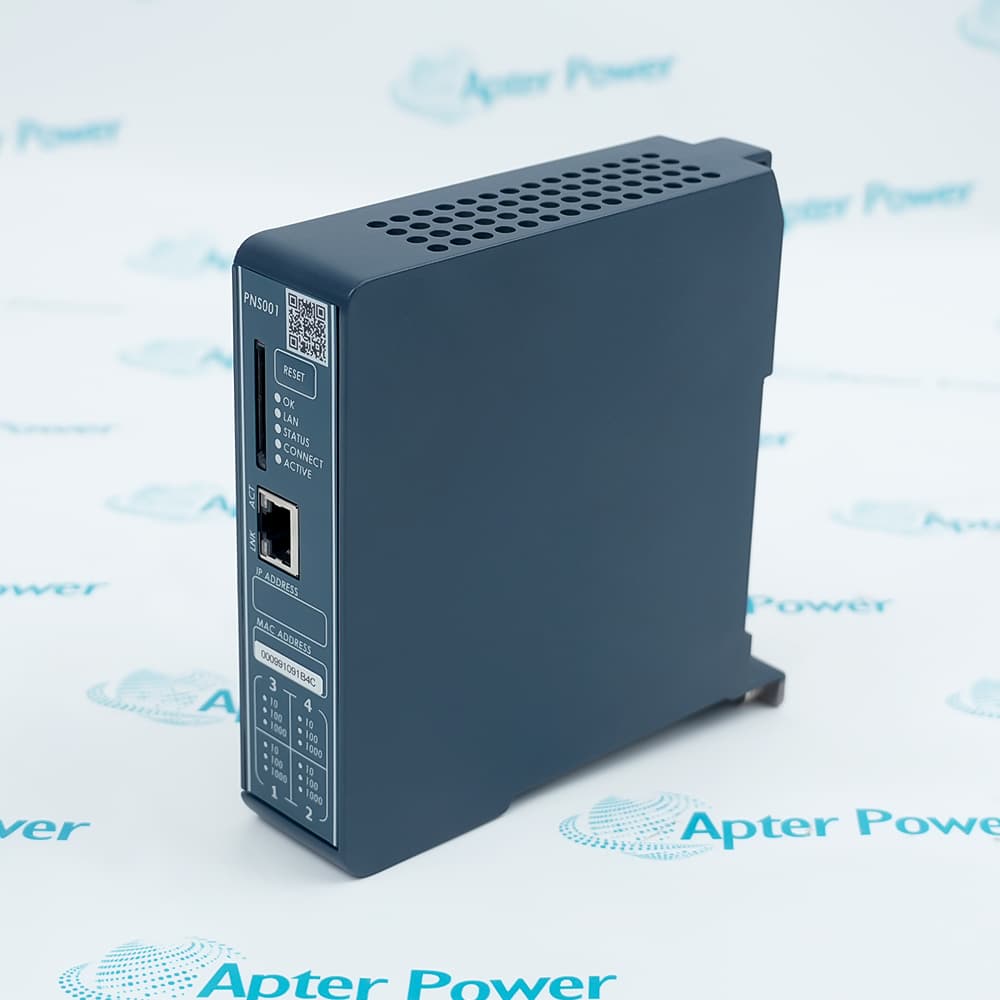
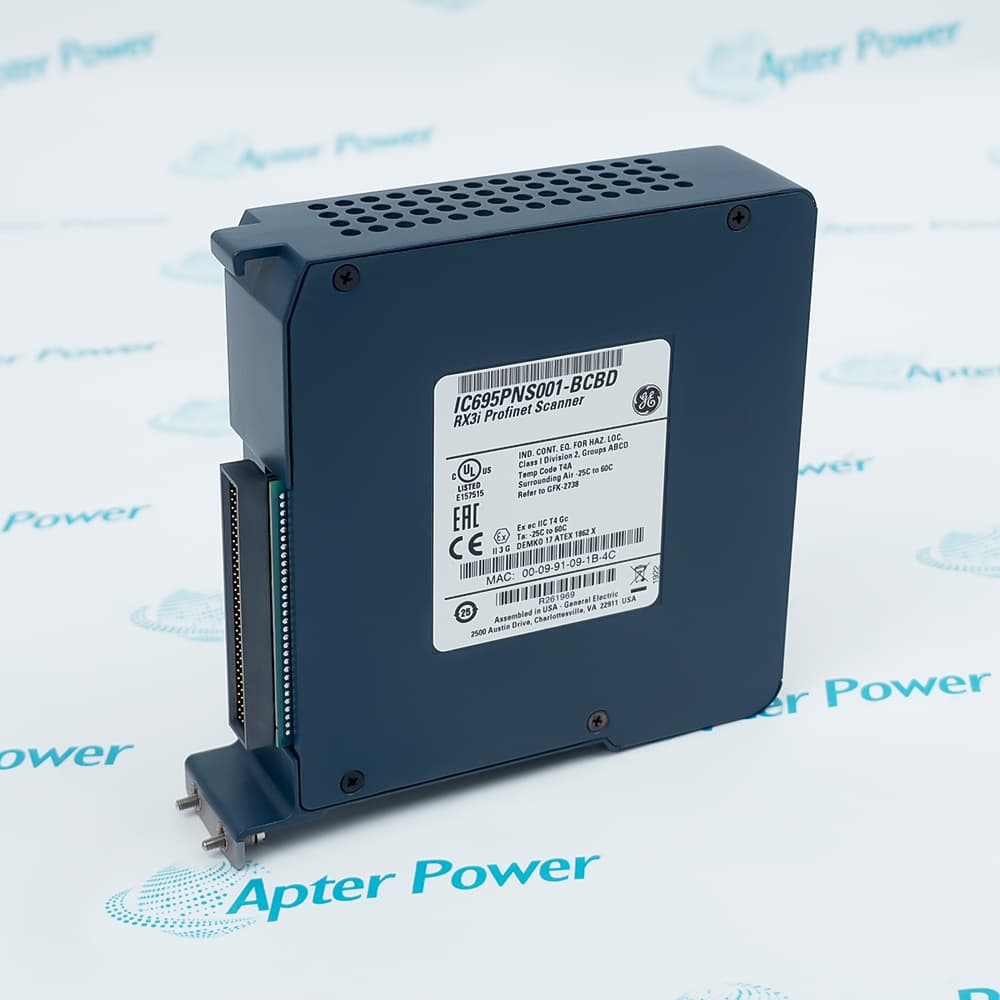
Emerson PACSystems RX3i PROFINET Scanner for remote I/O racks with copper and SFP network interfaces.
In Stock
Ships by Wednesday, October 28
Fast Shipping Available
Get a quick price for IC695PNS001
Quantity
*E-mail
Company
*Mobile
*Content
Upload (gif, jpg, jpeg, png, bmp, doc, docx, xls, xlsx, ppt, pdf, csv)

Technical specifications for IC695PNS001

  • Manufacturer:
    General Electric
  • Part Number:
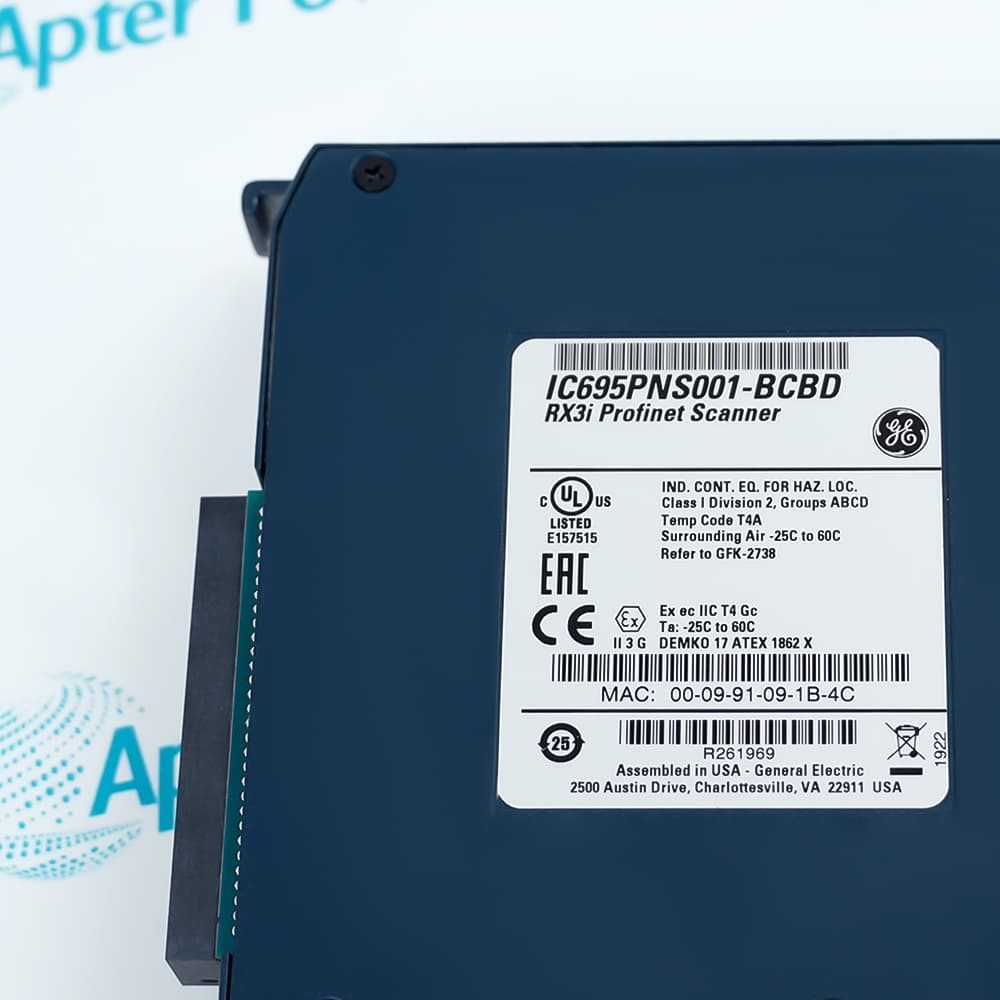
    IC695PNS001
  • Product Family:
    GE PACSystems RX3i
  • Product Type:
    RX3i PROFINET Scanner Module
  • Stock:
    1
  • PROFINET role:
    Version 2.3 Class A IO-Device
  • Copper ports:
    2
  • SFP connections:
    2
  • I/O update rates:
    1 to 512 ms selectable
  • Status bits:
    32 input status bits
  • Control bits:
    32 output control bits
  • Operating temperature:
    0 to 60 degrees C
  • Weight:
    0.5 kg
  • Estimated shipping dimensions:
    3.5x14.1x14.1cm
  • Tariff Code:
    8517620000
  • Country of origin:
    USA
  • Place of shipment:
    Xiamen,Fujian,China
By purchasing this item, you agree to the Terms & Conditions, ApterPower is not an authorized distributor for listed manufacturers or tradenames and therefore the manufacturer's warranty does not apply. All our products come with ApterPower's 1-year warranty.

More Information

Overview Manuals PROFINET Setup Port Topology Update Timing Product Applications

Features:

  • Remote-rack role: The scanner presents a PACSystems RX3i remote I/O rack to a PROFINET controller.
  • Media flexibility: Copper interfaces and SFP positions support different documented network topologies.
  • Timing control: Selectable I/O update behavior lets the remote rack follow the engineered network cycle.
IC695PNS001 is the communications interface for a remote RX3i I/O rack. It does not replace the PROFINET controller; it makes the rack available as an I/O device within the controller's network project.

This position gives the scanner responsibility for moving rack status and control data across the selected Ethernet media. The surrounding rack continues to hold the I/O modules that perform the field-level functions.

The product is best evaluated as part of a complete remote-I/O architecture. Controller ownership, rack design, network media, and update expectations must describe one coherent installation before the scanner is selected.

For IC695PNS001, Apter Power can coordinate official-document review, quotation, and sourcing for the confirmed scanner configuration.
General Electric IC695PNS001 RX3i PROFINET Scanner Module Manuals,Datasheets,Link Important Notice: Other accessories, manuals, cables, calibration data, software, etc. are not included with this equipment unless listed in the above stock item description. All prices are shown in USD.
  • Configure the scanner as the remote-rack IO-Device
  • Match engineering software and firmware requirements
  • Assign the documented PROFINET device name and IP settings
  • Two copper interfaces support standard Ethernet cabling
  • Two SFP positions support compatible optical or copper media
  • Record the installed media and redundancy topology
  • Select an I/O update period from 1 to 512 ms
  • Coordinate timing with the controller and network load
  • Validate status and control bits during commissioning
  • Distributed PACSystems RX3i I/O racks
  • PROFINET-connected remote machine I/O
  • Networked rack expansion using supported RX3i modules
Description
IC695PNS001 is a PACSystems RX3i PROFINET Scanner that interfaces a remote RX3i I/O rack to a PROFINET controller. Official specifications identify PROFINET Version 2.3 Class A operation, two copper ports, two SFP positions, and update rates from 1 to 512 milliseconds.

IC695PNS001 provides rack status and control data for distributed I/O integration. Engineering should verify the controller project, firmware and software compatibility, selected media, network name, update period, and rack power budget before replacing or adding the scanner.
Alternative Names
IC695-PNS001 RX3i PROFINET Scanner
Technical notes
IC695PNS001 must be commissioned as the documented RX3i remote-rack PROFINET device. Verify firmware, engineering-software support, device name, IP plan, selected copper or SFP media, update rate, and backplane power before service. Do not treat the four physical network connections as four independent scanner identities or logic nodes.
Exceptional Service

Our Mission

  • 100% Satisfaction

    We believe expertise is priceless. With over 20 years of experience, and top engineers on staff, we can help you solve or avoid problems that threaten your business.
  • Trust Guaranteed

    Not only do we have a vast inventory, our team makes sure every piece of equipment is in working condition. Your purchases are also backed by our Warranty.
  • Expertise

    Time is money, especially when your equipment is down. We work quickly to get your equipment on its way so you can get it back up and running.

FAQS

The following is a list of questions commonly asked by our customers. Please contact us if you have a question about our process that is not answered below.
Can IC695PNS001 act as the primary PROFINET controller for a remote RX3i rack?
No. It is the scanner interface that presents the remote rack as a PROFINET IO-Device, so the project still requires a compatible controller to own and configure the I/O.
Why can an IC695PNS001 rack remain offline after the Ethernet link becomes active?
A live link does not prove the PROFINET device name, IP settings, controller ownership, or project match. Start with those assignments and stop hardware replacement if the scanner is not recognized by the configured controller.
When should SFP media be selected for IC695PNS001 instead of the copper ports?
Use an SFP position only when the approved topology and compatible transceiver require that media. Include the installed SFP in the rack power calculation and document the selected path.
How should the update period for IC695PNS001 be chosen during commissioning?
Select a supported 1 to 512 ms period that meets the I/O response requirement without overloading the controller or network. Prove status and control behavior under the real traffic load before acceptance.
Which rack-power check can prevent an IC695PNS001 startup fault?
Calculate backplane demand with the actual scanner and installed SFP devices, not an empty-port assumption. Correct the rack supply design if the remaining power margin is inadequate.
Before replacing IC695PNS001, what configuration must be recoverable?
Retain the device name, IP plan, firmware and engineering-software compatibility, port/media choice, and selected update timing. Restore those values before using scanner status to judge the new hardware.

Product Browsing History