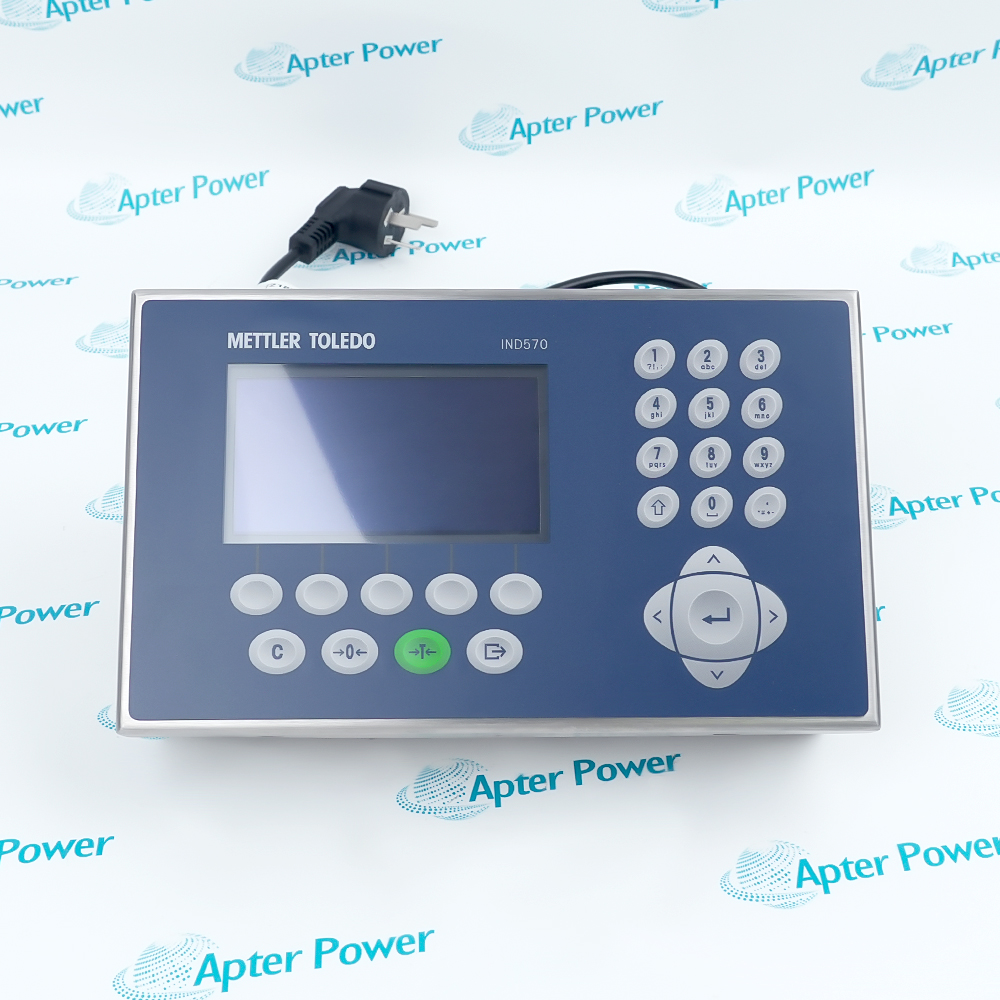
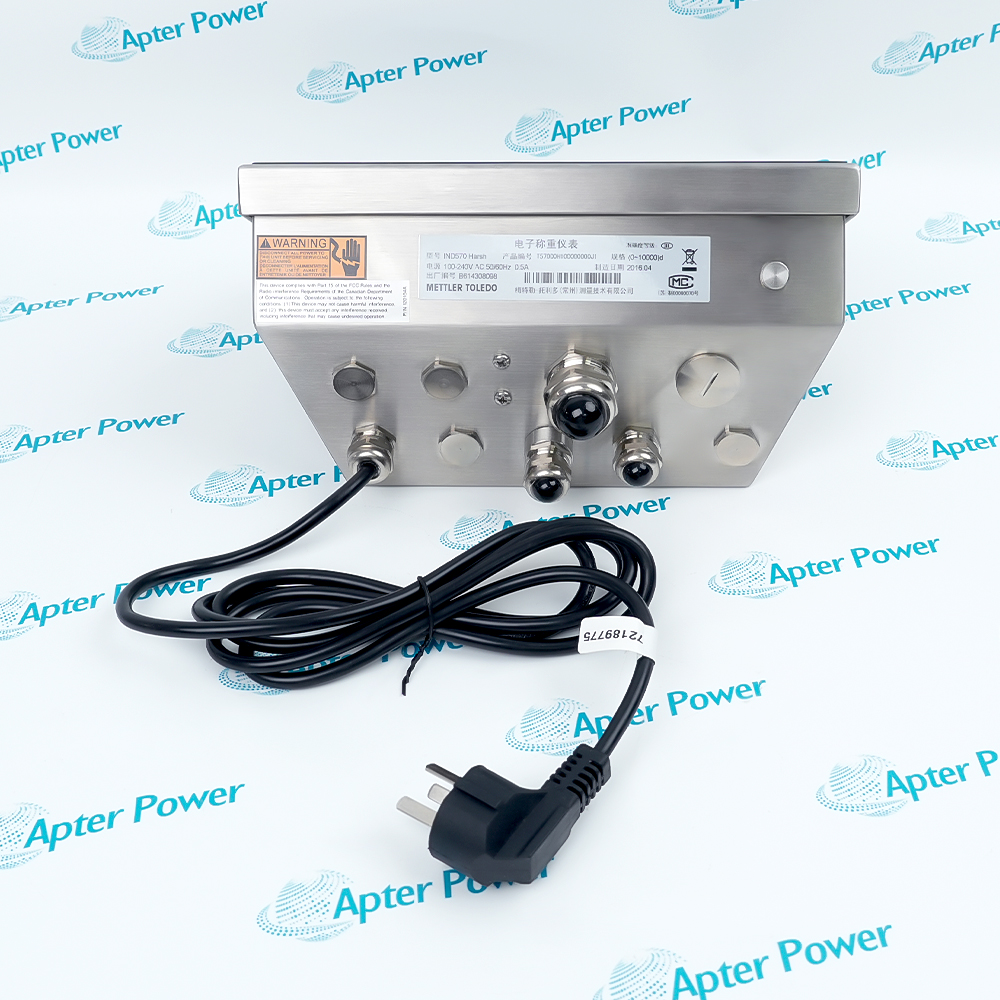
IND570
IND570
IND570
IND570
IND570
IND570
Ask our team:
  • Phone: +86 181 0690 9650
  • E-Mail sales1@apterpower.com
How We Verify Your Order
Before dispatch, we confirm the exact model, revision, condition, inspection requirements and shipping documents for your order.
See a real on-site verification case >>
  • Lifecycle status

    Active / Available from OEM
    Apter Power supports quotations, technical documents, sourcing, and weighing-system guidance.

IND570

/ 4.9
1001 reviews | Need a Specific Revision?
Mettler Toledo IND570 is an industrial weighing terminal supporting multiple scale interfaces, enclosures and plant-network options.
In Stock
Ships by Saturday, November 14
Fast Shipping Available
Get a quick price for IND570
Quantity
*E-mail
Company
*Mobile
*Content
Upload (gif, jpg, jpeg, png, bmp, doc, docx, xls, xlsx, ppt, pdf, csv)

Technical specifications for IND570

  • Manufacturer:
    Mettler Toledo
  • Part Number:
    IND570
  • Product Family:
    Mettler Toledo
  • Product Type:
    IND570 industrial weighing terminal
  • Stock:
    1
  • Scale interfaces:
    Analog load cell, IDNet, SICSpro and POWERCELL options
  • Enclosures:
    Panel mount or harsh enclosure
  • Power configurations:
    AC supply; selected panel configurations support 24 V DC
  • Standard connectivity:
    Serial, Ethernet and USB
  • Optional networks:
    PROFINET, EtherNet/IP, PROFIBUS and Modbus options
  • Panel enclosure size:
    265 x 160 x 66.5 mm
  • Harsh enclosure size:
    265 x 148.4 x 163 mm
  • Ingress protection:
    Panel front IP65; harsh enclosure up to IP69K
  • Operating temperature:
    -10 to 40 °C
  • Weight:
    3.2 kg
  • Tariff Code:
    Please confirm the destination before shipping
  • Country of origin:
    Switzerland
  • Place of shipment:
    Xiamen, Fujian, China
By purchasing this item, you agree to the Terms & Conditions, ApterPower is not an authorized distributor for listed manufacturers or tradenames and therefore the manufacturer's warranty does not apply. All our products come with ApterPower's 1-year warranty.

More Information

Overview Manuals Scale Interfaces Communications Enclosure & Diagnostics Product Applications

Features:

  • Configurable weighing terminal: scale interface and application options adapt the terminal to different weighing duties
  • Industrial enclosure choices: panel and harsh versions have different mounting and sealing needs
  • Plant connectivity: standard ports and optional industrial networks share validated weight data
Scale focus: Identify the installed analog or digital scale interface before wiring or calibration.

Data focus: Validate stable weight, units and calibration before mapping values to control logic.

Service focus: Separate mechanical scale behavior from load-cell and terminal diagnostics.

Apter Power supports Mettler Toledo IND570 weighing terminal quotations, technical documents and system configuration review.
Mettler Toledo IND570 IND570 industrial weighing terminal Manuals,Datasheets,Link
Important Notice: Other accessories, manuals, cables, calibration data, software, etc. are not included with this equipment unless listed in the above stock item description. All prices are shown in USD.
  • Analog load cells: Verify excitation, signal, sense conductors and junction-box wiring.
  • Digital interfaces: Confirm IDNet, SICSpro or POWERCELL hardware and addressing.
  • Calibration: Preserve certified parameters and use approved test weights or calibration procedures.
  • Standard ports: Configure serial, Ethernet and USB functions for the installed application.
  • Industrial networks: Set node address, data format and update behavior for the installed fieldbus option.
  • Data integrity: Verify stable weight status and units before using values in PLC logic.
  • Sealing: Restore gaskets, cable entries and covers to maintain the required ingress protection.
  • Grounding: Bond the enclosure and shield paths according to the installation manual.
  • Diagnostics: Use terminal status and load-cell measurements to separate electronic and mechanical faults.
  • Process vessels: Monitor batching, filling and material-transfer weights.
  • Floor and bench scales: Provide operator indication and controlled transaction functions.
  • Vehicle scales: Support configured truck or rail weighing workflows with appropriate scale hardware.
Description
Industrial weighing duties can be organized around IND570 when indication, scale processing and plant communication must operate in one terminal. The platform is offered with different scale interfaces and enclosure formats, so the installed hardware determines the correct wiring and service procedure.

With IND570, stable weight data is the basis for any serial, Ethernet or optional fieldbus exchange. Confirming the scale interface, calibration state, units and stable-status behavior before mapping data into PLC logic prevents a communication link from distributing an invalid process value.

Troubleshooting IND570 benefits from separating mechanical loading from electrical measurement. Load-cell excitation and signal checks can be compared with junction-box balance, free scale movement and terminal diagnostics, allowing technicians to distinguish a weighing structure problem from an interface or configuration fault.
Alternative Names
IND570 IND 570 Mettler Toledo IND570 METTLER TOLEDO IND570 IND570 weighing terminal IND570 scale terminal IND570 panel-mount terminal IND570 harsh-enclosure terminal
Technical notes
IND570 is a configurable terminal family, so enclosure dimensions and interfaces are not universal. Start diagnosis from the exact nameplate and installed options; then separate mechanical scale problems, load-cell circuit faults, calibration settings and network configuration before changing terminal hardware.
Exceptional Service

Our Mission

  • 100% Satisfaction

    We believe expertise is priceless. With over 20 years of experience, and top engineers on staff, we can help you solve or avoid problems that threaten your business.
  • Trust Guaranteed

    Not only do we have a vast inventory, our team makes sure every piece of equipment is in working condition. Your purchases are also backed by our Warranty.
  • Expertise

    Time is money, especially when your equipment is down. We work quickly to get your equipment on its way so you can get it back up and running.

FAQS

The following is a list of questions commonly asked by our customers. Please contact us if you have a question about our process that is not answered below.
How can an unstable reading on IND570 be separated into mechanical and electrical causes?
Observe the scale with the load removed, check for binding or vibration, then compare load-cell excitation, signal and junction-box balance with terminal diagnostics. A mechanically stable platform with unstable millivolt output directs attention to the measurement circuit.
Why can IND570 reject zero or span calibration after a service visit?
Residual load, mechanical restraints, incorrect test weight, changed units or altered load-cell parameters can place calibration outside the allowed condition. Restore the physical zero and verify the configured scale capacity before repeating calibration.
What should be checked when a PLC connection to IND570 is online but weight data does not update?
Confirm that the terminal has stable live weight, the installed communication option is selected, and the PLC mapping uses the correct data format and update command. Link status alone does not prove application data exchange.
How can the installed scale interface on IND570 be identified before wiring?
Use the terminal configuration and installed option hardware to distinguish analog load cells from IDNet, SICSpro or POWERCELL arrangements. Each interface has different conductors, addressing and calibration workflow.
What must be restored after opening a harsh-enclosure IND570?
Restore gaskets, covers, cable entries, grounding and shield paths before washdown or production use. A functional display does not prove that the original ingress-protection condition has been recovered.
Which IND570 settings deserve a controlled backup before maintenance?
Preserve calibration, scale setup, application parameters, communication configuration and approved transaction settings. The backup should be linked to the terminal and option configuration so it is not restored into unlike hardware.
Why can one corner of a multi-load-cell scale read differently even when IND570 is calibrated?
Load-cell output, junction-box trimming, cable resistance or mechanical load transfer can differ at that corner. Compare corner loading and junction-box signals before changing the terminal calibration.