
TLZ07-DA
TLZ07-DA
TLZ07-DA
TLZ07-DA
TLZ07-DA
TLZ07-DA
Ask our team:
  • Phone: +86 181 0690 9650
  • E-Mail sales1@apterpower.com
How We Verify Your Order
Before dispatch, we confirm the exact model, revision, condition, inspection requirements and shipping documents for your order.
See a real on-site verification case >>

TLZ07-DA

/ 4.9
1001 reviews | Need a Specific Revision?
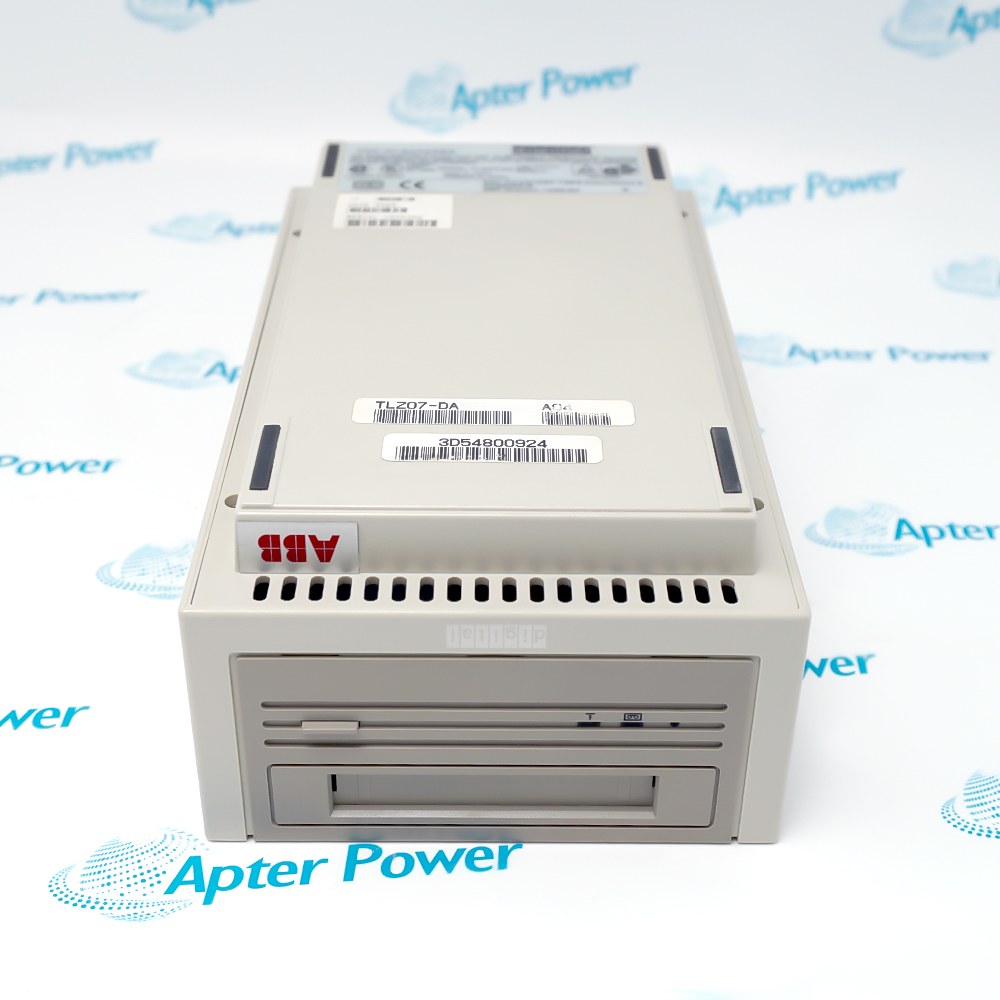
Digital Equipment Corporation TLZ07-DA is an external tabletop DDS-2 SCSI cassette tape drive with a built-in autoranging power supply and fan.
In Stock
Ships by Saturday, November 14
Fast Shipping Available
Get a quick price for TLZ07-DA
Quantity
*E-mail
Company
*Mobile
*Content
Upload (gif, jpg, jpeg, png, bmp, doc, docx, xls, xlsx, ppt, pdf, csv)

Technical specifications for TLZ07-DA

  • Manufacturer:
    DEC - Digital Equipment Corp
  • Part Number:
    TLZ07-DA
  • Product Family:
    DEC - Digital Equipment Corp
  • Product Type:
    Tabletop DDS-2 SCSI Cassette Tape Drive
  • Stock:
    1
  • Recording format:
    DDS-2 / DDS / DC
  • Host interface:
    SCSI-2
  • External SCSI connectors:
    Two
  • Selectable SCSI IDs:
    0 through 7
  • Drive buffer:
    1 MB
  • Typical native capacity with 120 m tape:
    4 GB
  • Typical compressed capacity with 120 m tape:
    8 GB
  • Typical non-compressed transfer rate:
    400 KB/s
  • Typical power consumption:
    12 W
  • AC input:
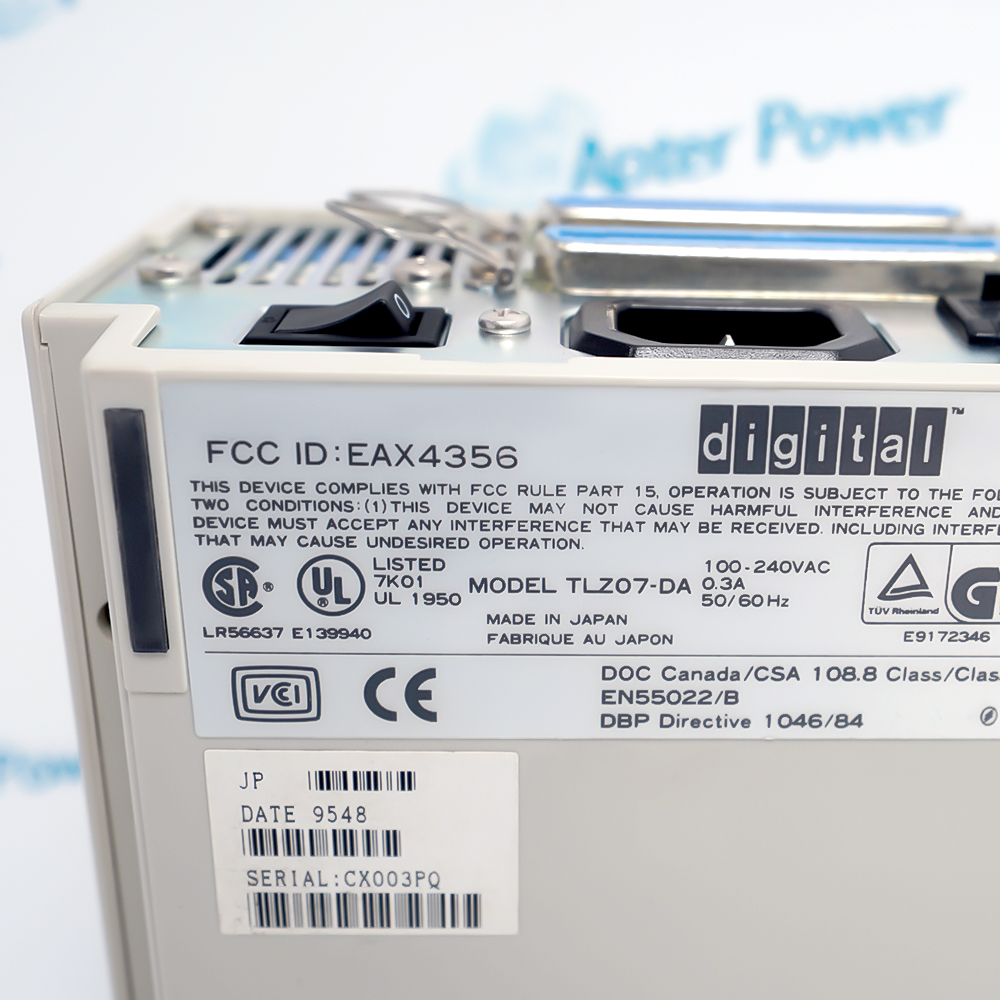
    100–240 VAC, 0.3 A
  • Operating temperature:
    10 to 40°C
  • Non-operating temperature:
    -40 to 70°C
  • Operating humidity:
    20 to 80%, non-condensing
  • Rated cassette life:
    2000 passes
  • Dimensions:
    13.5 × 8.5 × 23.5 cm
  • Weight:
    2.4 kg
  • Tariff Code:
    8471709000
  • Country of origin:
    Italy
  • Place of shipment:
    Xiamen, Fujian, China
By purchasing this item, you agree to the Terms & Conditions, ApterPower is not an authorized distributor for listed manufacturers or tradenames and therefore the manufacturer's warranty does not apply. All our products come with ApterPower's 1-year warranty.

More Information

Overview Manuals SCSI Setup Media and Capacity Acceptance Test Application
  • External tabletop DDS-2 tape drive
  • 4 GB native and 8 GB compressed typical capacity
  • Two SCSI connectors with selectable ID

TLZ07-DA is the Digital Equipment Corporation tabletop version of the TLZ07 SCSI cassette tape drive with its own power supply and fan.

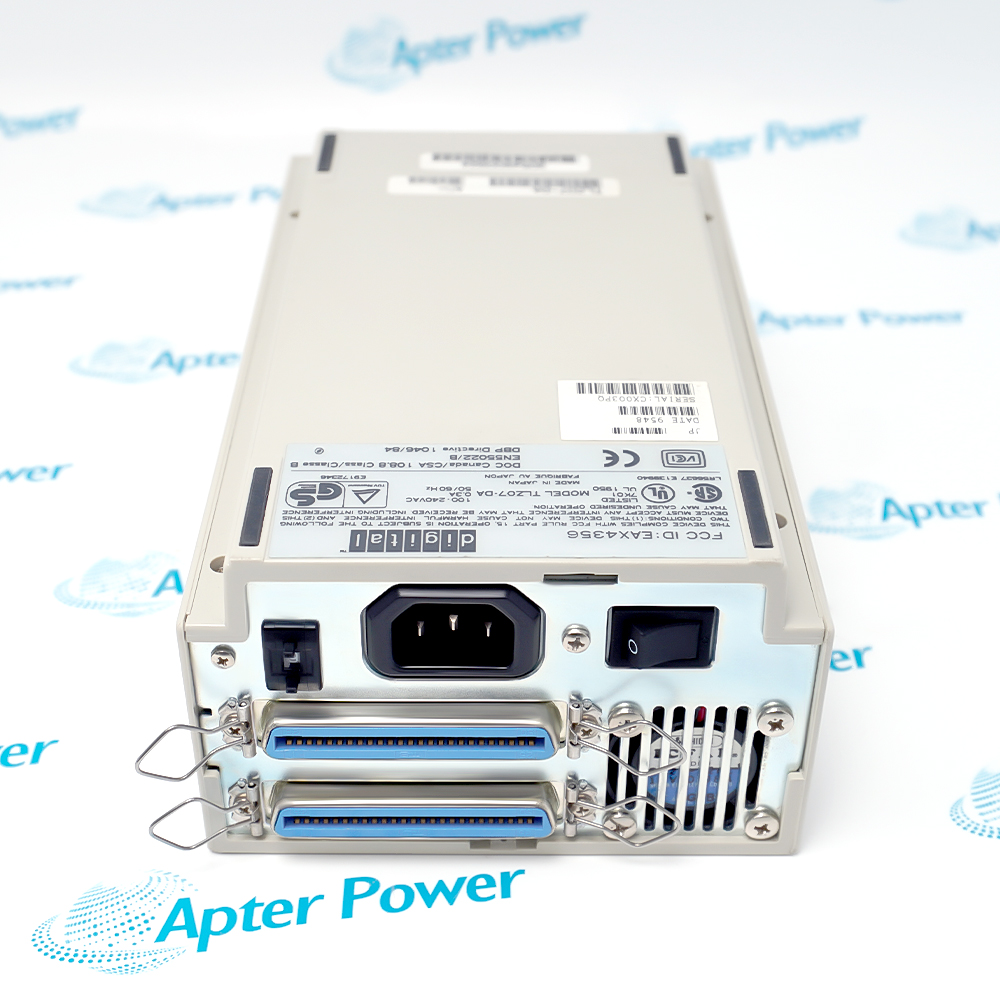
The external enclosure supports a host connection or daisy chain through two SCSI connectors, with a rear selector for addresses zero through seven.

A reliable installation confirms media condition, bus termination, total cable length, device address and a complete backup-and-restore test on the intended host.

Availability, condition, price, and shipping time for TLZ07-DA are confirmed during quotation.

Digital Equipment Corporation TLZ07-DA Manuals, Datasheets, Links

Important Notice: Other accessories, manuals, cables, calibration data, software, etc. are not included with this equipment unless listed in the above stock item description. All prices are shown in USD.
  • Select an unused SCSI ID
  • Keep total cable length within the SCSI limit
  • Terminate the final device only
  • Use data-grade 4 mm media
  • Match DDS-2 capacity expectations
  • Follow the documented cleaning schedule
  • Verify drive recognition by the host
  • Write and read a controlled test set
  • Complete an approved restore test
  • Legacy system backup and restore
  • External SCSI archival storage
  • Maintenance of DEC computer installations
Description
TLZ07-DA is the tabletop configuration of the TLZ07 DDS-2 cassette tape drive, with a built-in power supply, fan and two external SCSI connectors.

The owner’s manual documents typical 4 GB native and 8 GB compressed capacity with 120 m media, 400 KB/s typical non-compressed transfer and SCSI IDs from 0 through 7.
Alternative Names
TLZ07-DA TLZ07 DA DEC TLZ07-DA Digital TLZ07-DA TLZ07 Tabletop Cassette Tape Drive External DDS-2 SCSI Tape Drive
Technical notes
Digital Equipment Corporation TLZ07-DA requires a unique SCSI ID, correct termination, approved cabling, 100–240 VAC power and verified backup/restore testing.
Exceptional Service

Our Mission

  • 100% Satisfaction

    We believe expertise is priceless. With over 20 years of experience, and top engineers on staff, we can help you solve or avoid problems that threaten your business.
  • Trust Guaranteed

    Not only do we have a vast inventory, our team makes sure every piece of equipment is in working condition. Your purchases are also backed by our Warranty.
  • Expertise

    Time is money, especially when your equipment is down. We work quickly to get your equipment on its way so you can get it back up and running.

FAQS

The following is a list of questions commonly asked by our customers. Please contact us if you have a question about our process that is not answered below.
Which cassette media should be used with Digital Equipment Corporation TLZ07-DA?
Use certified 4 mm DDS media supported by the drive, including the documented 60 m, 90 m and 120 m cassette types. Confirm the recording format before reusing existing tapes.
Can data compression always be assumed when using Digital Equipment Corporation TLZ07-DA?
No. Compression depends on the selected drive mode and host operating-system configuration, so verify the active mode before estimating capacity or reading existing media.
How should Digital Equipment Corporation TLZ07-DA be cleaned?
Use the approved TLZ04-HA head-cleaning cassette when indicated by the drive or when excessive tape errors occur. Replace an expired cleaning cassette rather than repeatedly reusing it.
How is the SCSI address set on Digital Equipment Corporation TLZ07-DA?
Use the rear SCSI ID switch to choose an available address from 0 through 7, then power-cycle the drive or issue a bus reset as documented.
How should Digital Equipment Corporation TLZ07-DA be terminated?
If it is last on the SCSI chain, attach the interface cable to one connector and the approved terminator to the other; terminate only the end device.
How should media be protected when using Digital Equipment Corporation TLZ07-DA?
Set the cassette write-protect tab before loading archival media, eject the tape through the normal unload procedure and never transport the drive with a cassette installed.
Why might Digital Equipment Corporation TLZ07-DA be unavailable to the host?
Check AC power, the SCSI ID, cable security and end-of-chain termination. For flashing fault indicators or repeated tape errors, clean the heads and test with known-good DDS media.