MVI56-MCM
MVI56-MCM
MVI56-MCM
MVI56-MCM
MVI56-MCM
MVI56-MCM
Ask our team:
  • Phone: +86 181 0690 9650
  • E-Mail info@apterpower.com
  • Lifecycle status

    Discontinued / Obsolete by OEM
    Apter Power reviews legacy port roles, wiring and project records before MVI56-MCM sourcing.

MVI56-MCM

/ 4.9
1001 reviews | Need a Specific Revision?
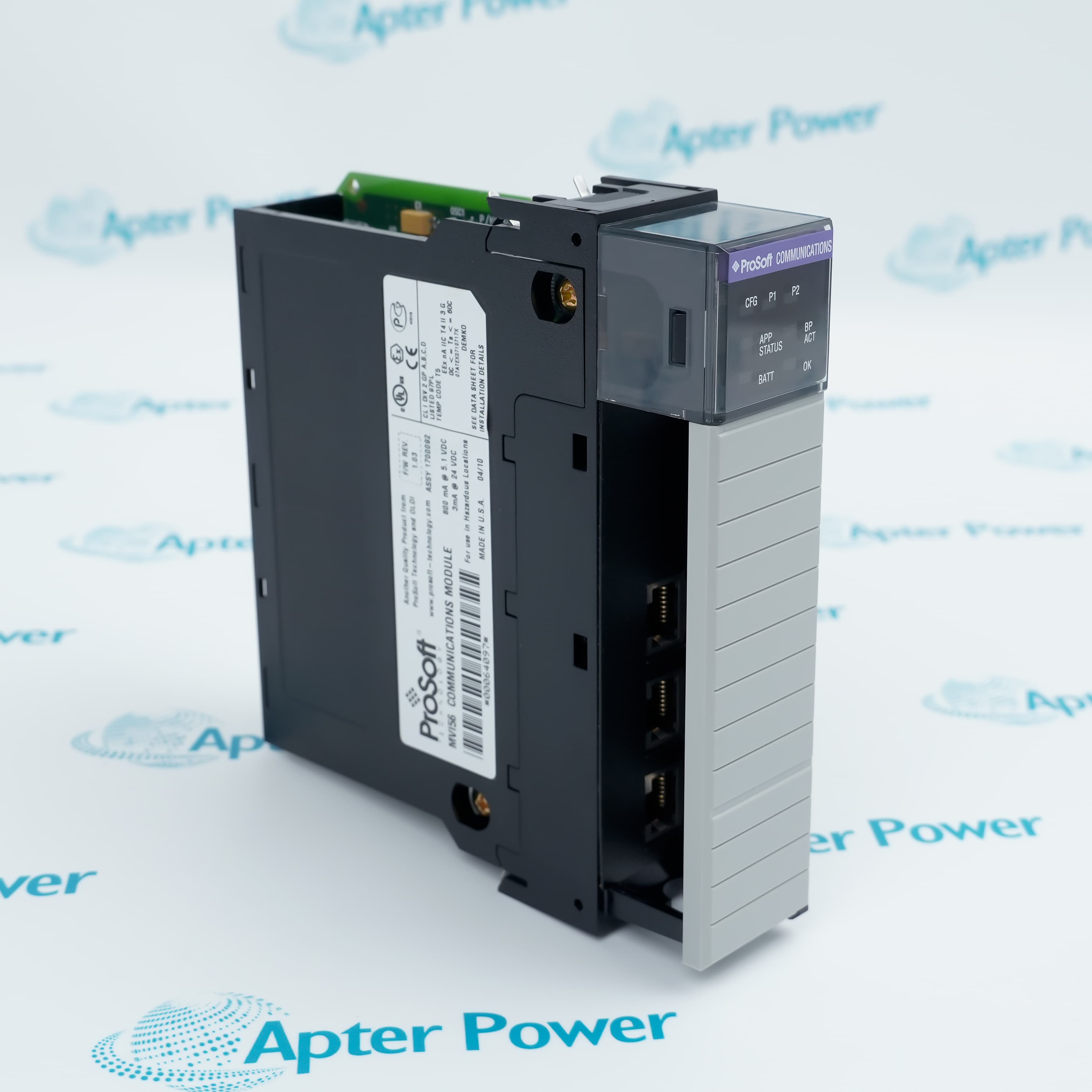
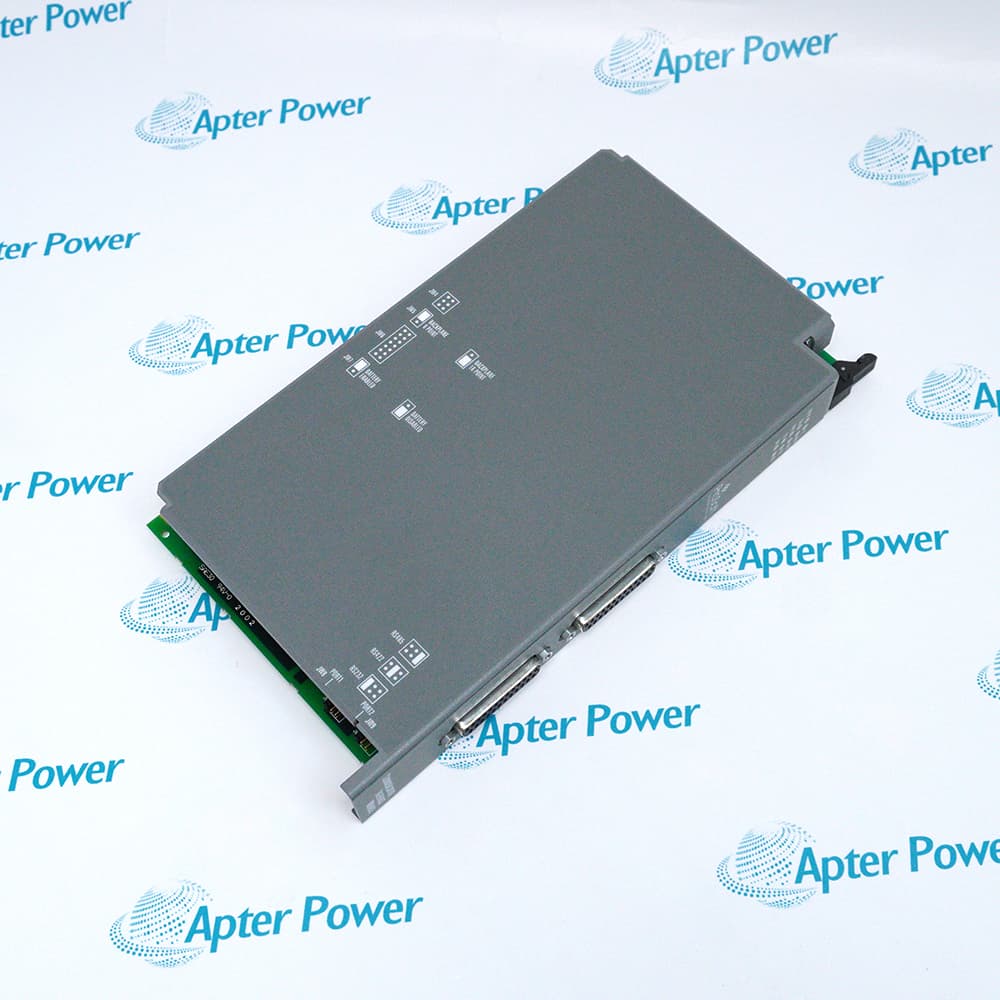
ProSoft MVI56-MCM is a single-slot ControlLogix Modbus RTU/ASCII communication module with two independently configurable application ports.
In Stock
Ships by Sunday, October 18
Fast Shipping Available
Get a quick price for MVI56-MCM
Quantity
*E-mail
Company
*Mobile
*Content
Upload (gif, jpg, jpeg, png, bmp, doc, docx, xls, xlsx, ppt, pdf, csv)

Technical specifications for MVI56-MCM

  • Manufacturer:
    ProSoft
  • Part Number:
    MVI56-MCM
  • Product Family:
    ProSoft
  • Product Type:
    Modbus Master/Slave Communication Module
  • Stock:
    1
  • Platform:
    ControlLogix single-slot I/O module
  • Protocols:
    Modbus RTU and Modbus ASCII
  • Application Ports:
    Two independently configurable ports
  • Port Roles:
    Master or slave per port
  • Master Command Capacity:
    Up to 100 commands per port
  • Serial Interfaces:
    RS-232, RS-485 or RS-422
  • Baud Rate:
    110 to 115200 baud
  • Backplane Isolation:
    500 V optical isolation
  • Current Load:
    800 mA at 5 VDC; 3 mA at 24 VDC
  • Operating Temperature:
    0°C to +60°C
  • Tariff Code:
    Please confirm the destination before shipping
  • Country of origin:
    USA
  • Place of shipment:
    Xiamen,Fujian,China
By purchasing this item, you agree to the Terms & Conditions, ApterPower is not an authorized distributor for listed manufacturers or tradenames and therefore the manufacturer's warranty does not apply. All our products come with ApterPower's 1-year warranty.

More Information

Overview Manuals Backplane Role Modbus Mapping Serial Setup Product Applications

Features:

  • Single-slot ControlLogix backplane integration
  • Two configurable Modbus RTU/ASCII application ports
  • Independent master or slave role selection for each port
MVI56-MCM is identified as an in-chassis communication module, not an external gateway, and exchanges operational data through the controller backplane.

Its two application ports let one chassis coordinate separate Modbus serial duties while keeping their protocol roles and framing independently configured.

A correct service match depends on the saved controller data map, each port’s electrical interface and the original master-command or slave-address design.

For ProSoft MVI56-MCM Modbus Master/Slave Communication Module sourcing, Apter Power can help review the serial roles, port wiring and project record.
ProSoft MVI56-MCM Modbus Master/Slave Communication Module Manuals,Datasheets,Link
Important Notice: Other accessories, manuals, cables, calibration data, software, etc. are not included with this equipment unless listed in the above stock item description. All prices are shown in USD.
  • Module format: Occupies one ControlLogix chassis slot.
  • Data exchange: Presents module data through the controller backplane.
  • Local chassis: Operation is supported in the local ControlLogix rack.
  • Remote chassis: ProSoft also documents use in a remote rack.
  • Per-port role: Configure each serial port as master or slave.
  • Master list: Store as many as 100 commands for each master port.
  • Slave range: Configure the addressed slave role within the documented Modbus range.
  • Data blocks: Map Modbus registers to the ControlLogix data image.
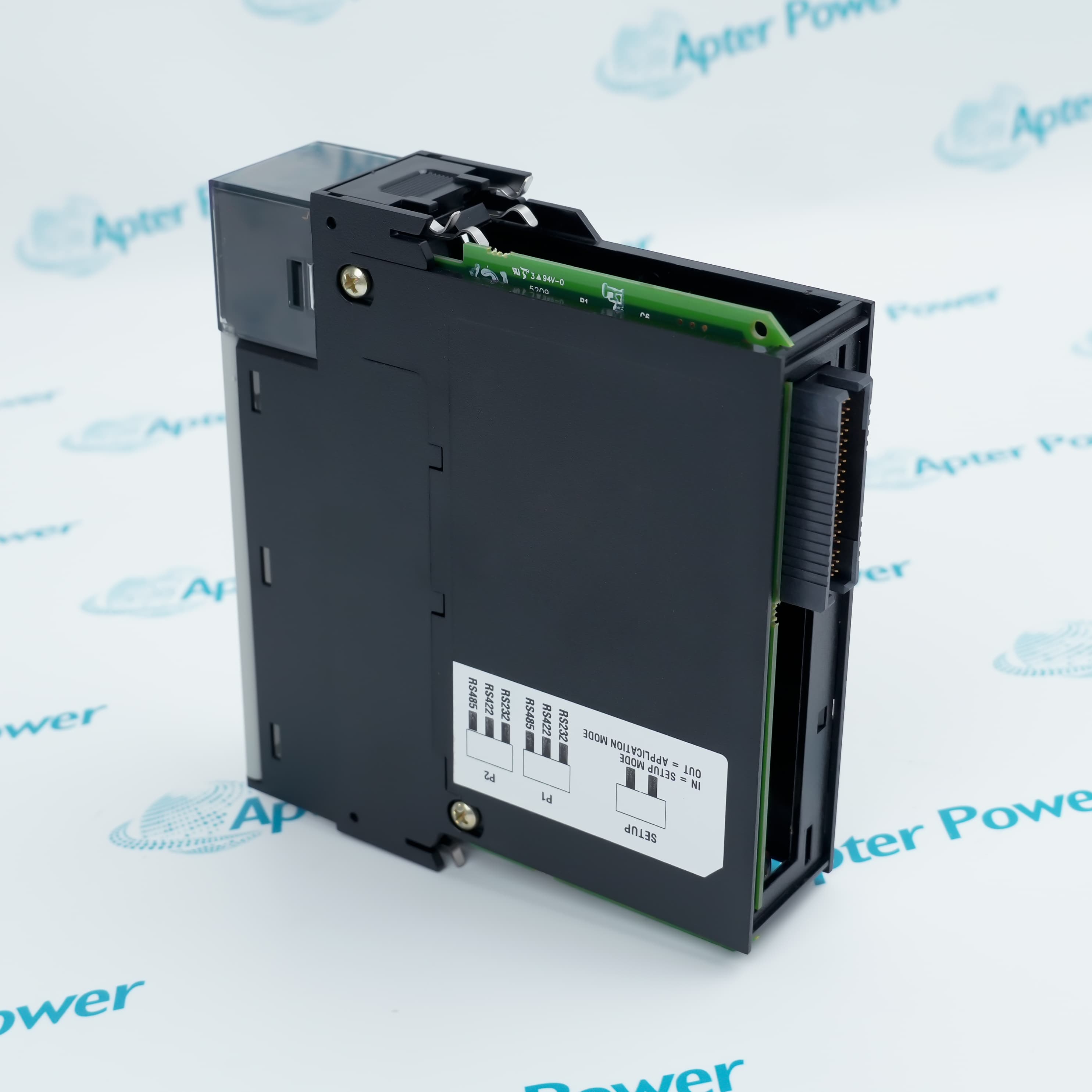
  • Media choice: P1 and P2 support RS-232, RS-485 or RS-422.
  • Protocol mode: Select RTU or ASCII independently for the application.
  • Line rate: Match the peer device from 110 to 115200 baud.
  • Framing: Keep parity, data-bit and stop-bit settings consistent across the link.
  • Controller polling: Lets ControlLogix initiate Modbus requests to serial devices.
  • Slave interface: Exposes mapped controller data to a Modbus master.
  • Two-network bridge: Assigns separate serial duties to the two application ports.
  • Installed-base service: Restores an existing MVI56 communication position with its saved mapping.
Description
MVI56-MCM transfers Modbus data through the ControlLogix backplane as a single-slot I/O module. Each application port can be configured independently as a Modbus RTU or ASCII master or slave, allowing one chassis module to serve distinct serial roles.

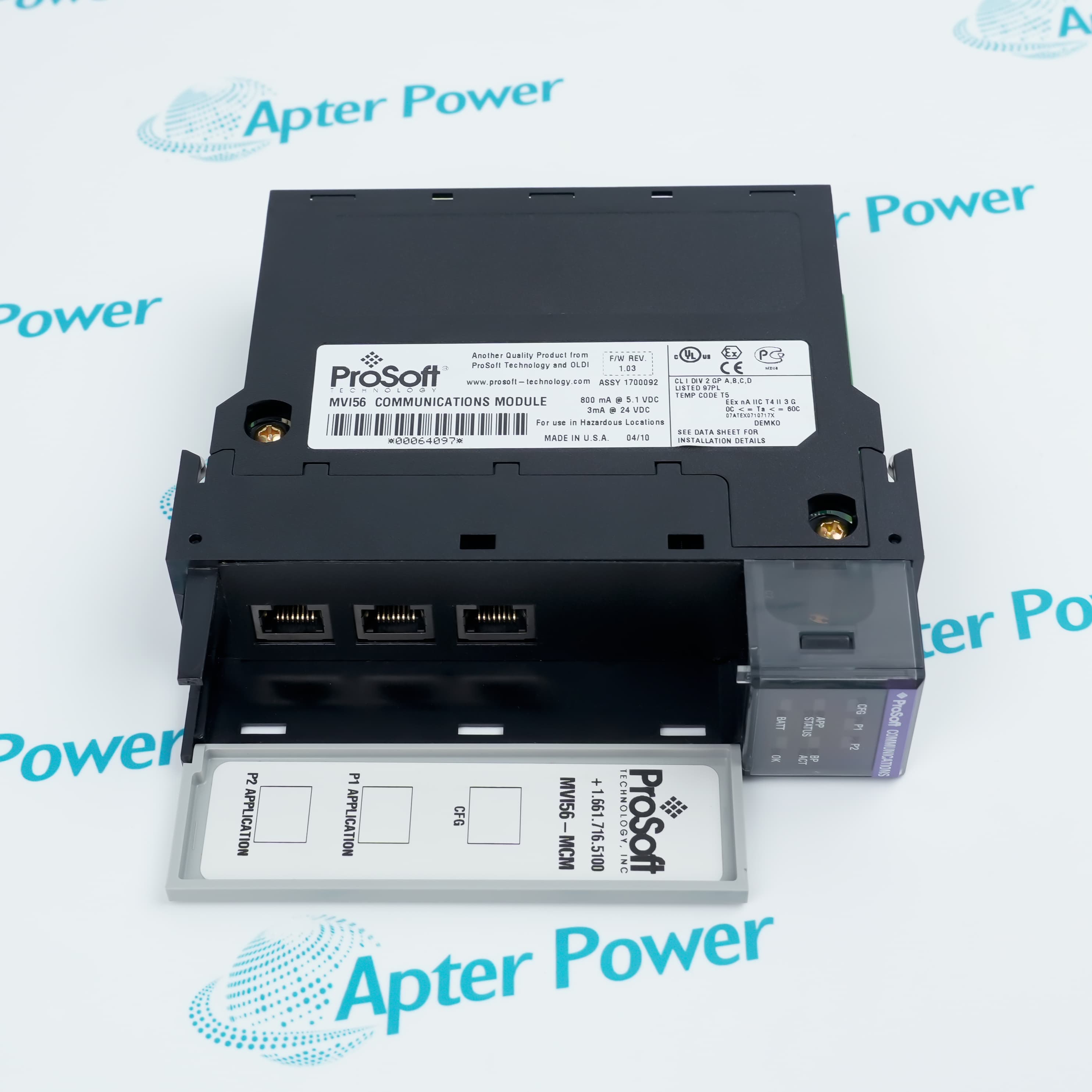
MVI56-MCM supplies configuration, status and diagnostic access through its front interfaces while the controller exchanges module data through standard backplane operation. Project work should retain the port map, command list and serial framing used by the installed application.
Alternative Names
MVI56MCM ProSoft MVI56 MCM MVI56 MCM
Technical notes
Do not confuse the MVI56-MCM configuration connector with its application ports. CFG is an RJ45 RS-232 service port, while P1 and P2 carry the configured RS-232, RS-485 or RS-422 Modbus channels. Using the wrong cable or pinout can prevent communication and may place signals on unintended conductors.
Exceptional Service

Our Mission

  • 100% Satisfaction

    We believe expertise is priceless. With over 20 years of experience, and top engineers on staff, we can help you solve or avoid problems that threaten your business.
  • Trust Guaranteed

    Not only do we have a vast inventory, our team makes sure every piece of equipment is in working condition. Your purchases are also backed by our Warranty.
  • Expertise

    Time is money, especially when your equipment is down. We work quickly to get your equipment on its way so you can get it back up and running.

FAQS

The following is a list of questions commonly asked by our customers. Please contact us if you have a question about our process that is not answered below.
Can MVI56-MCM use different Modbus roles on its two application ports?
Yes. Configure each port independently as a master or slave, then keep its RTU/ASCII framing and electrical interface aligned with the attached network.
What limits the polling plan stored in MVI56-MCM?
Each master port supports up to 100 commands, so consolidate or divide the register plan before that per-port limit is exceeded.
Why can MVI56-MCM show a healthy chassis connection but no serial data?
Begin with the module diagnostics, then compare the selected interface, baud rate and RTU/ASCII framing with the peer device; a backplane connection alone does not establish the serial link.
May MVI56-MCM operate from a remote ControlLogix rack?
Yes, ProSoft documents local or remote rack placement; the controller project must still map the module data for that chassis position.
Which cable belongs on the CFG connector of MVI56-MCM?
Use the documented RS-232 configuration cable for CFG. Do not treat that RJ45 service connector as one of the configurable application channels.
What evidence should be captured before removing MVI56-MCM from service?
Save the module configuration and controller project first; those records preserve the port roles, command list, register map and serial framing needed for recovery.

Product Browsing History