Ask our team:
  • Phone: +86 181 0690 9650
  • E-Mail sales1@apterpower.com
  • Lifecycle status

    Active / Available from OEM
    Apter Power supports 6AV7862-2BD00-0AA0 quotations, manuals, interface checks, and exact-panel matching.

6AV7862-2BD00-0AA0

/ 4.9
1001 reviews | Need a Specific Revision?
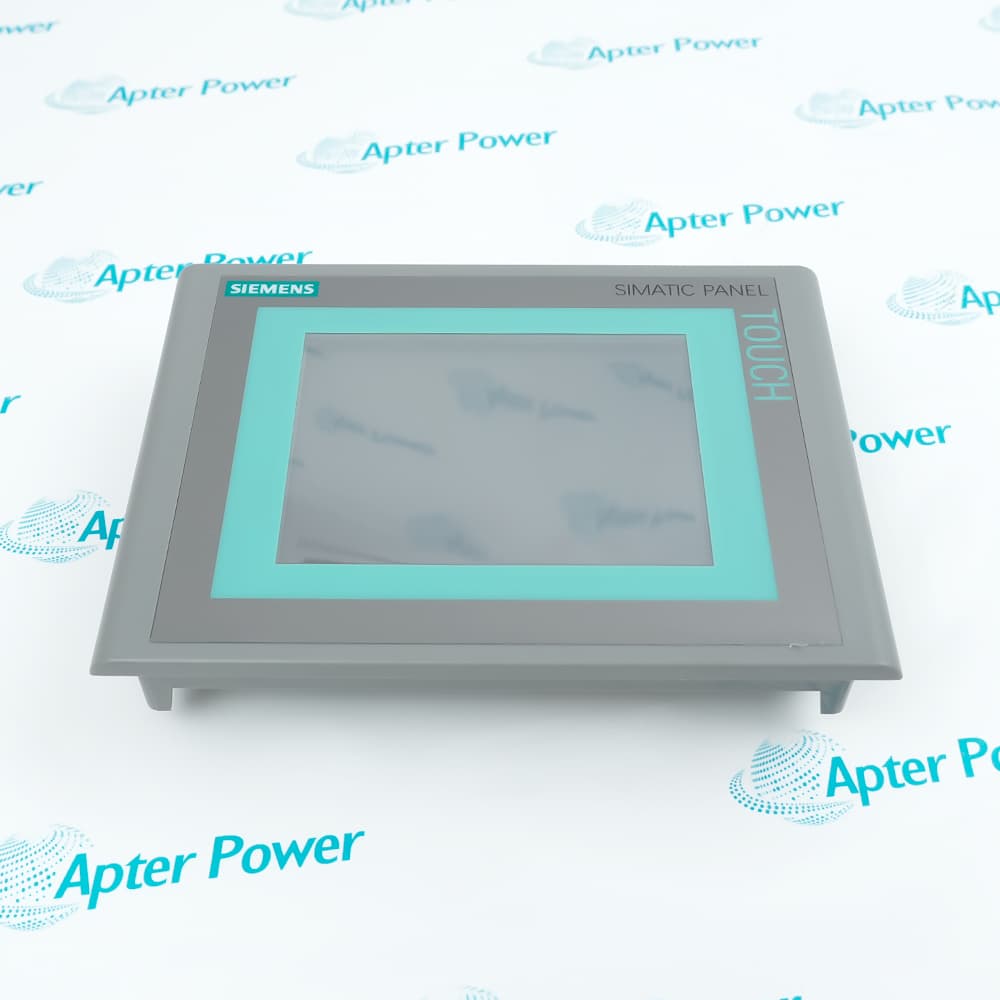
Siemens 6AV7862-2BD00-0AA0 is a SIMATIC IFP1500 Basic industrial flat panel monitor that displays PC and automation visuals through DisplayPort or VGA for touch operation.
In Stock
Ships by Wednesday, October 28
Fast Shipping Available
Get a quick price for 6AV7862-2BD00-0AA0
Quantity
*E-mail
Company
*Mobile
*Content
Upload (gif, jpg, jpeg, png, bmp, doc, docx, xls, xlsx, ppt, pdf, csv)

Technical specifications for 6AV7862-2BD00-0AA0

  • Manufacturer:
    Siemens
  • Part Number:
    6AV7862-2BD00-0AA0
  • Product Family:
    Siemens Simatic HMI
  • Product Type:
    SIMATIC IFP1500 Basic Industrial Flat Panel Monitor
  • Stock:
    1
  • Display Diagonal:
    15.6 in
  • Display Format:
    16:9 widescreen
  • Resolution:
    1366 x 768 pixels
  • Colors:
    16 million
  • Backlight:
    LED
  • Backlight Service Life:
    30,000 h
  • Touch Technology:
    Resistive single-touch
  • Video Interfaces:
    1 x DisplayPort; 1 x VGA
  • USB Interfaces:
    2 x Type A; 1 x Type B
  • Standard Cable Length:
    Up to 5 m
  • Rated Supply Voltage:
    24 V DC
  • Permissible Supply Range:
    20.4 to 28.8 V DC
  • Power Consumption:
    17 W
  • Maximum Input Current:
    2 A at 24 V DC
  • Brightness Control:
    0 to 100%
  • Front Protection:
    IP65 when installed correctly
  • Mounting Options:
    Panel mounting or VESA 100 x 100
  • Operating Temperature:
    0 to +45 °C
  • Weight:
    12.3525 lbs (5.603 kg)
  • Estimated shipping dimensions:
    53.2x38.8x23cm
  • Tariff Code:
    85285210
  • Country of origin:
    China
  • Place of shipment:
    Xiamen,Fujian,China
By purchasing this item, you agree to the Terms & Conditions, ApterPower is not an authorized distributor for listed manufacturers or tradenames and therefore the manufacturer's warranty does not apply. All our products come with ApterPower's 1-year warranty.

More Information

Overview Manuals Video and Touch Power Path Mounting Options Display Setup

Features:

  • A 15.6-inch resistive-touch display presents 1366 x 768 host graphics.
  • DisplayPort and VGA carry video, while USB returns touch data to the host.
  • Panel and VESA mounting options place the same interface set in different enclosures.
The video path and touch path use separate connectors and must both be present for full operation.

The 24 V DC input feeds the panel electronics and LED backlight.

The front IP65 rating depends on the documented panel-mount sealing arrangement.

The Siemens 6AV7862-2BD00-0AA0 SIMATIC IFP1500 Basic Industrial Flat Panel may remain available for quotation and support beyond End-Of-Life (EOL) by the manufacturer (OEM).
Siemens 6AV7862-2BD00-0AA0 SIMATIC IFP1500 Basic Industrial Flat Panel Manuals,Datasheets,Link Important Notice: Other accessories, manuals, cables, calibration data, software, etc. are not included with this equipment unless listed in the above stock item description. All prices are shown in USD.

Keeping display output and operator input on their separate paths

  • Video source: DisplayPort or VGA carries the 1366 x 768 image from the host.
  • Touch return: The USB Type B connection sends resistive-touch coordinates back to the host.
  • Peripheral ports: Two USB Type A ports connect approved local USB devices.
  • Cable boundary: The selected video and USB arrangement remains within the documented standard distance.

Feeding the panel electronics from the 24 V supply

  • Supply input: The panel receives nominal 24 V DC within the permitted voltage range.
  • Internal loads: The input feeds the display controller, touch electronics, interfaces, and LED backlight.
  • Current check: The supply and protection device cover the documented maximum input current.
  • Grounding: The installation bonds the panel and cable shields through the specified cabinet arrangement.

Choosing between cabinet cutout and rear VESA mounting

  • Panel cutout: The enclosure opening and clamp positions establish the flush installation.
  • Front seal: Correct seating preserves the documented front-face protection.
  • VESA pattern: The 100 x 100 rear pattern attaches the monitor to a compatible arm or frame.
  • Orientation: Portrait, landscape, and permitted tilt are checked with cable clearance.

Matching host output to the physical screen

  • Native format: The host output is set to 1366 x 768 for direct pixel mapping.
  • Input selection: DisplayPort or VGA is chosen to match the connected source.
  • Brightness: The 0 to 100% control changes visible output without changing signal resolution.
  • Touch alignment: USB detection and touch calibration are verified after the screen image is stable.
Description
Siemens 6AV7862-2BD00-0AA0 is the SIMATIC IFP1500 Basic industrial flat panel that presents visual output from a connected PC or controller while returning resistive touch input through USB. Its 15.6-inch screen belongs to the Industrial Flat Panel Basic range and separates display transport from touch communication.

Video reaches 6AV7862-2BD00-0AA0 through either DisplayPort or VGA, whereas the Type B USB connection carries the touch interface back to the host. The two Type A USB ports serve peripheral connections, so the selected video cable alone cannot return operator touches.

Power for 6AV7862-2BD00-0AA0 enters as 24 V DC and feeds the display electronics, LED backlight, interface circuits, and touch controller. Brightness adjustment changes the panel output without altering the 1366 x 768 pixel signal supplied by the host.

When panel-mounted, 6AV7862-2BD00-0AA0 achieves its documented front protection only with the specified cutout, seal, and clamping arrangement. VESA mounting uses the rear 100 x 100 pattern, while cable routing and the permitted display distance remain part of the complete installation.
Alternative Names
6AV78622BD000AA0 6AV7 862-2BD00-0AA0 6AV7862 2BD00 0AA0 Siemens 6AV7862-2BD00-0AA0 6AV7862-2BD00-0AA0 IFP1500 Basic IFP1500 Basic 6AV7862-2BD00-0AA0 6AV 7862 2BD00 0AA0 6AV7862/2BD00/0AA0
Technical notes
Before commissioning Siemens 6AV7862-2BD00-0AA0, match the DisplayPort or VGA path, USB touch link, 24 V supply, mounting cutout, and cable length.
Exceptional Service

Our Mission

  • 100% Satisfaction

    We believe expertise is priceless. With over 20 years of experience, and top engineers on staff, we can help you solve or avoid problems that threaten your business.
  • Trust Guaranteed

    Not only do we have a vast inventory, our team makes sure every piece of equipment is in working condition. Your purchases are also backed by our Warranty.
  • Expertise

    Time is money, especially when your equipment is down. We work quickly to get your equipment on its way so you can get it back up and running.

FAQS

The following is a list of questions commonly asked by our customers. Please contact us if you have a question about our process that is not answered below.
What causes touch input to fail when Siemens 6AV7862-2BD00-0AA0 still shows an image?
Check the Siemens 6AV7862-2BD00-0AA0 USB Type B connection, host driver, touch calibration, and cable length; DisplayPort or VGA carries only the picture.
Which host resolution should be selected for 6AV7862-2BD00-0AA0?
Set the 6AV7862-2BD00-0AA0 host output to its native 1366 x 768 resolution and confirm the selected DisplayPort or VGA input.
What must be checked before panel-mounting Siemens 6AV7862-2BD00-0AA0?
Verify the Siemens 6AV7862-2BD00-0AA0 cutout, enclosure thickness, sealing surface, clamp positions, installation orientation, and rear cable clearance.
Can 6AV7862-2BD00-0AA0 operate from a 12 V supply?
No. 6AV7862-2BD00-0AA0 requires a nominal 24 V DC source within the documented 20.4 to 28.8 V range.
Why can USB peripherals work while the screen stays blank on Siemens 6AV7862-2BD00-0AA0?
The Siemens 6AV7862-2BD00-0AA0 USB ports and video inputs are separate; inspect the DisplayPort or VGA source, input selection, resolution, and video cable.

Product Browsing History