Ask our team:
  • Phone: +86 181 0690 9650
  • E-Mail sales1@apterpower.com
  • Lifecycle status

    Active / Available from OEM
    Apter Power reviews CPU identity, revision evidence, program records, quotation scope, and shipment readiness.

1775-L3

/ 4.9
1001 reviews | Need a Specific Revision?
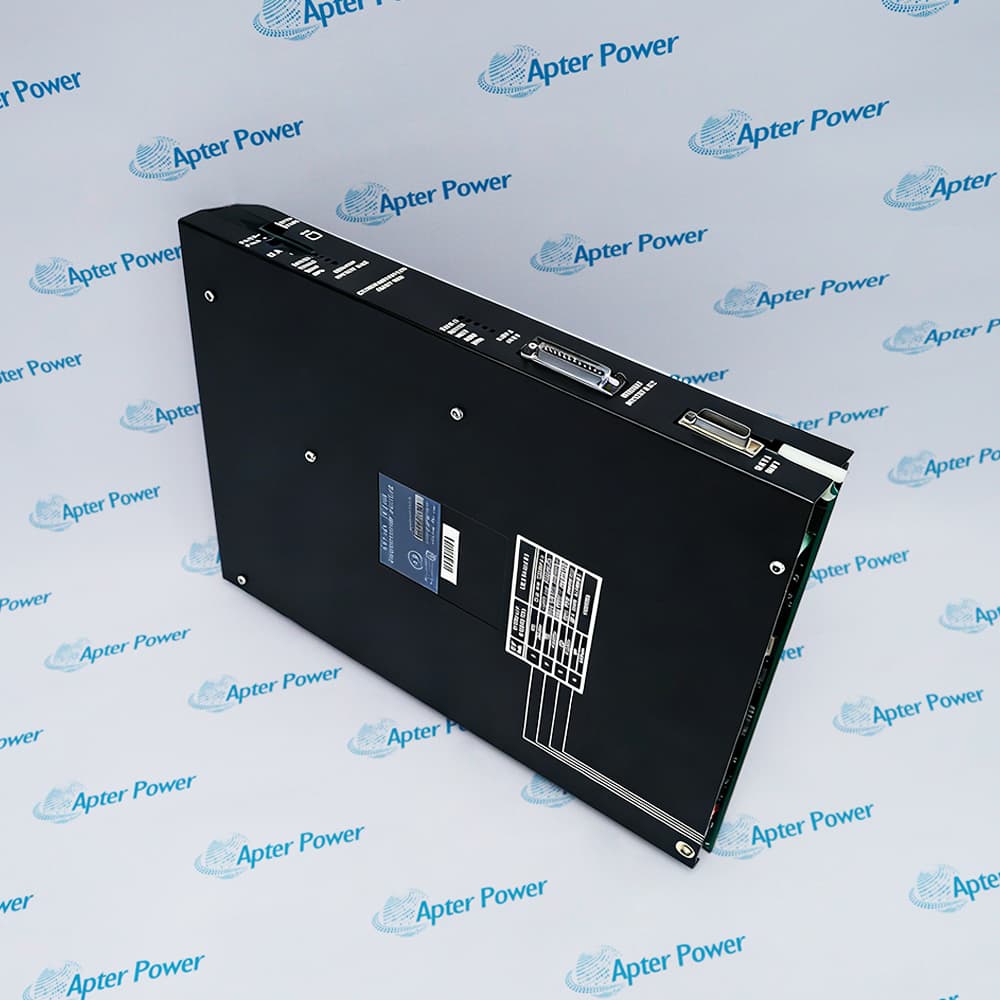
Allen-Bradley 1775-L3 is the main processor module for a PLC-3 controller, executing the control program while coordinating memory and system operation.
In Stock
Ships by Wednesday, October 28
Fast Shipping Available
Get a quick price for 1775-L3
Quantity
*E-mail
Company
*Mobile
*Content
Upload (gif, jpg, jpeg, png, bmp, doc, docx, xls, xlsx, ppt, pdf, csv)

Technical specifications for 1775-L3

  • Manufacturer:
    Allen-Bradley
  • Part Number:
    1775-L3
  • Product Family:
    PLC-3
  • Product Type:
    PLC-3 Main Processor Module
  • Stock:
    1
  • Product Family:
    PLC-3
  • Module Role:
    Main processor module
  • Memory Architecture:
    Separate PLC-3 EDC memory module(s)
  • Processor Position:
    First slot at the left of the processor chassis
  • Programming Environment:
    6200 or AI Series PLC-3 programming software
  • Tariff Code:
    8537101190
  • Country of origin:
    USA
  • Place of shipment:
    Xiamen,Fujian,China
By purchasing this item, you agree to the Terms & Conditions, ApterPower is not an authorized distributor for listed manufacturers or tradenames and therefore the manufacturer's warranty does not apply. All our products come with ApterPower's 1-year warranty.

More Information

Overview Manuals Chassis Setup Programming Access Module Coordination Product Applications

Features:

  • PLC-3 ladder-program execution
  • Separate processor, memory, and scanner roles
  • Chassis 0 reference in expansion systems
Allen-Bradley 1775-L3 provides the execution function in the modular PLC-3 processor chassis.

Controller memory and I/O communication remain assigned to separate modules, allowing each part of the system to be identified and serviced by its own role.

When expansion hardware is present, chassis 0 remains the processor reference for interpreting the installed layout and its cabling.

Apter Power can support 1775-L3 enquiries with label review, official literature, quotation coordination, and pre-shipment checks.
1775-L3 PLC-3 Main Processor Module Manuals, Datasheets, Links Important Notice: Other accessories, manuals, cables, calibration data, software, etc. are not included with this equipment unless listed in the above stock item description. All prices are shown in USD.
  • Install the processor in the first slot at the left of the documented processor-chassis layout.
  • Keep the processor in chassis 0 when the PLC-3 installation includes expansion chassis.
  • Remove processor-chassis power before the module is inserted or removed.
  • Use the documented 6200 or AI Series PLC-3 programming environment to work with the controller project.
  • Open the archived project on the available workstation before a planned processor outage.
  • Record the working terminal connection so the same access path can be restored after service.
  • The CPU relies on separate PLC-3 memory hardware for the control program and data.
  • Dedicated scanner modules maintain the configured path between the processor and the I/O system.
  • A photograph of the module order provides a direct reference if the chassis must be rebuilt.
  • Executes ladder control in modular Allen-Bradley PLC-3 installations.
  • Provides the processor reference for PLC-3 systems that use expansion chassis.
  • Supports maintenance and recovery of installed PLC-3 control platforms.
Description
At the center of an Allen-Bradley PLC-3 processor chassis, 1775-L3 executes the ladder program while separate modules provide controller memory and I/O scanning. This modular arrangement keeps the CPU role distinct from storage and field communication.

That separation becomes useful when a fault has to be isolated. With 1775-L3 still identified as the execution module, technicians can trace a loss of program storage or an I/O path problem to the surrounding memory and scanner configuration instead of treating the processor as an all-in-one controller.

A planned change of 1775-L3 should start from a readable project backup and a photographed chassis layout. Keeping the original CPU revision and the positions of the memory and scanner modules with the job record gives the outage team a practical route back if the replacement does not restart normally.
Alternative Names
Allen-Bradley 1775 L3 Main Processor Rockwell 1775L3 PLC-3 CPU PLC-3 Main Processor Module
Technical notes
Revision mismatch is the main restart risk for 1775-L3. A CPU older than the revision used by the saved configuration can stop the controller, so compare both revision markings before the outage, keep a readable project backup, and preserve the original memory and scanner layout until the replacement has passed its startup check.
Exceptional Service

Our Mission

  • 100% Satisfaction

    We believe expertise is priceless. With over 20 years of experience, and top engineers on staff, we can help you solve or avoid problems that threaten your business.
  • Trust Guaranteed

    Not only do we have a vast inventory, our team makes sure every piece of equipment is in working condition. Your purchases are also backed by our Warranty.
  • Expertise

    Time is money, especially when your equipment is down. We work quickly to get your equipment on its way so you can get it back up and running.

FAQS

The following is a list of questions commonly asked by our customers. Please contact us if you have a question about our process that is not answered below.
How should I back up a project before removing 1775-L3?
Upload the complete PLC-3 project with the working programming station and reopen the saved file before shutdown. Also record the terminal connection, because a file that cannot be read or transferred is not a usable recovery copy.
Where does 1775-L3 belong when the PLC-3 system has expansion chassis?
It belongs in chassis 0, which serves as the processor reference for the expansion arrangement. If the site drawing shows another location, resolve the chassis numbering and cabling record before disturbing the controller.
What chassis details should be recorded before servicing 1775-L3?
Photograph the processor slot, memory modules, scanner modules, cables, and all visible position settings. Those images make it much easier to restore the modular layout if anything is moved during the outage.
Why can an I/O problem remain after 1775-L3 has been replaced?
The CPU does not contain the separate scanner configuration. Compare the installed scanner modules, rack path, and restored project with the pre-outage record before concluding that the replacement processor is faulty.
Can 6200 or AI Series software be used to access 1775-L3?
Those are the documented PLC-3 programming environments. Before the outage, make sure the available workstation can open the archived project and communicate through the site’s recorded terminal path.
What information helps identify 1775-L3 for a replacement enquiry?
Send clear images of the complete catalog and revision markings together with the processor-chassis layout and the service date. The exact revision matters, so a front-panel photograph alone is not enough.