Ask our team:
  • Phone: +86 181 0690 9650
  • E-Mail sales1@apterpower.com
  • Lifecycle status

    Active / Available from OEM
    Apter Power checks voltage identity, cable scope, official documentation, quotation details, and dispatch readiness.

1775-P1

/ 4.9
1001 reviews | Need a Specific Revision?
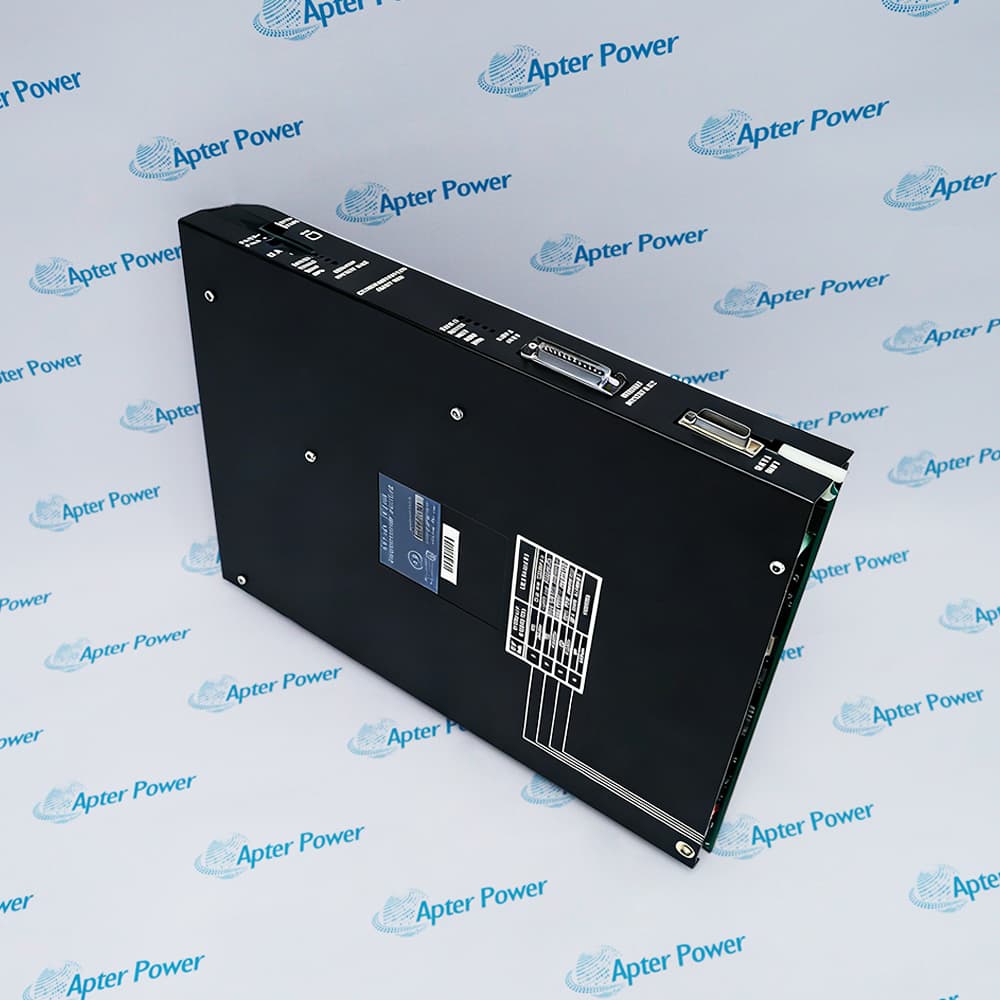
Allen-Bradley 1775-P1 is the PLC-3 power supply for processor-chassis power, with selectable 120 VAC or 220/240 VAC input ranges and 1775-CAP cabling.
In Stock
Ships by Wednesday, October 28
Fast Shipping Available
Get a quick price for 1775-P1
Quantity
*E-mail
Company
*Mobile
*Content
Upload (gif, jpg, jpeg, png, bmp, doc, docx, xls, xlsx, ppt, pdf, csv)

Technical specifications for 1775-P1

  • Manufacturer:
    Allen-Bradley
  • Part Number:
    1775-P1
  • Product Family:
    PLC-3
  • Product Type:
    PLC-3 Power Supply
  • Stock:
    1
  • Product Family:
    PLC-3
  • Product Role:
    Processor-chassis power supply
  • 120 V Input Range:
    97–132 V AC
  • 220/240 V Input Range:
    194–264 V AC
  • Processor Chassis Cable:
    1775-CAP
  • Backup-System Requirement:
    Use the documented backup wiring arrangement
  • Tariff Code:
    Please confirm the destination before shipping
  • Country of origin:
    USA
  • Place of shipment:
    Xiamen,Fujian,China
By purchasing this item, you agree to the Terms & Conditions, ApterPower is not an authorized distributor for listed manufacturers or tradenames and therefore the manufacturer's warranty does not apply. All our products come with ApterPower's 1-year warranty.

More Information

Overview Manuals Input Selection Chassis Connection Indicator Logic Product Applications

Features:

  • Selectable 120 V or 220/240 V input
  • 1775-CAP processor-chassis connection
  • Three-stage AC and DC indication
Allen-Bradley 1775-P1 is the mains power source for a PLC-3 processor chassis.

The selector, jumpers, and input terminals adapt the supply to the documented low- or high-voltage range.

AC ON, AC OK, and DC OK indicators divide a startup fault into source, input-level, or internal-output stages.

Apter Power can assist with 1775-P1 label review, cable scope, official wiring literature, quotation details, and pre-shipment checks.
1775-P1 PLC-3 Power Supply Manuals, Datasheets, Links Important Notice: Other accessories, manuals, cables, calibration data, software, etc. are not included with this equipment unless listed in the above stock item description. All prices are shown in USD.
  • The 120 V setting uses the documented 97–132 VAC input range.
  • The 220/240 V setting uses the documented 194–264 VAC input range.
  • Selector position, jumpers, terminal wiring, and measured mains voltage must agree before energization.
  • The 1775-CAP cable connects the supply to the PLC-3 processor chassis.
  • Cable plugs and terminal hardware should be fully seated before power is applied.
  • Protective grounding remains part of the approved installation rather than an optional commissioning step.
  • AC ON shows that incoming AC reaches the supply.
  • AC OK shows that the applied AC level meets the operating threshold.
  • DC OK shows that the internal DC voltages are in their operating range.
  • Powers the processor chassis in standard Allen-Bradley PLC-3 installations.
  • Supports either documented mains range when the input configuration matches the site source.
  • Powers primary or backup processors through the official separate-supply architecture.
Description
Allen-Bradley 1775-P1 supplies a PLC-3 processor chassis through the dedicated 1775-CAP cable. Its selectable mains arrangement accepts the documented 120 VAC or 220/240 VAC input range when the selector, jumpers, and terminal wiring match the site supply.

The front of 1775-P1 separates three useful conditions: incoming AC present, AC within the acceptable range, and internal DC operating correctly. Reading those indicators in sequence helps maintenance decide whether to investigate the plant source, the selected input range, or the controller-side output.

The wiring role of 1775-P1 changes in a PLC-3 backup architecture. Primary and backup processors use the documented separate supplies and AC sources, and the optional I/O-chassis feed shown for a standard installation must not be carried into the redundant arrangement.
Alternative Names
Allen-Bradley 1775 P1 PLC-3 Supply Rockwell 1775P1 Power Supply PLC-3 Processor Chassis Power Supply
Technical notes
Backup wiring is the main architecture risk for 1775-P1. Rockwell prohibits powering an I/O chassis from the processor supply in this arrangement; use separate supplies and AC sources for the primary and backup processors, bond the documented system-common points, and resolve the approved grounding path before either enclosure is energized.
Exceptional Service

Our Mission

  • 100% Satisfaction

    We believe expertise is priceless. With over 20 years of experience, and top engineers on staff, we can help you solve or avoid problems that threaten your business.
  • Trust Guaranteed

    Not only do we have a vast inventory, our team makes sure every piece of equipment is in working condition. Your purchases are also backed by our Warranty.
  • Expertise

    Time is money, especially when your equipment is down. We work quickly to get your equipment on its way so you can get it back up and running.

FAQS

The following is a list of questions commonly asked by our customers. Please contact us if you have a question about our process that is not answered below.
What should I do if the selector on 1775-P1 does not match the plant voltage?
Keep the circuit de-energized. Set the selector, jumpers, and terminals for the documented range, then have the completed wiring checked independently before applying AC.
Why can AC ON be lit while AC OK stays off on 1775-P1?
AC reaches the supply, but the voltage has not met the AC OK threshold. Measure the source and inspect the selected range and terminal wiring before moving to DC-side troubleshooting.
What does AC OK on and DC OK off mean for 1775-P1?
The incoming AC level is acceptable, but the internal DC voltages are not in their operating range. Follow the official supply and chassis troubleshooting sequence before replacing downstream modules.
Which cable connects 1775-P1 to the PLC-3 processor chassis?
The documented processor-chassis connection uses the 1775-CAP cable. Check the cable catalog, connector condition, and plug seating against the installed layout before energization.
How should two enclosures be grounded when 1775-P1 powers backup processors?
Follow the backup-system drawing for the ground-bus plates and system-common connection, with only the documented processor ground-bus plate earthed. Stop if the site drawing and physical bonding disagree.
What should I send when requesting 1775-P1 for a planned outage?
Include the full catalog label, measured site voltage, selector and terminal photographs, 1775-CAP cable scope, and whether the installation is standard or backup.