Ask our team:
  • Phone: +86 181 0690 9650
  • E-Mail sales1@apterpower.com
  • Lifecycle status

    Discontinued / Obsolete by OEM
    Apter Power provides 6AV2124-0XC02-0AX0 quotations, HMI manuals, and panel matching.

6AV2124-0XC02-0AX0

/ 4.9
1001 reviews | Need a Specific Revision?
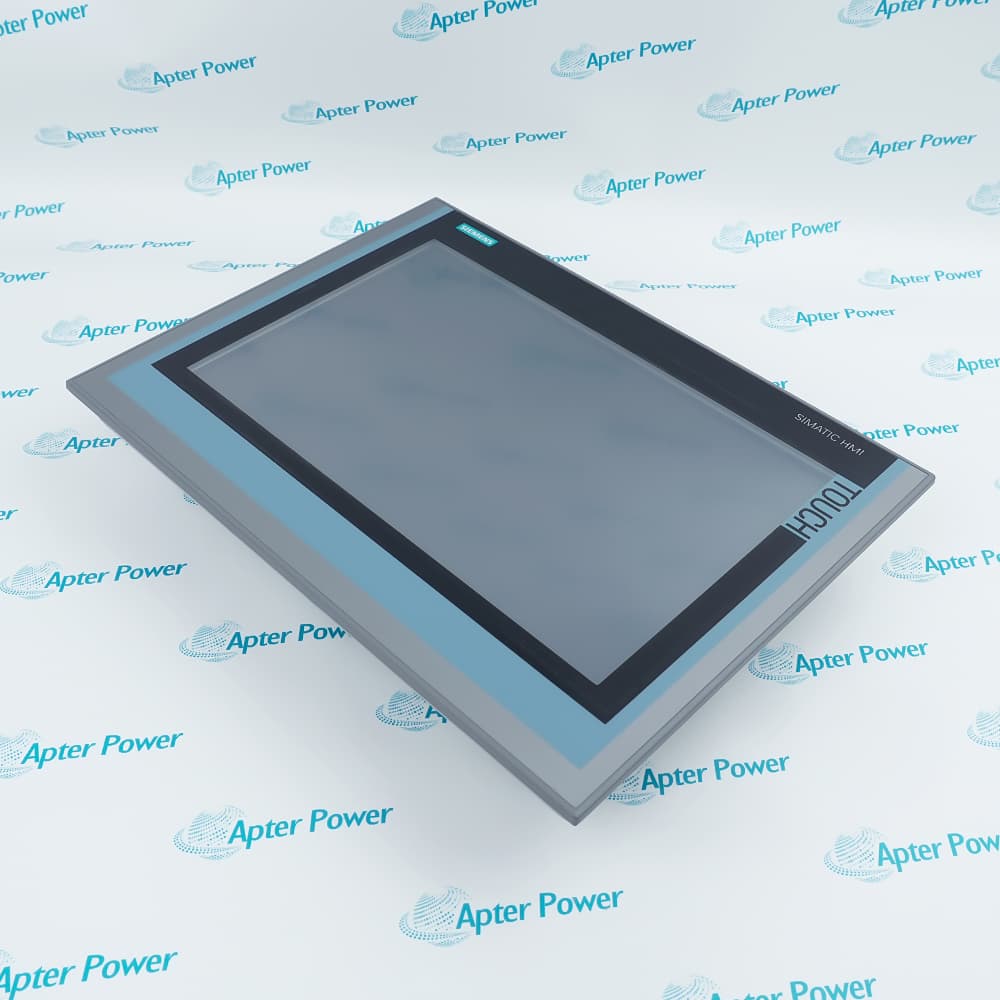
Built around a 21.5-inch resistive touchscreen, Siemens 6AV2124-0XC02-0AX0 is a SIMATIC HMI TP2200 Comfort panel that displays process information and returns operator commands through configurable network interfaces.
In Stock
Ships by Wednesday, October 28
Fast Shipping Available
Get a quick price for 6AV2124-0XC02-0AX0
Quantity
*E-mail
Company
*Mobile
*Content
Upload (gif, jpg, jpeg, png, bmp, doc, docx, xls, xlsx, ppt, pdf, csv)

Technical specifications for 6AV2124-0XC02-0AX0

  • Manufacturer:
    Siemens
  • Part Number:
    6AV2124-0XC02-0AX0
  • Product Family:
    Siemens Simatic HMI
  • Product Type:
    TP2200 Comfort 22-Inch Touch Panel
  • Stock:
    1
  • Display:
    21.5-inch TFT widescreen
  • Resolution:
    1920×1080 pixels
  • Display Colors:
    16.7 million
  • Touch Technology:
    Analog resistive
  • Direct-Touch Keys:
    40
  • Application Data Memory:
    24 MB
  • Recipe Data Memory:
    4 MB
  • Data Memory Card:
    1×MMC/SD combination slot
  • System Memory Card:
    1×SD slot
  • PROFIBUS Interface:
    1×RS-422/485, up to 12 Mbit/s
  • PROFINET Interfaces:
    2×RJ45 10/100 Mbit/s with integrated switch
  • Ethernet Interface:
    1×RJ45 10/100/1000 Mbit/s
  • USB Interfaces:
    2×USB host and 1×USB device
  • Rated Supply:
    24 V DC
  • Permitted Supply Range:
    19.2–28.8 V DC
  • Current Consumption:
    2.2 A
  • Power Consumption:
    53 W
  • Front Protection:
    IP65 when installed correctly
  • Rear Protection:
    IP20
  • Engineering Software:
    WinCC Comfort V11 SP2 or later
  • Weight:
    20.459 lbs (9.28 kg)
  • Estimated shipping dimensions:
    70×52×22cm
  • Tariff Code:
    85371098
  • Country of origin:
    Germany
  • Place of shipment:
    Xiamen,Fujian,China
By purchasing this item, you agree to the Terms & Conditions, ApterPower is not an authorized distributor for listed manufacturers or tradenames and therefore the manufacturer's warranty does not apply. All our products come with ApterPower's 1-year warranty.

More Information

Overview Manuals Touch Command Path Ethernet Segmentation Project Data Storage Mounting Limits

Features:

  • 6AV2124-0XC02-0AX0 presents process graphics on a 21.5-inch 1920×1080 resistive touchscreen.
  • Forty direct-touch keys provide a defined command path to the connected controller.
  • PROFIBUS, switched PROFINET, Gigabit Ethernet, and USB ports divide field, plant, and service traffic.
Siemens 6AV2124-0XC02-0AX0 combines the configured visualization project with touch-based operator input at the machine interface.

Separate application, recipe, data-card, and system-card areas keep the stored functions of 6AV2124-0XC02-0AX0 distinct.

Its 24 V DC input and built-in enclosure boundary complete the cabinet connection for 6AV2124-0XC02-0AX0.

The Siemens 6AV2124-0XC02-0AX0 TP2200 Comfort Touch Panel may still be available for purchase and support from Apter Power beyond End-Of-Life (EOL) by the manufacturer (OEM).
Siemens 6AV2124-0XC02-0AX0 TP2200 Comfort 22-Inch Touch Panel Manuals,Datasheets,Link Important Notice: Other accessories, manuals, cables, calibration data, software, etc. are not included with this equipment unless listed in the above stock item description. All prices are shown in USD.

From a Screen Touch to Controller Data

  • Touch layer: The resistive surface converts the operator's selected screen position into an HMI event
  • Project logic: WinCC objects determine which tag, screen, or command receives that event
  • Direct-touch option: Forty configured positions can exchange key data directly with the controller
  • Commissioning check: Calibration and project assignments must match the installed display orientation

Two Ethernet Roles on One Operator Panel

  • Plant I/O path: The paired 10/100 Mbit/s ports form the integrated PROFINET switch
  • Separate access: The 10/100/1000 Mbit/s interface gives supported Ethernet services another physical connection
  • Address plan: Each interface follows the network assignment stored in the HMI project
  • Fault isolation: A link loss should be traced on the affected port group instead of treating all three RJ45 sockets as one switch

Runtime and Service Files Occupy Different Areas

  • Application memory: The visualization project uses the internal 24 MB allocation
  • Recipe space: Four megabytes are reserved for process recipe records
  • Data card: The MMC/SD slot carries logs, archives, and other removable runtime files
  • System card: The independent SD slot supports the documented automatic service functions

Orientation Changes the Thermal Boundary

  • Built-in design: The panel body sits behind the cabinet cutout while the operating front remains accessible
  • Front sealing: Correct installation is required for the front face to reach IP65
  • Rear enclosure: The IP20 rear section must remain inside the protected cabinet
  • Temperature check: Portrait, landscape, and inclined mounting use the limits assigned to those positions
Description
A 21.5-inch Full HD display forms the operating surface of Siemens 6AV2124-0XC02-0AX0, the TP2200 Comfort panel in the SIMATIC HMI family. Its analog-resistive touchscreen presents 1920×1080 process graphics and turns operator touches into commands defined by the WinCC Comfort project.

Forty direct-touch keys let 6AV2124-0XC02-0AX0 transfer selected commands through the configured controller connection without routing every action through ordinary HMI tags. The panel stores the runtime project in 24 MB of application memory, reserves 4 MB for recipes, and separates removable runtime data from the system-card service function.

Network traffic leaves 6AV2124-0XC02-0AX0 through an RS-422/485 PROFIBUS interface, a two-port 10/100 Mbit/s PROFINET switch, or the separate 10/100/1000 Mbit/s Ethernet port. Two USB host ports accept supported media and peripherals, while the USB device connection supports the documented commissioning path.

For cabinet integration, 6AV2124-0XC02-0AX0 accepts 24 V DC within 19.2–28.8 V and is designed for built-in mounting in portrait or landscape orientation. The front reaches IP65 when installed correctly, whereas the rear remains IP20 inside the enclosure; the permitted ambient temperature depends on mounting orientation and inclination.
Alternative Names
6AV21240XC020AX0 6AV2124 0XC02 0AX0 Siemens TP2200 Comfort SIMATIC HMI TP2200 Comfort V1 TP2200 21.5-Inch Touch Panel 6AV2124-OXCO2-OAXO 6AV2I24-0XC02-0AX0 TP2200 Order 6AV2124-0XC02-0AX0
Technical notes
Siemens 6AV2124-0XC02-0AX0 uses an analog-resistive touchscreen and a 24 V DC supply. Confirm the V1 order number, WinCC version, cutout, and mounting orientation before replacement.
Exceptional Service

Our Mission

  • 100% Satisfaction

    We believe expertise is priceless. With over 20 years of experience, and top engineers on staff, we can help you solve or avoid problems that threaten your business.
  • Trust Guaranteed

    Not only do we have a vast inventory, our team makes sure every piece of equipment is in working condition. Your purchases are also backed by our Warranty.
  • Expertise

    Time is money, especially when your equipment is down. We work quickly to get your equipment on its way so you can get it back up and running.

FAQS

The following is a list of questions commonly asked by our customers. Please contact us if you have a question about our process that is not answered below.
How can 6AV2124-0XC02-0AX0 be distinguished from a later TP2200 revision?
Verify the complete 6AV2124-0XC02-0AX0 order number and the V1 hardware information; screen size alone does not identify the compatible panel revision.
Do the direct-touch keys on 6AV2124-0XC02-0AX0 work without project configuration?
No. The 6AV2124-0XC02-0AX0 direct-touch positions must be assigned in the WinCC project and mapped through the selected controller connection.
Which Ethernet socket should be used on 6AV2124-0XC02-0AX0?
Use the two-port switch for the configured PROFINET path and the separate Gigabit-capable 6AV2124-0XC02-0AX0 interface for its assigned Ethernet services.
Can the two memory-card slots on 6AV2124-0XC02-0AX0 be interchanged?
No. 6AV2124-0XC02-0AX0 separates the runtime data-card slot from the system-card slot, so insert each card only in the role defined by the project and service procedure.
What must be checked before mounting 6AV2124-0XC02-0AX0 in portrait orientation?
Confirm the 6AV2124-0XC02-0AX0 project rotation, cabinet cutout, installation inclination, and the ambient-temperature limit assigned to portrait mounting.
Which engineering software supports 6AV2124-0XC02-0AX0?
Configure 6AV2124-0XC02-0AX0 with WinCC Comfort V11 SP2 or a later supported version that contains the exact TP2200 V1 device entry.