Ask our team:
  • Phone: +86 181 0690 9650
  • E-Mail sales1@apterpower.com
  • Lifecycle status

    Discontinued / Obsolete by OEM
    Apter Power supports 6AV6647-0AD11-3AX0 quotations, manuals, product selection, and model matching.

6AV6647-0AD11-3AX0

/ 4.9
1001 reviews | Need a Specific Revision?
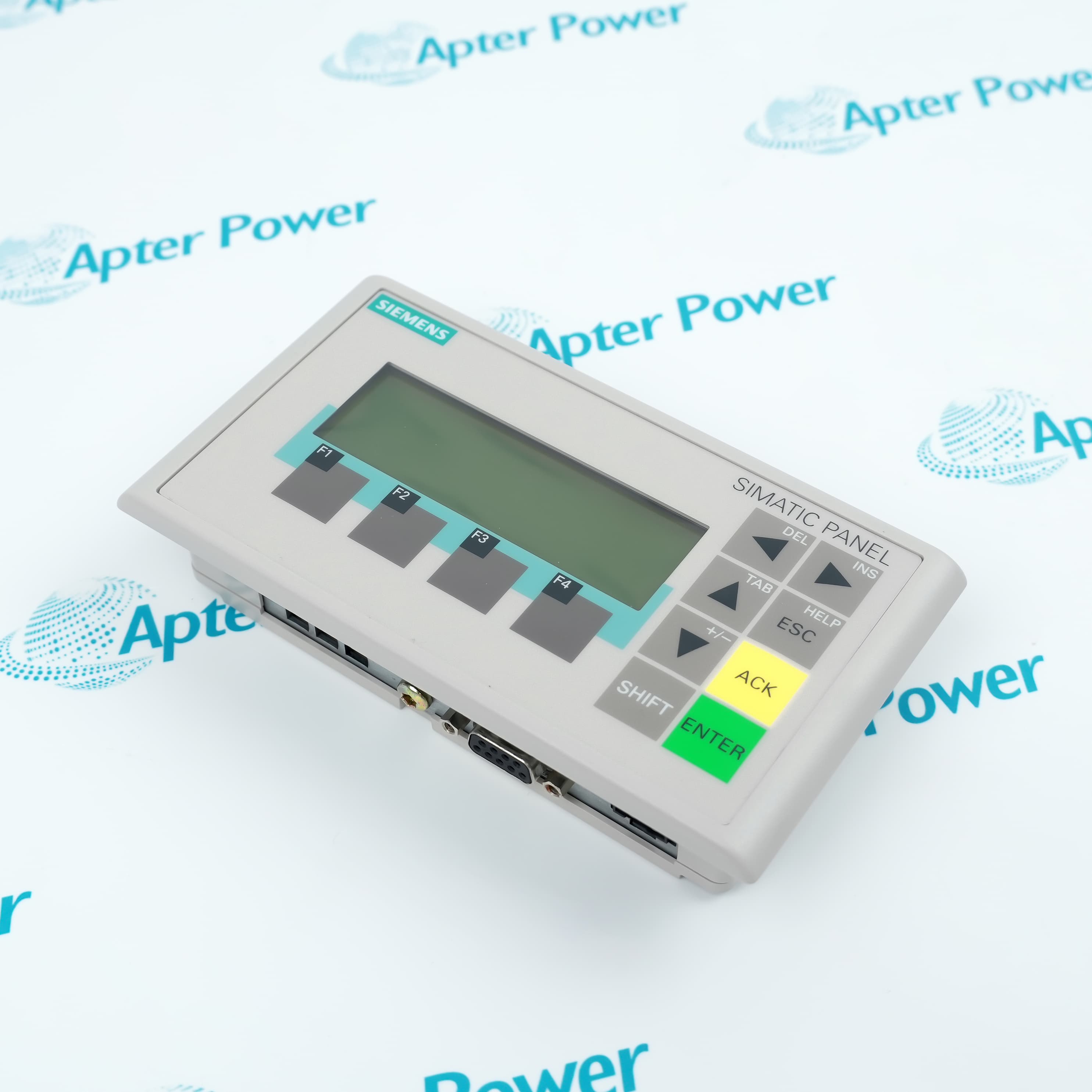
Siemens 6AV6647-0AD11-3AX0 is a SIMATIC KTP600 Basic Color PN operator panel that lets machine operators view process states and enter commands over PROFINET.
In Stock
Ships by Wednesday, October 28
Fast Shipping Available
Get a quick price for 6AV6647-0AD11-3AX0
Quantity
*E-mail
Company
*Mobile
*Content
Upload (gif, jpg, jpeg, png, bmp, doc, docx, xls, xlsx, ppt, pdf, csv)

Technical specifications for 6AV6647-0AD11-3AX0

  • Manufacturer:
    Siemens
  • Part Number:
    6AV6647-0AD11-3AX0
  • Product Family:
    Siemens Simatic HMI
  • Product Type:
    SIMATIC KTP600 Basic Color PN Operator Panel
  • Stock:
    1
  • Display Technology:
    5.7-inch TFT, 320 x 240 pixels
  • Display Colors:
    256
  • Operator Inputs:
    Resistive touch screen and six function keys
  • User Memory:
    1 MB
  • Network Interface:
    One Industrial Ethernet port
  • Communication Services:
    PROFINET, EtherNet/IP and Modbus TCP
  • Rated Supply:
    24 V DC
  • Permissible Supply Range:
    19.2 to 28.8 V DC
  • Typical Power Consumption:
    9 W
  • Maximum Screens:
    50
  • Maximum Variables:
    500
  • Recipe Capacity:
    5 recipes
  • Alarm Buffer:
    256 entries
  • Front Protection:
    IP65
  • Rear Protection:
    IP20
  • Configuration Software:
    WinCC flexible 2008 SP2 Compact or WinCC Basic V10.5
  • Weight:
    3.0027 lbs (1.362 kg)
  • Estimated shipping dimensions:
    25.8x19.2x8.8cm
  • Tariff Code:
    85371091
  • Country of origin:
    China
  • Place of shipment:
    Xiamen,Fujian,China
By purchasing this item, you agree to the Terms & Conditions, ApterPower is not an authorized distributor for listed manufacturers or tradenames and therefore the manufacturer's warranty does not apply. All our products come with ApterPower's 1-year warranty.

More Information

Overview Manuals Operator Input PROFINET Coupling Project Capacity Installation Protection

Features:

  • Touch and six function keys share operator input duties.
  • PROFINET carries both runtime data and project transfer.
  • Front IP65 protection separates the operating face from rear cabinet wiring.
Variables connect screen objects with controller values and accept permitted operator changes.

Alarms and recipes occupy defined project resources rather than separate hardware channels.

The panel clock can follow the automation system so event times remain aligned.

The Siemens 6AV6647-0AD11-3AX0 KTP600 Basic Color PN Operator Panel may still be available for purchase and support from Apter Power beyond End-Of-Life (EOL) by the manufacturer (OEM).
Siemens 6AV6647-0AD11-3AX0 KTP600 Basic Color PN Operator Panel Manuals,Datasheets,Link Important Notice: Other accessories, manuals, cables, calibration data, software, etc. are not included with this equipment unless listed in the above stock item description. All prices are shown in USD.

Combining direct touch selection with assigned panel keys

  • Touch surface: Screen objects receive the position selected by the operator.
  • Function keys: Six keys can be assigned to project actions that do not depend on touch coordinates.
  • Visual feedback: The TFT display returns controller states, alarm text and entered values on the active screen.
  • Project boundary: A control is available only when it was configured in the loaded HMI project.

Moving runtime values and engineering data through one Ethernet interface

  • Controller exchange: Configured variables carry process values between the automation system and panel.
  • Project transfer: WinCC engineering data reaches the panel through the Ethernet connection.
  • Supported services: PROFINET, EtherNet/IP and Modbus TCP are available within the documented configuration.
  • Address check: The panel network settings must agree with the controller project before runtime communication can start.

Keeping visualization resources within the panel limits

  • Screen limit: A project can contain up to 50 configured screens.
  • Variable limit: Up to 500 variables link screen objects with controller values.
  • Alarm storage: The documented alarm buffer retains 256 entries.
  • Recipe storage: Five recipes share the available user memory with other project content.

Separating the sealed operating face from cabinet-side connections

  • Front face: Correct cutout mounting retains IP65 protection toward the operator.
  • Rear enclosure: The cable and supply side is IP20 and belongs inside the cabinet.
  • Supply path: A 24 V DC source powers the display, processor and communication electronics.
  • Mounting check: The gasket, clamping hardware and cutout must seat evenly before energization.
Description
Siemens 6AV6647-0AD11-3AX0 is a SIMATIC KTP600 Basic Color PN operator panel for the Basic Panel range. Its touch surface and six function keys present controller data and return operator commands through the panel project.

Through its PROFINET interface, 6AV6647-0AD11-3AX0 exchanges variables, alarms and recipe values with the configured automation system. Ethernet also carries the engineering transfer used to load the HMI project into the panel.

The one-megabyte user memory in 6AV6647-0AD11-3AX0 stores the configured screens, variables, alarms and recipes within the documented project limits. A software clock can be synchronized by the controller so time-stamped events follow the automation system.

Mounted through a cabinet cutout, 6AV6647-0AD11-3AX0 keeps IP65 protection on the operator-facing side while the rear electronics remain IP20. The 24 V DC supply and PROFINET cable therefore terminate inside the enclosure rather than at the exposed front.
Alternative Names
6AV66470AD113AX0 6AV6 647-0AD11-3AX0 6AV6647 0AD11 3AX0 SIMATIC KTP600 Basic Color PN KTP600 Basic PN 6-inch Panel SIMATIC HMI KTP600 Color KTP600 Basic Color Ethernet HMI Siemens KTP 600 Basic PN
Technical notes
Project transfer for Siemens 6AV6647-0AD11-3AX0 uses its Ethernet interface. Match the archived WinCC project and panel firmware before replacement.
Exceptional Service

Our Mission

  • 100% Satisfaction

    We believe expertise is priceless. With over 20 years of experience, and top engineers on staff, we can help you solve or avoid problems that threaten your business.
  • Trust Guaranteed

    Not only do we have a vast inventory, our team makes sure every piece of equipment is in working condition. Your purchases are also backed by our Warranty.
  • Expertise

    Time is money, especially when your equipment is down. We work quickly to get your equipment on its way so you can get it back up and running.

FAQS

The following is a list of questions commonly asked by our customers. Please contact us if you have a question about our process that is not answered below.
Why does Siemens 6AV6647-0AD11-3AX0 power up but show no controller values?
Confirm that Siemens 6AV6647-0AD11-3AX0 has the intended WinCC project, a valid 24 V DC supply and network settings that match the controller. A displayed screen without changing variables usually points to the PROFINET path or address configuration rather than the touch surface.
What should be preserved before replacing 6AV6647-0AD11-3AX0?
Retain the exact HMI project, communication settings and required passwords for 6AV6647-0AD11-3AX0. The replacement panel cannot reconstruct screens, tags, recipes or alarm text from the connected controller.
Can 6AV6647-0AD11-3AX0 be operated with gloves?
The 6AV6647-0AD11-3AX0 uses a resistive touch surface, but glove material and thickness affect actuation. Verify each important touch target after installation and keep the six configured function keys available for their assigned actions.
Why are the function keys on 6AV6647-0AD11-3AX0 not performing the expected commands?
Each key on 6AV6647-0AD11-3AX0 depends on the active WinCC project and screen assignment. Check that the correct project version was transferred and that the key action is enabled on the current screen.
How is front-panel sealing retained on Siemens 6AV6647-0AD11-3AX0?
Install Siemens 6AV6647-0AD11-3AX0 in the specified cabinet cutout with an undamaged gasket and evenly tightened clamps. IP65 applies to the mounted front; rear terminals still require the cabinet enclosure.
Which software project is required for 6AV6647-0AD11-3AX0?
Use the archived project created for 6AV6647-0AD11-3AX0 with the documented WinCC flexible or WinCC Basic environment. Confirm software and panel firmware compatibility before transferring the project.