Ask our team:
  • Phone: +86 181 0690 9650
  • E-Mail sales1@apterpower.com
  • Lifecycle status

    Discontinued / Obsolete by OEM
    Apter Power supplies new 2711-K5A5X units from current stock for legacy system maintenance.

2711-K5A5X

/ 4.9
1001 reviews | Need a Specific Revision?
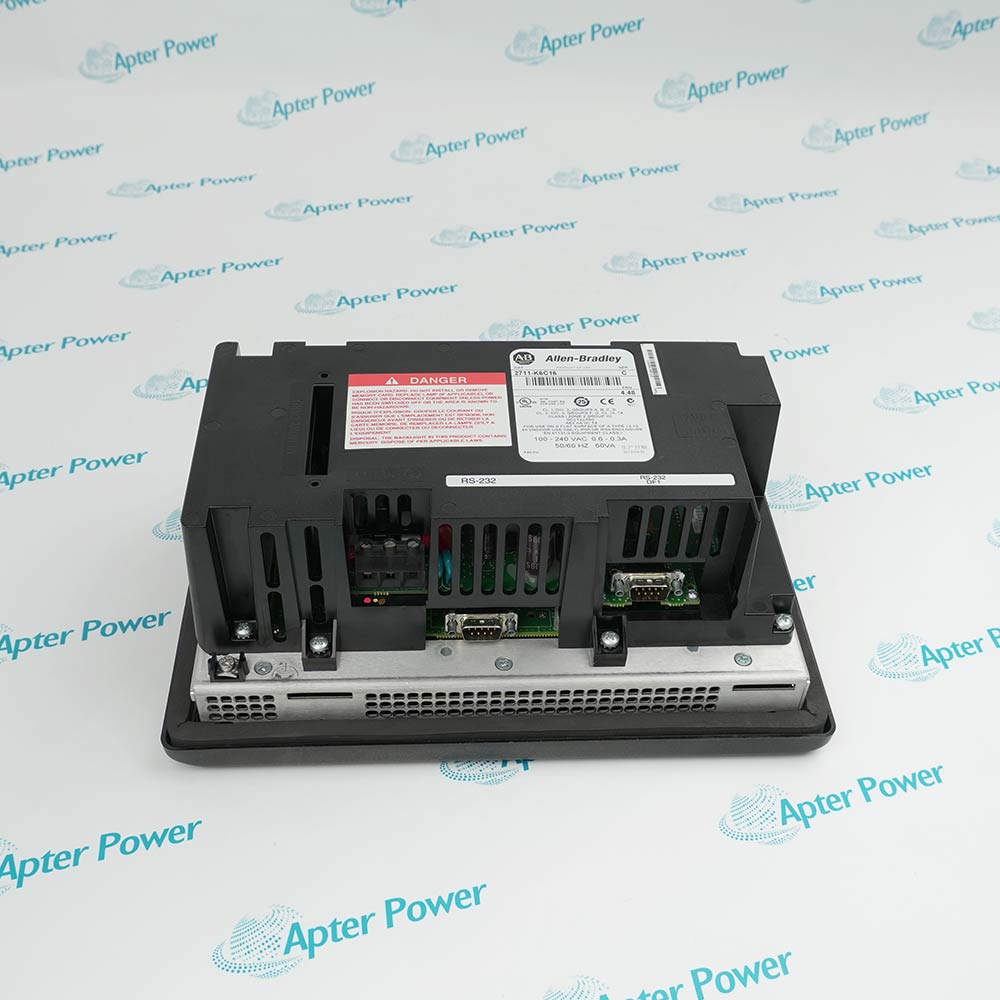
Allen-Bradley 2711-K5A5X is a PanelView Standard 550 keypad terminal with a 5.5-inch monochrome display for established DH-485 operator-interface applications.
In Stock
Ships by Wednesday, October 28
Fast Shipping Available
Get a quick price for 2711-K5A5X
Quantity
*E-mail
Company
*Mobile
*Content
Upload (gif, jpg, jpeg, png, bmp, doc, docx, xls, xlsx, ppt, pdf, csv)

Technical specifications for 2711-K5A5X

  • Manufacturer:
    Allen-Bradley
  • Part Number:
    2711-K5A5X
  • Product Family:
    PanelView
  • Product Type:
    PanelView Standard 550 Monochrome Keypad Terminal
  • Stock:
    4
  • Display Type:
    Blue-mode monochrome LCD
  • Display Area:
    120 x 60 mm
  • Display Resolution:
    256 x 128 pixels
  • LED Backlight Life:
    100,000 hours
  • Keypad:
    Stainless-steel domed membrane
  • Function Keys:
    10 (F1–F10)
  • Communication Port:
    RS-232 physical connection, DH-485 protocol
  • RS-232 Printer Port:
    No
  • Application Runtime:
    170 KB
  • Nonvolatile Memory:
    240 KB
  • Input Voltage:
    85–264 V AC, 47–63 Hz
  • Power Consumption:
    45 VA maximum
  • Weight:
    1.2 kg
  • Estimated shipping dimensions:
    26.6x16.7x10.6cm
  • Tariff Code:
    8537101190
  • Country of origin:
    USA
  • Place of shipment:
    Xiamen, Fujian, China
By purchasing this item, you agree to the Terms & Conditions, ApterPower is not an authorized distributor for listed manufacturers or tradenames and therefore the manufacturer's warranty does not apply. All our products come with ApterPower's 1-year warranty.

More Information

Overview Manuals Communication Operator Interface Installation Product Applications

Features:

  • 5.5-inch blue-mode monochrome operator display
  • Stainless-steel domed membrane keypad with ten function keys
  • RS-232 physical communication using the DH-485 protocol
The 2711-K5A5X uses a 120 x 60 mm display area and 256 x 128 resolution to present established PanelView Standard screens in a compact operator station.

Its navigation keys and F1–F10 function keys provide tactile input, while the keypad assembly is rated for one million actuations.

The terminal provides 170 KB of application runtime, 240 KB of nonvolatile memory and ATA memory-card support for compatible application storage and service work.

Apter Power supports document review, quotation, and procurement for the Allen-Bradley 2711-K5A5X PanelView Standard 550 Monochrome Keypad Terminal.
Allen-Bradley 2711-K5A5X PanelView 550 Terminal Manuals,Datasheets,Link
Important Notice: Other accessories, manuals, cables, calibration data, software, etc. are not included with this equipment unless listed in the above stock item description. All prices are shown in USD.
  • 2711-K5A5X uses an RS-232 physical connection configured for DH-485 communication.
  • The configuration does not include a dedicated RS-232 printer port.
  • Application upload and download use the terminal communication path for this DH-485 configuration.
  • The communication code must match the installed controller channel and network hardware; other PanelView 550 communication variants are not equivalent.
  • The 5.5-inch blue-mode monochrome LCD provides a 120 x 60 mm active display area.
  • A 256 x 128 pixel resolution supports text, indicators and bitmaps used by PanelBuilder32 applications.
  • The stainless-steel domed membrane keypad includes navigation controls and ten programmable function keys.
  • The keypad is rated for one million actuations for repeated operator input in an industrial station.
  • The AC terminal accepts 85–264 V AC at 47–63 Hz and consumes up to 45 VA.
  • Maintain 0–55 °C ambient temperature around the terminal and provide enclosure ventilation.
  • NEMA Type 12/13 and 4X indoor ratings apply only when the terminal is correctly mounted in an enclosure with an equivalent rating.
  • Separate power from communication wiring, ground the installation correctly and follow the terminal nameplate for hazardous-location acceptance.
  • Panel-mounted machine interfaces that use tactile keypad commands for local operator control.
  • Legacy controller stations whose installed communications path uses DH-485 over an RS-232 physical connection.
  • Maintenance of PanelView Standard 550 applications created and transferred with PanelBuilder32 workflows.
  • Industrial operator stations installed in correctly rated enclosures with controlled temperature, grounding and wiring.
Description
The tactile interface of 2711-K5A5X pairs a 5.5-inch blue-mode monochrome LCD with a stainless-steel domed membrane keypad and ten programmable function keys. This arrangement keeps established PanelView Standard navigation and command entry available at the machine.

Application storage in 2711-K5A5X includes 170 KB of runtime memory and 240 KB of nonvolatile capacity for project objects, text and bitmaps, with ATA memory-card support. The retained PanelBuilder32 project remains the key record for service or migration.

For installation planning, 2711-K5A5X must be matched to its AC supply, RS-232 physical connection using the DH-485 protocol, panel opening and enclosure requirements. Similar PanelView 550 terminals can use different network or printer-port arrangements.
Alternative Names
2711K5A5X 2711 K5A5X 27II-K5A5X 27IIK5A5X 271I-K5A5X 2711-K5ASX 2711-KSA5X
Technical notes
2711-K5A5X uses an RS-232 physical connection configured for the DH-485 protocol and does not include a separate RS-232 printer port. Treating this configuration as DF1 or as a printer-equipped PanelView 550 can prevent project transfer or controller communication, so match the communication code and connected network hardware before installation.
Exceptional Service

Our Mission

  • 100% Satisfaction

    We believe expertise is priceless. With over 20 years of experience, and top engineers on staff, we can help you solve or avoid problems that threaten your business.
  • Trust Guaranteed

    Not only do we have a vast inventory, our team makes sure every piece of equipment is in working condition. Your purchases are also backed by our Warranty.
  • Expertise

    Time is money, especially when your equipment is down. We work quickly to get your equipment on its way so you can get it back up and running.

FAQS

The following is a list of questions commonly asked by our customers. Please contact us if you have a question about our process that is not answered below.
What should be preserved before changing the application on 2711-K5A5X?
Create and identify a backup of the approved PanelBuilder32 project before any download. Record the machine revision and retain the previous runtime file so the maintenance team has a controlled recovery path.
The image on 2711-K5A5X is faint but operator data still updates; what should maintenance separate?
Separate a backlight or display-visibility issue from controller communication and application execution. Inspect the display system under normal lighting and follow the service guidance before condemning the full terminal.
One function key on 2711-K5A5X responds intermittently; how can the cause be narrowed?
First confirm the key’s programmed action in the approved project, then test that physical position repeatedly while other keys are checked as controls. This distinguishes an application assignment from a keypad or membrane fault.
A revised project is close to the memory limit; what should be checked before loading 2711-K5A5X?
Review the compiled runtime size and validation messages in the engineering software before transfer. Remove unnecessary resources through the controlled project process rather than risking an incomplete or unstable download during the outage.
Alarm history on 2711-K5A5X shows the wrong year after storage; what should be done?
Correct the real-time clock, inspect its backup source under the service procedure, and verify time retention after a full power cycle. Do not use earlier timestamps for sequence analysis until the clock is reliable.
How should the enclosure seal be checked after 2711-K5A5X is refitted to a panel?
Inspect the gasket, panel cutout, mounting hardware, and even compression around the bezel. Restore the original environmental sealing arrangement before the cabinet is returned to service.