AB 2711-B5A10
AB 2711-B5A10
AB 2711-B5A10
AB 2711-B5A10
AB 2711-B5A10
AB 2711-B5A10
Ask our team:
  • Phone: +86 181 0690 9650
  • E-Mail sales1@apterpower.com
How We Verify Your Order
Before dispatch, we confirm the exact model, revision, condition, inspection requirements and shipping documents for your order.
See a real on-site verification case >>
  • Lifecycle status

    Discontinued
    Discontinued date: 2012-06-30

2711-B5A10

/ 4.9
1001 reviews | Need a Specific Revision?
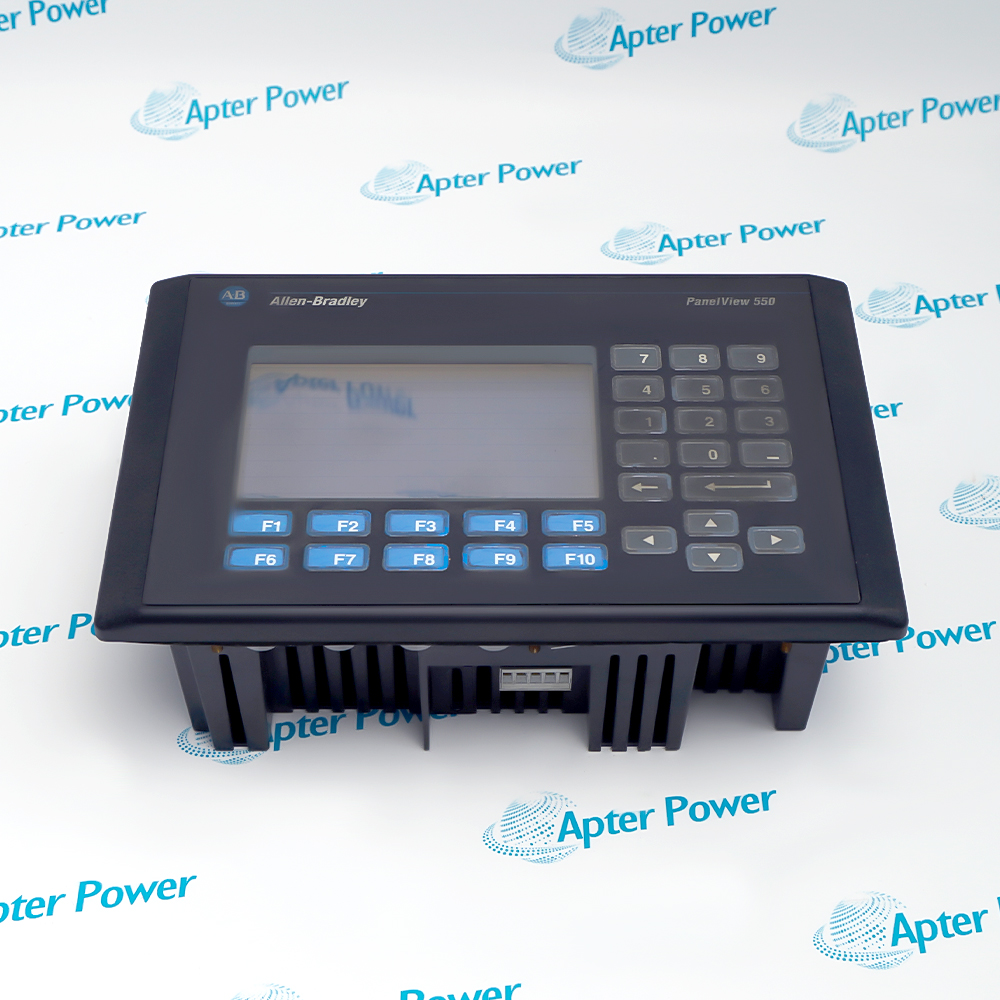
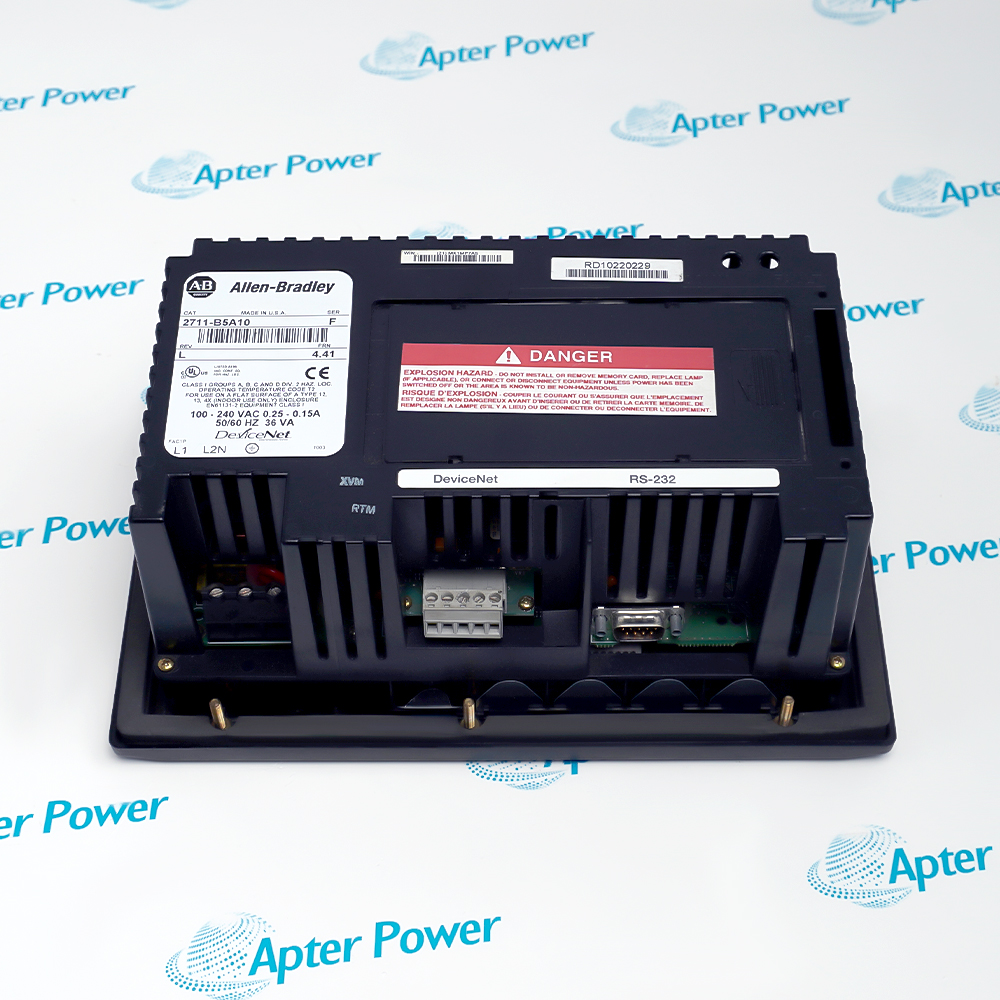
Allen-Bradley 2711-B5A10 is a PanelView 550 monochrome keypad-and-touch terminal with DeviceNet communication and an RS-232 printer port.
In Stock
Ships by Saturday, November 14
Fast Shipping Available
Get a quick price for 2711-B5A10
Quantity
*E-mail
Company
*Mobile
*Content
Upload (gif, jpg, jpeg, png, bmp, doc, docx, xls, xlsx, ppt, pdf, csv)

Technical specifications for 2711-B5A10

  • Manufacturer:
    Allen-Bradley
  • Part Number:
    2711-B5A10
  • Product Family:
    PanelView
  • Product Type:
    PanelView 550 Keypad/Touch Terminal
  • Stock:
    1
  • Display type:
    Monochrome blue-mode LCD
  • Display size:
    120 × 60 mm
  • Display resolution:
    256 × 128 pixels
  • Touch cells:
    128
  • Function keys:
    10 programmable keys
  • Operator input:
    Keypad and touch screen
  • Network interface:
    DeviceNet
  • Auxiliary port:
    RS-232 printer
  • Runtime application memory:
    170 KB
  • Nonvolatile memory:
    240 KB
  • Input voltage range:
    85–264 VAC
  • Input frequency:
    47–63 Hz
  • Maximum power consumption:
    45 VA
  • Operating temperature:
    0 to 55°C
  • Storage temperature:
    -20 to 70°C
  • Relative humidity:
    5 to 95%, non-condensing
  • Shock, operating:
    15 g
  • Vibration:
    2 g up to 2000 Hz
  • Dimensions:
    26.6 × 16.7 × 10.6 cm
  • Weight:
    1.2 kg
  • Tariff Code:
    8537101190
  • Country of origin:
    USA
  • Place of shipment:
    Xiamen, Fujian, China
By purchasing this item, you agree to the Terms & Conditions, ApterPower is not an authorized distributor for listed manufacturers or tradenames and therefore the manufacturer's warranty does not apply. All our products come with ApterPower's 1-year warranty.

More Information

Overview Manuals Application Transfer DeviceNet Setup Operator Validation Application
  • PanelView 550 monochrome keypad/touch interface
  • DeviceNet controller communication
  • Separate RS-232 printer connection

2711-B5A10 combines a compact monochrome display, touch cells, ten function keys and numeric entry for machine-level operation.

Its DeviceNet catalog option makes the network node, baud rate and controller assembly mapping part of the replacement record, not merely installation preferences.

A reliable migration preserves the application and security settings, then validates touch calibration, alarms, commands, numeric entries and printer behavior on the live machine.

Availability, condition, price, and shipping time for 2711-B5A10 are confirmed during quotation.

Allen-Bradley 2711-B5A10 PanelView 550 Manuals, Datasheets, Links

Important Notice: Other accessories, manuals, cables, calibration data, software, etc. are not included with this equipment unless listed in the above stock item description. All prices are shown in USD.

  • Archive the PanelBuilder32 project before removal
  • Confirm target firmware before download
  • Retain passwords and protected screen access
  • Restore the original node address and baud rate
  • Match produced and consumed assembly sizes
  • Verify scanner mapping and network termination
  • Calibrate and test all touch cells
  • Confirm every function-key assignment
  • Exercise alarms, commands and numeric entries
  • Machine operator control panels
  • DeviceNet-connected production equipment
  • Local alarm and process-status visualization
Description
2711-B5A10 provides local machine operation through a 5.5-inch monochrome display, ten function keys, numeric keypad and resistive touch cells.

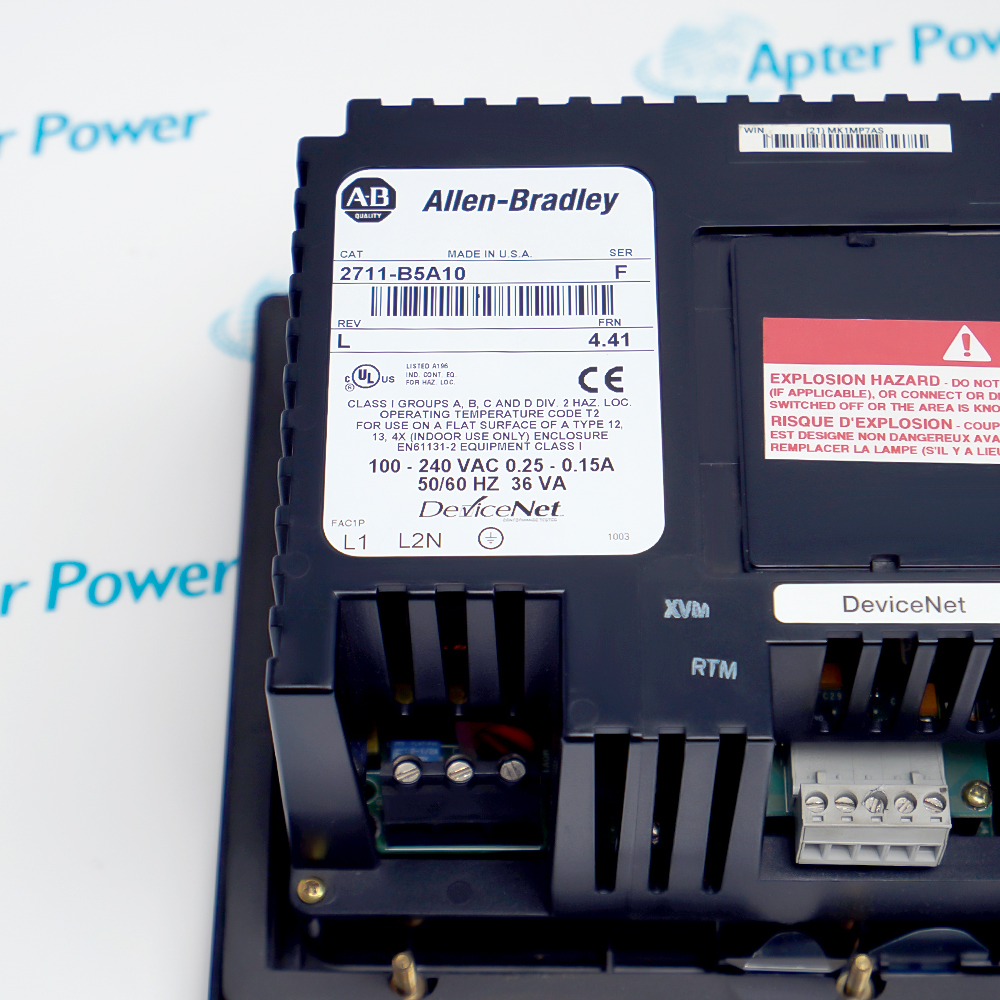
Its communication option combines DeviceNet for controller data exchange with a separate RS-232 printer interface, while the installed label identifies Series F, Revision L and firmware 4.41.

Before replacement, archive the PanelBuilder32 application and confirm the DeviceNet node, baud rate, I/O assembly, terminal addressing, security settings and screen calibration.
Alternative Names
2711-B5A10 2711 B5A10 2711B5A10 Series F 2711-B5A10 PanelView 550 DeviceNet Terminal PanelView 550 Keypad Touch Terminal
Technical notes
Allen-Bradley 2711-B5A10 requires the archived PanelBuilder32 application, matching DeviceNet node and assembly settings, verified AC wiring, touch calibration and full alarm-command testing before operator release.
Exceptional Service

Our Mission

  • 100% Satisfaction

    We believe expertise is priceless. With over 20 years of experience, and top engineers on staff, we can help you solve or avoid problems that threaten your business.
  • Trust Guaranteed

    Not only do we have a vast inventory, our team makes sure every piece of equipment is in working condition. Your purchases are also backed by our Warranty.
  • Expertise

    Time is money, especially when your equipment is down. We work quickly to get your equipment on its way so you can get it back up and running.

FAQS

The following is a list of questions commonly asked by our customers. Please contact us if you have a question about our process that is not answered below.
What must be backed up before replacing Allen-Bradley 2711-B5A10?
Save the PanelBuilder32 application, communication settings, passwords and current screen behavior before Allen-Bradley 2711-B5A10 is removed.
Can Allen-Bradley 2711-B5A10 be replaced by another PanelView 550 catalog number?
Only after matching display type, keypad/touch input, AC power, DeviceNet interface, printer port, application memory and cutout for Allen-Bradley 2711-B5A10.
Which DeviceNet settings must match on Allen-Bradley 2711-B5A10?
Restore the node address, baud rate, produced and consumed assembly sizes, scan-list relationship and controller mapping used by Allen-Bradley 2711-B5A10.
How should an Allen-Bradley 2711-B5A10 application be restored?
Use a compatible PanelBuilder32 workflow and verify firmware compatibility before downloading the archived application to Allen-Bradley 2711-B5A10.
What should be checked if Allen-Bradley 2711-B5A10 powers up but shows communication faults?
Check DeviceNet polarity, shield, termination, network voltage, node duplication, baud rate and scanner configuration for Allen-Bradley 2711-B5A10.
How should the touch screen on Allen-Bradley 2711-B5A10 be validated?
Calibrate Allen-Bradley 2711-B5A10, test every programmed touch target and function key, and confirm emergency or maintenance actions are not assigned incorrectly.
What final test is required after installing Allen-Bradley 2711-B5A10?
Run every critical screen, alarm, navigation key, numeric entry, DeviceNet command and printer function under the approved machine test plan for Allen-Bradley 2711-B5A10.